BLIS Calibration Reprogramming using OBD

Disclaimer: Links on this page pointing to Amazon, eBay and other sites may include affiliate code. If you click them and make a purchase, we may earn a small commission.

AlterEgo

Active Member
Joined
Apr 21, 2022
Posts
42
Reaction score
16
Location
KSA
So my Expedition was hit from the rear - as a result has to replace the bumper and right hand side damaged sensors - which are supposedly mounted inside the bumper.

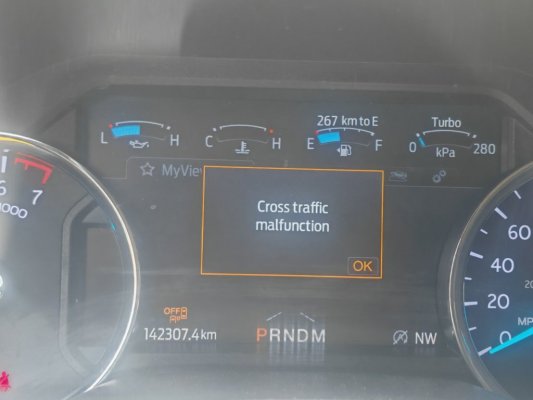
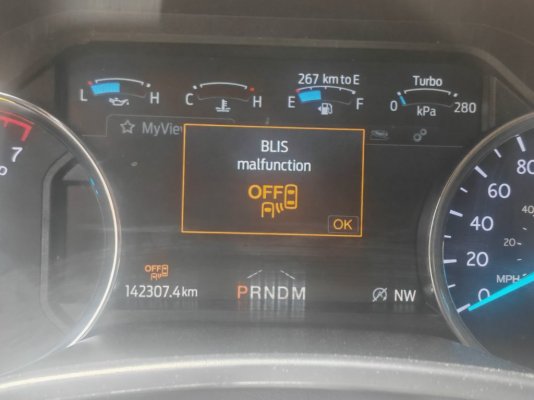
After replacement the right side mirror cross traffic sensor light showing continually as lit with the BLIS Control and Cross Traffic Malfunction message in cluster panel.

As I am informed this needs a dealership visit for calibration with their official tools - sadly which may need a time period of upto 5-6 days depending on cars in queue.

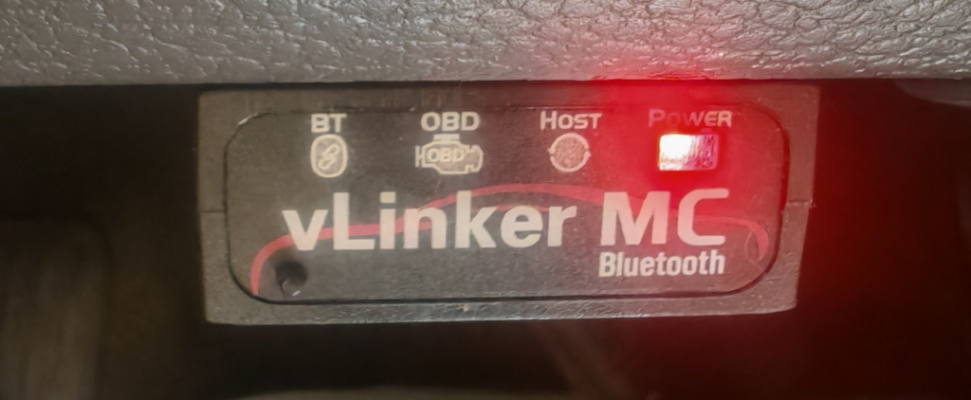
I have the Vlinker MC Bluetooth - can have the Forscan downloaded as well. I know sometimes the calibration may need road test and drive around to let the sensors learn real terrain conditions - however can give it a shot.

Is there is a safe - novice friendly guide or series of steps which I can be recommended with to follow to attempt fixing myself.
IMG_20260410_123759.jpg

IMG_20260410_123802.jpgIMG_20260410_123829.pngIMG_20260410_123915.png
 

99WhiteC5Coupe

Full Access Members
Joined
Jun 3, 2015
Posts
3,404
Reaction score
1,990
Location
USA
So my Expedition was hit from the rear - as a result has to replace the bumper and right hand side damaged sensors - which are supposedly mounted inside the bumper.

After replacement the right side mirror cross traffic sensor light showing continually as lit with the BLIS Control and Cross Traffic Malfunction message in cluster panel.

As I am informed this needs a dealership visit for calibration with their official tools - sadly which may need a time period of upto 5-6 days depending on cars in queue.

I have the Vlinker MC Bluetooth - can have the Forscan downloaded as well. I know sometimes the calibration may need road test and drive around to let the sensors learn real terrain conditions - however can give it a shot.

Is there is a safe - novice friendly guide or series of steps which I can be recommended with to follow to attempt fixing myself.

View attachment 86923

View attachment 86924View attachment 86925View attachment 86926


Why wasn’t the place that repaired the vehicle responsible to the job right?

Why did you accept the vehicle after repair if it wasn’t repaired correctly?
 
OP
OP
A

AlterEgo

Active Member
Joined
Apr 21, 2022
Posts
42
Reaction score
16
Location
KSA
Why wasn’t the place that repaired the vehicle responsible to the job right?

Why did you accept the vehicle after repair if it wasn’t repaired correctly?
The place where I had the car repaired were only specializing in body work , they changed and replaced the radar / sensors and informed in advance that I had to get them calibrated from elsewhere as it is not their forte.

So i knew ab initio that it needs to be fixed separately.
 

99WhiteC5Coupe

Full Access Members
Joined
Jun 3, 2015
Posts
3,404
Reaction score
1,990
Location
USA
The place where I had the car repaired were only specializing in body work , they changed and replaced the radar / sensors and informed in advance that I had to get them calibrated from elsewhere as it is not their forte.

So i knew ab initio that it needs to be fixed separately.


Is your insurance paying, or the at-fault person’s insurance, or you (out-of-pocket)?
 

rugedraw

Full Access Members
Joined
Aug 14, 2024
Posts
138
Reaction score
63
Location
Miami, FL
Yes, you can program the BLIS sensors with FORScan. You will need to pull the ab data file from the Motorcraft site to write your truck's VIN and config to the right and left side obstacle detection modules (SODR & SODL). You will then have to run the service procedure in FORScan to calibrate everything. Tbh, I have never had to do what you want to do, so I cannot tell you exactly what to do, but it can be done with FORScan.

It is possible you will need to recalibrate the IPMA and CCM(cruise control module), as well.
 
Top