
Synch 3 Wifi update

Disclaimer: Links on this page pointing to Amazon, eBay and other sites may include affiliate code. If you click them and make a purchase, we may earn a small commission.

Michael McC

Well-Known Member
Joined
Oct 14, 2017
Posts
96
Reaction score
42
Location
Corpus Christi
First glitch after updating to 2.3 -- Push speaker button on steering wheel, error message appears on screen: Voice Recognition Not Ready

 

LokiWolf

Staff member
Moderator
Joined
Apr 2, 2016
Posts
3,971
Reaction score
2,837
Location
Richmond VA
First glitch after updating to 2.3 -- Push speaker button on steering wheel, error message appears on screen: Voice Recognition Not Ready
Power and Next Track button, press and hold. System will reboot. After the screen shows back up and your radio works, do it again. 2nd time it comes back up your voice recognition should work. Yell if that does not work, there are a few more things we can try.
 

powerboatr

Full Access Members
Joined
May 16, 2016
Posts
981
Reaction score
380
Location
North East Texas
after the 2nd restart i had 100% full use of everything and my ambient is staying where i set the vice the bright pink or orange
 

Michael McC

Well-Known Member
Joined
Oct 14, 2017
Posts
96
Reaction score
42
Location
Corpus Christi
Power and Next Track button, press and hold. System will reboot. After the screen shows back up and your radio works, do it again. 2nd time it comes back up your voice recognition should work. Yell if that does not work, there are a few more things we can try.
Two reboots as instructed. Still "Voice Recognition Not Ready".
Ford sent me an email asking to confirm my Sync update on their website. Their link to their website does not work. There is no file on my USB to upload anyway.

Performed master reset with onscreen instructions. Added phone and wifi back. It remembered my radio station presets, thankfully. Rebooted twice (power/FF buttons). The only difference now is that it asks me whether I want to receive updates via wifi and asks me to reconnect to wifi after each reboot. It didn't do that before the master reset.

Still, Voice Recognition Not Ready!
 
Last edited:

LokiWolf

Staff member
Moderator
Joined
Apr 2, 2016
Posts
3,971
Reaction score
2,837
Location
Richmond VA
Two reboots as instructed. Still "Voice Recognition Not Ready".
Ford sent me an email asking to confirm my Sync update on their website. Their link to their website does not work. There is no file on my USB to upload anyway.

Performed master reset with onscreen instructions. Added phone and wifi back. It remembered my radio station presets, thankfully. Rebooted twice (power/FF buttons). The only difference now is that it asks me whether I want to receive updates via wifi and asks me to reconnect to wifi after each reboot. It didn't do that before the master reset.

Still, Voice Recognition Not Ready!

OK, After the Master Reset, the prompt to connect to WiFi by default is on. You can turn that off in Settings.

With that said, connect to your home WiFi, and check for updates. That will cause it to report to Ford. It will accomplish the same thing as the USB file. Also, you can try putting the upgrade back in again, and see if it wants to update again. If it does, let it go.

Are there any log files on your drive? If it recorded an issue with the update it will be in those. Don’t have my laptop in front of me or I could tell you the file name to look for.
 

Michael McC

Well-Known Member
Joined
Oct 14, 2017
Posts
96
Reaction score
42
Location
Corpus Christi
Loki,
The only files on my drive are the install files I described in my first post on this firmware update.
I will try to reinstall the update and report back.

The only reason I embarked on this endeavor was to fix a problem: about one in ten calls placed would end up with some sort of error. The ringtone was in a deep (low) tone, and the voice on both ends sounded like a bad attempt at voice modulation (deep, low tones, and unintelligible). I would have to hang up on about one in ten calls when I heard the low ring tone, then call again. I had little confidence in this update working based on the experiences here, but here I am...

Thank you very much for your help. I will report back.
 

Michael McC

Well-Known Member
Joined
Oct 14, 2017
Posts
96
Reaction score
42
Location
Corpus Christi
Reinstallation worked. I just checked after 30' and "installation complete" was on my screen. Removed drive. Turned off car. Restarted. Voice recognition works.

New file in the SyncMyRide folder on the flash drive: Sync_WV3J...7.xml. Another poster said they could not find the file to upload to Ford. It is in that folder. I almost missed it, until I thought to open the folder.

Thanks Loki. Not sure why it hung up the first time. Today I moved all files to trash and started with a fresh download from Ford.

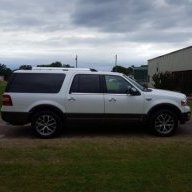
Monday she gets custom Traxda 2.25" lift (front and back) and BFG AT/TA/KO2's, one inch taller (60's rather than 55's). No more bottoming out in the sand!
 

LokiWolf

Staff member
Moderator
Joined
Apr 2, 2016
Posts
3,971
Reaction score
2,837
Location
Richmond VA
Reinstallation worked. I just checked after 30' and "installation complete" was on my screen. Removed drive. Turned off car. Restarted. Voice recognition works.

New file in the SyncMyRide folder on the flash drive: Sync_WV3J...7.xml. Another poster said they could not find the file to upload to Ford. It is in that folder. I almost missed it, until I thought to open the folder.

Thanks Loki. Not sure why it hung up the first time. Today I moved all files to trash and started with a fresh download from Ford.

Monday she gets custom Traxda 2.25" lift (front and back) and BFG AT/TA/KO2's, one inch taller (60's rather than 55's). No more bottoming out in the sand!

Glad to help!

Our 15 had the Ready Lift 3/2 lift on it. I have the kit for the 17 sitting in the Garage. Just need to do it. Loved it on the 15!!!
 

ExpeditionAndy

Full Access Members
Joined
Aug 31, 2013
Posts
3,708
Reaction score
1,130
Location
Fort Wayne, Indiana
Kept wheels, and ran a 275/60R20, basically a 33. Slightly larger than stock.

Going to run a 295/60/R20 this time around most likely.
I'm still considering doing this but I don't want to do the work so I'll have to find someone here in the area that does lifts. I think I'll keep my stock tires and then when they wear out I could go up in size. My speedometer is off by 2 MPH so I could go up in size a little without messing with the computer.
 

Michael McC

Well-Known Member
Joined
Oct 14, 2017
Posts
96
Reaction score
42
Location
Corpus Christi
So guess what? Voice Recognition Not Ready message appears again when I hit the speaker button.

Update: That was yesterday. Today if I push the talk button once nothing happens. If I hold it down it launches Siri, like it used to. I didn't do any reboots or anything else. It's just a bit glitchy. Also, the issue with voice and ring tone occasionally not operating properly (instead in a very low tone) occurred again today.

I guess I will turn to Ford for help?

Further update. Called Ford. Very nice lady came in within a few minutes of following prompts. Explained my problem and what I had done. She had me perform a "Key Cycle Reset". I am back to the "Voice Recognition Not Ready" but she said I would have to drive the car for a while to see if it works. For some reason these updates and resets need the car to operate. She said if the reset didn't work, take it to the dealer. Great. Lots of confidence in the dealer (NOT).

FYI: Key cycle reset: With driver door open, lock car; close door; wait for all lights to shut off (20-30 seconds); start car. Everything came on as if I had not followed that sequence. No reset evident.
 
Last edited:

Bigbadbull

Full Access Members
Joined
May 16, 2017
Posts
58
Reaction score
6
Location
Hoover Al
After the Update my USB/Airplay adapter ( the ford part in the center console) went doa and I sometimes get a "USB device drawing too much power please unplug" warning on the center console that wont go away..

Guess its another service call
 

Michael McC

Well-Known Member
Joined
Oct 14, 2017
Posts
96
Reaction score
42
Location
Corpus Christi
Power and Next Track button, press and hold. System will reboot. After the screen shows back up and your radio works, do it again. 2nd time it comes back up your voice recognition should work. Yell if that does not work, there are a few more things we can try.
Loki, any other ideas before I take her to the dealer? I still don't have voice recognition.
 

LokiWolf

Staff member
Moderator
Joined
Apr 2, 2016
Posts
3,971
Reaction score
2,837
Location
Richmond VA
Loki, any other ideas before I take her to the dealer? I still don't have voice recognition.

No, I think you have done everything you can do. If it is under warranty, I wouldn't hesitate taking it to the dealer. Keep us in the loop as to what they have to do/replace. Might be helpful to others in the future.
 

Michael McC

Well-Known Member
Joined
Oct 14, 2017
Posts
96
Reaction score
42
Location
Corpus Christi
Update: Dealer replaced APIM assembly. APIM=accessory protocol interface module, which I believe is the Sync hardware behind the screen. Seems to be working fine so far.
 
Top


