
How to: Install dashcam in 4th gen

Disclaimer: Links on this page pointing to Amazon, eBay and other sites may include affiliate code. If you click them and make a purchase, we may earn a small commission.

Kered

New Member
Joined
Jul 15, 2023
Posts
3
Reaction score
20
Location
Florida
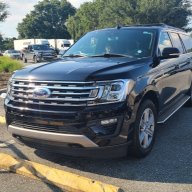
I decided to do this write-up when I was almost finished with this install so I apologize for the limited pics. I still think it could help someone thinking about tackling this themselves. I initially had this dash cam on my F150 but took it out when I traded it in. This is a Thinkware F200 Pro front and rear camera install on a 2020 Expedition Max XLT, but I think it should work the same on any cam and any trim.

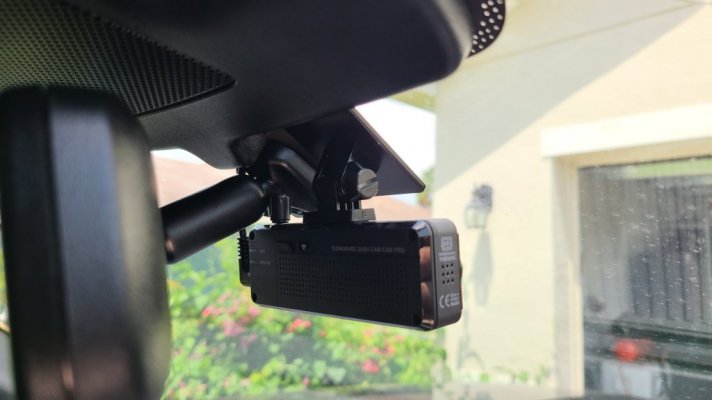
Here is the camera I installed.
Thinkware F200 Pro

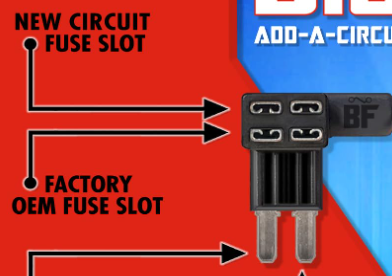
Here is the fuse tap I used.
Fuse Tap kit

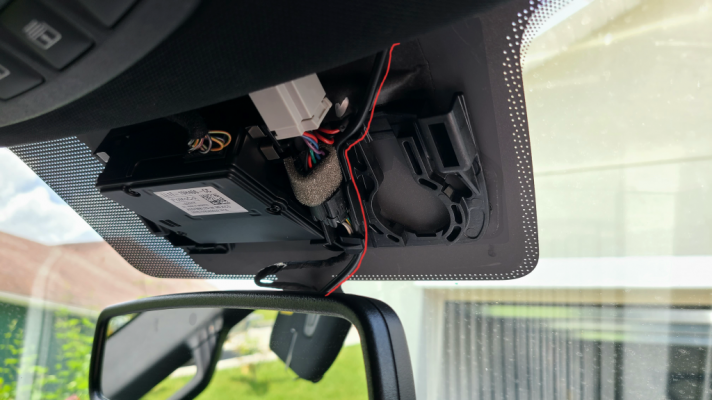
First I popped of the plastic piece above the rear view mirror. Simply pull down and it should pop off pretty easy. This unit has a wire for power and a wire that runs to the rear camera so I left enough wire hanging down to connect and ran the wire though the clip thats already there and tucked it into the headliner.
20230717_202609.png

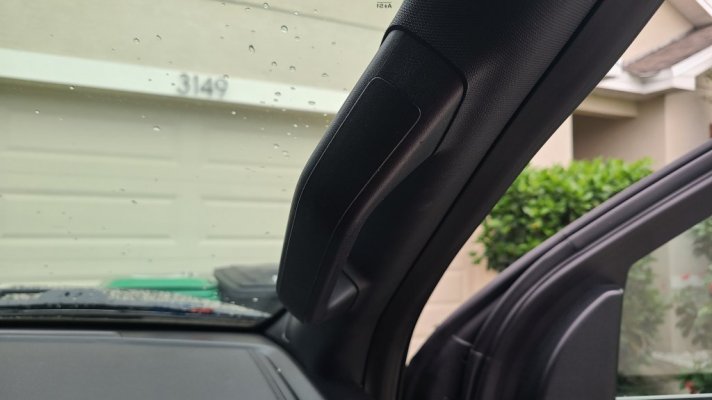
Tuck the wires into the headliner to the passenger side. Remove the rubber gasket trim around the door but only remove the front part where you are working Remove the cover on the "Oh shiiiii" handle and use a 10mm socket to remove the two screws. Then the whole panel should just pop right off by pulling.
20230717_194739.jpg

There are already clips to clip the wires in under there so use those.
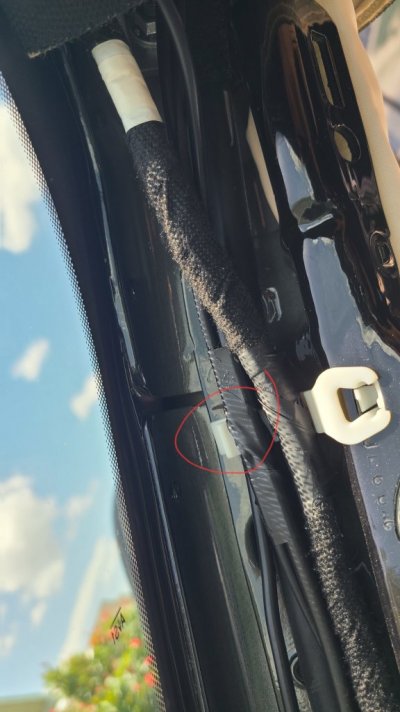
20230717_202701.jpg
Run the power cable down pillar to the fuse panel by your feet in the floor board. You can see in this picture where I attached the ground.
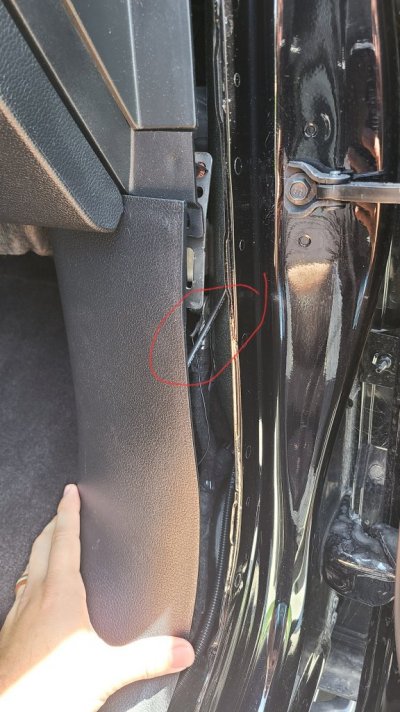
20230717_202732.jpg

The cover of the fuse panel is on the side where your feet go. Once again just pull and it pops right off.

I attached the constant to fuse #29 and the accessory to fuse #37
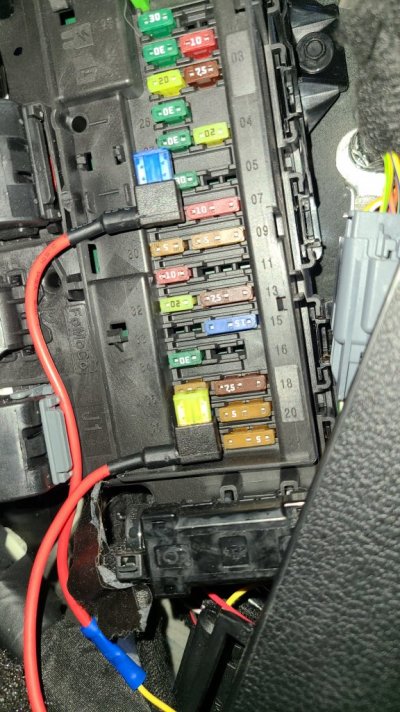
20230715_130607.jpg

At this point, I hooked up the cam and made sure everything worked before moving onto the rear cam.

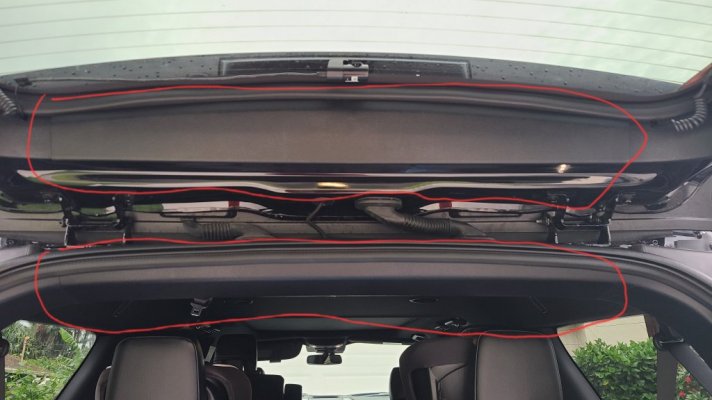
Remove the rubber door gasket from the top of the front and rear door and run the wire along there being careful not to put it where it will interfere with the airbags. Once you're past the doors tuck it into the headliner till you get to the rear lift gate.

Apparently I can only upload 5 photos so I'll continue with the rear cam install on the next post.
 
Last edited:
As an Amazon Associate we earn from qualifying purchases.
OP
OP
Kered

Kered

New Member
Joined
Jul 15, 2023
Posts
3
Reaction score
20
Location
Florida
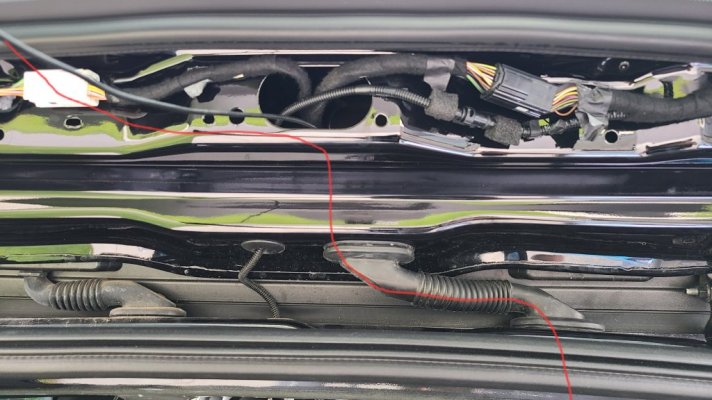
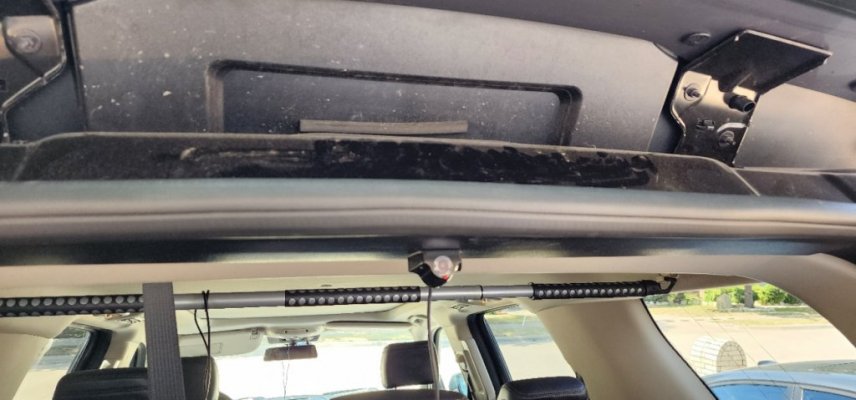
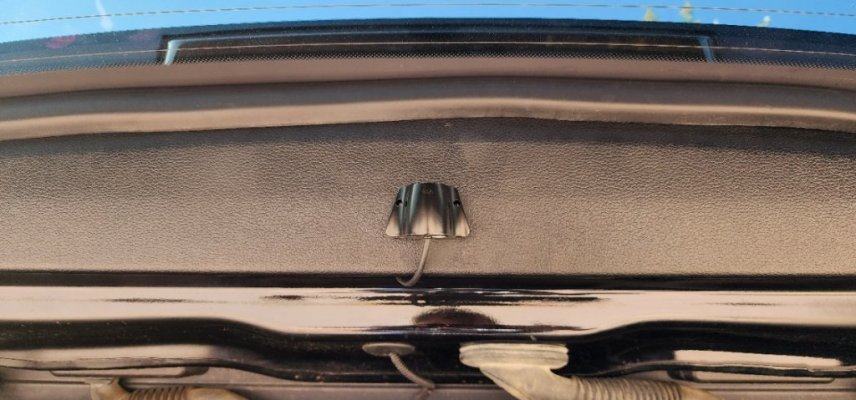
To install the rear cam simply pop off these panels by gently pulling down on them.
20230717_210104.jpg

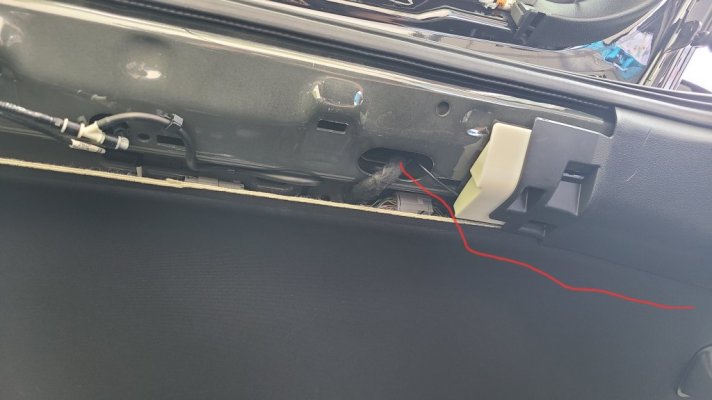
Run the wire up through here
20230717_202918.jpg

Through here and out the top.
20230717_202830.jpg

You'll see a cut in the side panel on the door for an existing wire. Run your wire through that and pop the panels back on and you're done.

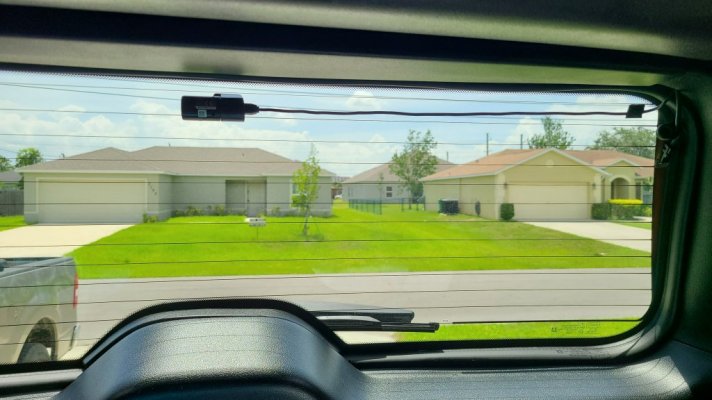
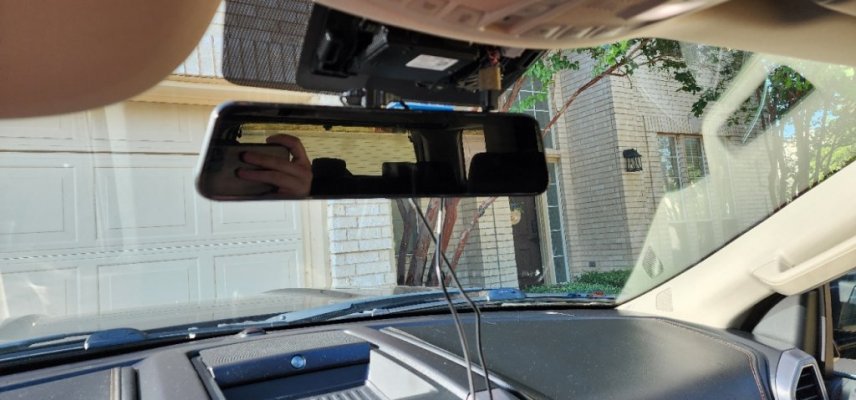
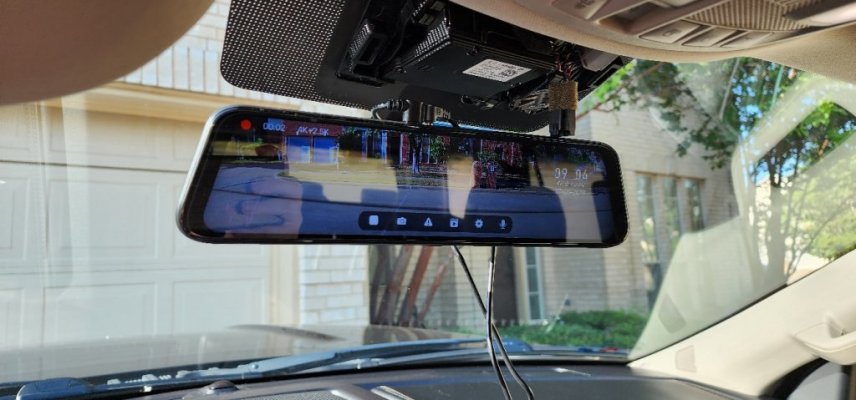
Here is the finished product.

20230715_145305.jpg
20230715_145543.jpg
 

LazSlate

Full Access Members
Joined
May 7, 2022
Posts
416
Reaction score
245
Location
Arizona
Looks nice. Clean install. I would move the rear to the one side as it makes little to no difference. I did a bunch of tests before installing mine.
 

Dewey3

Active Member
Joined
Nov 4, 2020
Posts
35
Reaction score
13
Location
Maryland
That is a very nice job! Just out of curiosity, is there a reason that you did not tap into the power wires right there behind the overhead fascia? I've always wanted to permanently power my dash cam... currently on power point... but have never been brave enough to remove that overhead fascia trim. I am asking in case there is a reason that I have not though of. Thanks.
 

LazSlate

Full Access Members
Joined
May 7, 2022
Posts
416
Reaction score
245
Location
Arizona
That is a very nice job! Just out of curiosity, is there a reason that you did not tap into the power wires right there behind the overhead fascia? I've always wanted to permanently power my dash cam... currently on power point... but have never been brave enough to remove that overhead fascia trim. I am asking in case there is a reason that I have not though of. Thanks.

When i did mine I looked at that route and they make harnesses to plug in, problem is DashCams most of them do not like being abruptly powered off. I have had a few that corrupts the last file. Some claim to have a cap in them but those also never powered down good.
Its simpler to run a power wire for a few reasons.
- Does not interfere with the electronics in the mirror (power draw, etc)
- Does not void warranty as they question everything
- It provides a RED always on and a YELLOW acc wires so the DashCam can power down when yellow is off while having red power on for the shut down.
 

phil2045

Member
Joined
Dec 6, 2022
Posts
11
Reaction score
10
Location
Fort Worth, TX
I've had a Wolfbox Mirror/Camera kit for 3 mos now and have yet to install it. Thought it about the other day, saw this post and said "let's put this on already".
My question for you is how well do the rear camera wires work when you open just the glass?
Since I have the shelf in the back I find myself opening the glass more often then the whole liftgate.
 

LazSlate

Full Access Members
Joined
May 7, 2022
Posts
416
Reaction score
245
Location
Arizona
I've had a Wolfbox Mirror/Camera kit for 3 mos now and have yet to install it. Thought it about the other day, saw this post and said "let's put this on already".
My question for you is how well do the rear camera wires work when you open just the glass?
Since I have the shelf in the back I find myself opening the glass more often then the whole liftgate.
I put mine on the far left side and wrapped the wire inside the heater element wire coil. Works like a champ.
 
Joined
Jun 28, 2023
Posts
6
Reaction score
11
Location
Illinois
I've had a Wolfbox Mirror/Camera kit for 3 mos now and have yet to install it. Thought it about the other day, saw this post and said "let's put this on already".
My question for you is how well do the rear camera wires work when you open just the glass?
Since I have the shelf in the back I find myself opening the glass more often then the whole liftgate.
I’m really interested to learn about your experience. I’m thinking of buying the Wolfbox G900 for my 2019 XLT. Keep us posted!
 

phil2045

Member
Joined
Dec 6, 2022
Posts
11
Reaction score
10
Location
Fort Worth, TX
I’m really interested to learn about your experience. I’m thinking of buying the Wolfbox G900 for my 2019 XLT. Keep us posted!

Got it mostly wired up and positioned how I want it.. For now at least. Attached the rear camera to the panel on the liftgate itself, keeps it as clean as possible. Just need to tuck all the wires, put on the GPS antenna and put the front passenger paneling back.
20230725_161816.jpg20230726_090315.jpg20230726_090339.jpg20230726_090352.jpg
 

phil2045

Member
Joined
Dec 6, 2022
Posts
11
Reaction score
10
Location
Fort Worth, TX
The Mirror Screen itself is cool, for me I had to turn the brightness down to around 50%. Sensitive eyes from starting at computer screens all day.
I do think I'll order the Anti-Glare sheets when they become available again. Right now I can see the reflection in with the displayed video, not really something I want to see.
Overall I'm happy so far with it.
 
Joined
Jun 28, 2023
Posts
6
Reaction score
11
Location
Illinois
Great job—it looks amazing. Thanks for posting pictures. I love the location of the camera; I was worried that I would have to mount the rear camera outside but I think the location you put it in is ideal. I’m purchasing and having my local detailing shop install it for me. Is there plenty of clearance for the sun visors and where do you plan on putting the gps antenna?
 

phil2045

Member
Joined
Dec 6, 2022
Posts
11
Reaction score
10
Location
Fort Worth, TX
Great job—it looks amazing. Thanks for posting pictures. I love the location of the camera; I was worried that I would have to mount the rear camera outside but I think the location you put it in is ideal. I’m purchasing and having my local detailing shop install it for me. Is there plenty of clearance for the sun visors and where do you plan on putting the gps antenna?
Yes, plenty of room for the visors.
I put the GPS antenna on the dash by the Passenger A-Pillar. Can just barely see it.
You do not need to order the Extension kit for the rear camera if you are a RWB. I have plenty of extra wire on mine, so you might not need it in a Max either.
 

KFordEx8

Full Access Members
Joined
Feb 11, 2021
Posts
139
Reaction score
120
Location
SF Bay Area
The Mirror Screen itself is cool, for me I had to turn the brightness down to around 50%. Sensitive eyes from starting at computer screens all day.
I do think I'll order the Anti-Glare sheets when they become available again. Right now I can see the reflection in with the displayed video, not really something I want to see.
Overall I'm happy so far with it.
I picked up the Wolfbox G840S. Tested it and found that using it as a rear view mirror was too dark. Also, there isn’t enough adjustment in the camera and shows too much hood. I have tried it on two vehicles; one being the Expedition.
 

KSC 2019 XLT

Well-Known Member
Joined
Sep 5, 2019
Posts
97
Reaction score
38
Location
DFW
Remove the cover on the "Oh shiiiii" handle
Hi Kered - I'm trying to hard wire a dash cam as well and trying to follow along your comment about removing the front passenger grab handle. You mentioned to "remove the cover." How did you do that? I don't see where to remove or pop it out.
 

KFordEx8

Full Access Members
Joined
Feb 11, 2021
Posts
139
Reaction score
120
Location
SF Bay Area
Hi Kered - I'm trying to hard wire a dash cam as well and trying to follow along your comment about removing the front passenger grab handle. You mentioned to "remove the cover." How did you do that? I don't see where to remove or pop it out.
At the lower end of the cover closer to the dash, you'll see a little hole for on the cover plate. I stuck a small allen wrench and pulled.
 

sully0200

New Member
Joined
Jun 2, 2023
Posts
1
Reaction score
2
Location
Missouri
I decided to do this write-up when I was almost finished with this install so I apologize for the limited pics. I still think it could help someone thinking about tackling this themselves. I initially had this dash cam on my F150 but took it out when I traded it in. This is a Thinkware F200 Pro front and rear camera install on a 2020 Expedition Max XLT, but I think it should work the same on any cam and any trim.

Here is the camera I installed.
Thinkware F200 Pro

Here is the fuse tap I used.
Fuse Tap kit

First I popped of the plastic piece above the rear view mirror. Simply pull down and it should pop off pretty easy. This unit has a wire for power and a wire that runs to the rear camera so I left enough wire hanging down to connect and ran the wire though the clip thats already there and tucked it into the headliner.
View attachment 78242

Tuck the wires into the headliner to the passenger side. Remove the rubber gasket trim around the door but only remove the front part where you are working Remove the cover on the "Oh shiiiii" handle and use a 10mm socket to remove the two screws. Then the whole panel should just pop right off by pulling.
View attachment 78244

There are already clips to clip the wires in under there so use those.
View attachment 78243
Run the power cable down pillar to the fuse panel by your feet in the floor board. You can see in this picture where I attached the ground.
View attachment 78246

The cover of the fuse panel is on the side where your feet go. Once again just pull and it pops right off.

I attached the constant to fuse #29 and the accessory to fuse #37
View attachment 78245

At this point, I hooked up the cam and made sure everything worked before moving onto the rear cam.

Remove the rubber door gasket from the top of the front and rear door and run the wire along there being careful not to put it where it will interfere with the airbags. Once you're past the doors tuck it into the headliner till you get to the rear lift gate.

Apparently I can only upload 5 photos so I'll continue with the rear cam install on the next post.
Here’s what ticks me off. My 2023 Timberline has cameras around the entire vehicle. Why in the heck wouldn’t they set up a dashcam using the cameras already on it?
 
As an Amazon Associate we earn from qualifying purchases.
Top