Trying to make progress with Forscan. Comparing to a 25 F150.

Disclaimer: Links on this page pointing to Amazon, eBay and other sites may include affiliate code. If you click them and make a purchase, we may earn a small commission.

Underwhere

Member
Joined
May 1, 2026
Posts
8
Reaction score
0
Location
NH
Clearly there is not much support here vs other forums like the f150.
I made many changes to the F150 using Livinitup's sheet and it has been very helpful.

Perhaps we can start tracking changes here somehow?

I explored some of the "easy method" today.

Specifically:
BCM - DRl includes parking lamps (looks to be successful changed)
BCM - Lincoln Experience (not sure if anything is different)

I then went and checked the as-built and found that the easy method modified specific blocks:
BCM - DRl includes parking lamps
As Built - 726-38-01 0164 0A00 00D5
----new - 726-38-01 0164 0A00 01D6 (supposedly enabled parking lamps with the DRL)

BCM - Lincoln Experience (

As built - 726-39-02 0101 0100 006B
----new - 726-39-02 0101 0101 006C (supposedly enabled the "Lincoln experience")


Does anyone know what the Lincoln experience even does?


I could use the help in accomplishing the following:

1. Get my DRL brighter. On my F150 I set it to 75% it was blocks 38 and 42
F150 Old BCM 726-42-01 0303 0101 057D
F150 New BCM 726-42-01 x2x2 xxxx xx--
Does anyone know whether these blocks would match on the Expedition?

2. Remove black box on reverse camera that says "full view not available"
F150 Old APIM 7D0-02-02 5210 00DC 0019
F150 New APIM 7D0-02-02 xxx1 xxxx xx-- (If your current value is 0 then change to 1, 2 change to 3, 4 change to 5, 6 change to 7 Note: reset APIM after the change)
Does anyone know how to accomplish this on the Expedition?

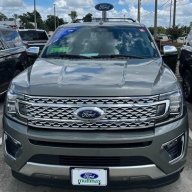
3. Turn on the DRL and outside lights when you approach with the key. My F150 does this and it's a wonderful feature. My 26 Expedition Platinum SPP is completely dark when I walk up to it. I thought maybe the "Lincoln experience" would do something but it doesn't seem like enabled it did anything at all.
My research shows on a 2026 F150 it's BCM 726-45-01 xxxx **** xx-- (0 is disabled, 1 is enabled)
My 26 expedition shows an as-built as BCM 726-45-01 0005 0300 007B

I'm not very well versed in how to test this stuff.

Do I risk bricking my brand new car if I edit these things in the as-built and it's not correct?
How does one go about mapping what the as-built blocks do?
 
Last edited:
OP
OP
U

Underwhere

Member
Joined
May 1, 2026
Posts
8
Reaction score
0
Location
NH
I just attempted to make my DRL brighter by modifying 726-38-01
from 0164-0A00-01--
to 0164-4B00-01--

It did NOT work. I couldn't tell any difference.

I also attempted to get the approach lighting to work by modifying 726-45-01
from 0005-0300-00--
to 0000-0301-00--

It did NOT work. No lights turned on when I approached.

So far the only thing that has worked is to get the parking lights on with the DRL.
 
OP
OP
U

Underwhere

Member
Joined
May 1, 2026
Posts
8
Reaction score
0
Location
NH
I'm going to try the welcome lighting again.
I realized I had the light time set to zero.
So perhaps it was working as programmed.
Original value
726-45-01 xxxx xxx0 00--

I'm going to set it for 25 seconds (needs to be in hexidecimal format)
726-45-01 xxxx xxx1 19--
 
OP
OP
U

Underwhere

Member
Joined
May 1, 2026
Posts
8
Reaction score
0
Location
NH
Nope.
Still didn't work.

I also tested the easy method - Dome and Puddle Light

I set it to Puddle.

No difference.
 

ChaLug

Member
Joined
Jul 26, 2019
Posts
13
Reaction score
2
Location
Lincoln, NE
Clearly there is not much support here vs other forums like the f150.
I made many changes to the F150 using Livinitup's sheet and it has been very helpful.

Perhaps we can start tracking changes here somehow?

I explored some of the "easy method" today.

Specifically:
BCM - DRl includes parking lamps (looks to be successful changed)
BCM - Lincoln Experience (not sure if anything is different)

I then went and checked the as-built and found that the easy method modified specific blocks:
BCM - DRl includes parking lamps
As Built - 726-38-01 0164 0A00 00D5
----new - 726-38-01 0164 0A00 01D6 (supposedly enabled parking lamps with the DRL)

BCM - Lincoln Experience (

As built - 726-39-02 0101 0100 006B
----new - 726-39-02 0101 0101 006C (supposedly enabled the "Lincoln experience")


Does anyone know what the Lincoln experience even does?


I could use the help in accomplishing the following:

1. Get my DRL brighter. On my F150 I set it to 75% it was blocks 38 and 42
F150 Old BCM 726-42-01 0303 0101 057D
F150 New BCM 726-42-01 x2x2 xxxx xx--
Does anyone know whether these blocks would match on the Expedition?

2. Remove black box on reverse camera that says "full view not available"
F150 Old APIM 7D0-02-02 5210 00DC 0019
F150 New APIM 7D0-02-02 xxx1 xxxx xx-- (If your current value is 0 then change to 1, 2 change to 3, 4 change to 5, 6 change to 7 Note: reset APIM after the change)
Does anyone know how to accomplish this on the Expedition?

3. Turn on the DRL and outside lights when you approach with the key. My F150 does this and it's a wonderful feature. My 26 Expedition Platinum SPP is completely dark when I walk up to it. I thought maybe the "Lincoln experience" would do something but it doesn't seem like enabled it did anything at all.
My research shows on a 2026 F150 it's BCM 726-45-01 xxxx **** xx-- (0 is disabled, 1 is enabled)
My 26 expedition shows an as-built as BCM 726-45-01 0005 0300 007B

I'm not very well versed in how to test this stuff.

Do I risk bricking my brand new car if I edit these things in the as-built and it's not correct?
How does one go about mapping what the as-built blocks do?

It's been a while since I used Forscan. I downloaded it last night and requested a "Free Extended License". I would simply buy one but I can't find the link to do that. I have not received a reply yet for the free license.

Anyway, I'm interested in what you have going on here. I have a 2015 Expy Plat that I changed some codes on a few years ago. I turned on fog lamps for DRL's and I turned the interior lighting off from being on by opening the door or shutting off the engine. If I want a light on, I'll turn it on. I'm going to turn the DRL's back off.

I'm watching your thread to see what progress you make.
 

bryce600rr

Member
Joined
May 29, 2025
Posts
20
Reaction score
7
Location
Sterling, KY
Following for the same reasons. I have made many, many changes with Forscan to my previous F150's but I've been to chicken to try the Expedition.
 

rugedraw

Full Access Members
Joined
Aug 14, 2024
Posts
177
Reaction score
74
Location
Miami, FL
2. Remove black box on reverse camera that says "full view not available"
F150 Old APIM 7D0-02-02 5210 00DC 0019
F150 New APIM 7D0-02-02 xxx1 xxxx xx-- (If your current value is 0 then change to 1, 2 change to 3, 4 change to 5, 6 change to 7 Note: reset APIM after the change)
Does anyone know how to accomplish this on the Expedition?

I'm not very well versed in how to test this stuff.

Do I risk bricking my brand new car if I edit these things in the as-built and it's not correct?
How does one go about mapping what the as-built blocks do?

From what I have seen, if the vehicle is on Sync 4, the APIM config is pretty much the same across all Fords. Once you start getting into the BCM, IPMA and other modules, things can start to get very different across different vehicle platforms. Removing the black box works for every vehicle on Sync 4 the same way from that I seen on several forums including the Bronco Sport which also has little to no FORScan support.

You cannot brick anything by changing bits of config to try and enable/disable something. The only way you can brick a module is if you are writing firmware to it and something goes wrong in the process. The word "bricking" gets tossed around with FORScan a lot, but it is actually quite difficult to brick a module. As long as you make back-ups or document what changes you make, you can always revert back to where you started from if the changes you make yield an undesired result.

I pulled the config off of a random 2025 Expo. It shows this in that line of the APIM:

1778173131702.png

A 2 there means rear camera on demand w/o blackbox is disabled. So it would need to be changed to a 3 so that powerflow type and climate bar remain unchanged, but you enable RCOD without blackbox instead of with blackbox.

1778173220527.png
 

TXKR85

New Member
Joined
Jul 31, 2026
Posts
4
Reaction score
0
Location
texas
From what I have seen, if the vehicle is on Sync 4, the APIM config is pretty much the same across all Fords. Once you start getting into the BCM, IPMA and other modules, things can start to get very different across different vehicle platforms. Removing the black box works for every vehicle on Sync 4 the same way from that I seen on several forums including the Bronco Sport which also has little to no FORScan support.

You cannot brick anything by changing bits of config to try and enable/disable something. The only way you can brick a module is if you are writing firmware to it and something goes wrong in the process. The word "bricking" gets tossed around with FORScan a lot, but it is actually quite difficult to brick a module. As long as you make back-ups or document what changes you make, you can always revert back to where you started from if the changes you make yield an undesired result.

I pulled the config off of a random 2025 Expo. It shows this in that line of the APIM:

View attachment 87104

A 2 there means rear camera on demand w/o blackbox is disabled. So it would need to be changed to a 3 so that powerflow type and climate bar remain unchanged, but you enable RCOD without blackbox instead of with blackbox.

View attachment 87105
So changing the “2” on 9612 to a “3” making 9613 will remove the black box?
 

rugedraw

Full Access Members
Joined
Aug 14, 2024
Posts
177
Reaction score
74
Location
Miami, FL
So changing the “2” on 9612 to a “3” making 9613 will remove the black box?

Correct. Please note that changes to some modules may require a few key cycles before the effect takes. So when you make the change, if you see the black box is still there, just give it a little time.
 

Mr Big

Full Access Members
Joined
May 29, 2023
Posts
1,064
Reaction score
605
Location
Tampa Bay, Florida USA
You cannot brick anything by changing bits of config to try and enable/disable something. The only way you can brick a module is if you are writing firmware to it and something goes wrong in the process. The word "bricking" gets tossed around with FORScan a lot, but it is actually quite difficult to brick a module. As long as you make back-ups or document what changes you make, you can always revert back to where you started from if the changes you make yield an undesired result.
Agree to disagree. I've used FORScan for years and have modified many vehicles. It may be harder for someone very proficient with FORScan but also easier for a novice trying unproven codes.
If one enters random wrong hex codes using the As-Built format it may cause the unit to soft brick. This may create a system crash or cause a boot loop, possibly rendering the screen completely blank. One can sometimes recover if able to still communicate and restore the backup.
However, if the module loses power while flashing and gets totally corrupted, FORScan will lose communication with the module. Then one may have to replace the module or find a bench flash repair service. So, I tell people to be very careful, only use proven codes from reliable sources, and perform a backup after each successful or failed change.

Also, you mentioned SYNC4
From Ford:
The fifth generation (Gen 5) Ford Expedition (introduced for the 2025 model year) does not use traditional branded SYNC software. Instead, it features the NEW Ford Digital Experience infotainment system, which is powered by built-in Google software.
 
Last edited:

rugedraw

Full Access Members
Joined
Aug 14, 2024
Posts
177
Reaction score
74
Location
Miami, FL
@Mr Big I've seen your posts on here and I know you know your way around this stuff. I have messed around with FORScan a lot, but I am no software engineer. I have done (or tried to do) some things that some would consider crazy. I helped a guy on here flash the IPMA firware from a 2024 Navi onto his 2022 trying to get BC 1.4 to work. Hell....I am running the CCM firmware from a 2024 Lightning on my 2021 F150. Personally, I have never seen a config change do anything harmful that could not be easily flipped back. With that said, I will admit I can't say it is impossible, but I have never seen anything other than a U2101 incompatible config code come out of it, but I agree flashing is a different animal. I've used my truck as a guinea pig for more things that I can remember.

@TXKR85 If the 2025 Expos are no longer on Sync 4 (which I am sure is the case as mentioned by Mr Big), then I have no idea what that change will do.
 

TXKR85

New Member
Joined
Jul 31, 2026
Posts
4
Reaction score
0
Location
texas
@Mr Big I've seen your posts on here and I know you know your way around this stuff. I have messed around with FORScan a lot, but I am no software engineer. I have done (or tried to do) some things that some would consider crazy. I helped a guy on here flash the IPMA firware from a 2024 Navi onto his 2022 trying to get BC 1.4 to work. Hell....I am running the CCM firmware from a 2024 Lightning on my 2021 F150. Personally, I have never seen a config change do anything harmful that could not be easily flipped back. With that said, I will admit I can't say it is impossible, but I have never seen anything other than a U2101 incompatible config code come out of it, but I agree flashing is a different animal. I've used my truck as a guinea pig for more things that I can remember.

@TXKR85 If the 2025 Expos are no longer on Sync 4 (which I am sure is the case as mentioned by Mr Big), then I have no idea what that change will do.
Still trying to research more!
 

rugedraw

Full Access Members
Joined
Aug 14, 2024
Posts
177
Reaction score
74
Location
Miami, FL
Still trying to research more!

Unfortunately, I doubt you'll find anything. The method that Livnitup used to make those spreadsheets was road-blocked by Ford with the new cybersecurity methods they implemented at the end of last year. So, no more spreadsheets unless he and the guru's can find a loophole. If it were not for that, I am sure he would make an updated spreadsheet for the 2025+ on the new system.
 

Mr Big

Full Access Members
Joined
May 29, 2023
Posts
1,064
Reaction score
605
Location
Tampa Bay, Florida USA
So I read this again in the FORScan forum:
----------------------------------------------------------------
FORScan must identify the car (model, engine and year) in order to work with it properly. There is a problem of adding newest models to FORScan database. These are being permanently added, but new versions of FORScan are issued once per 1-2 months, and this is too much for some users who want to have their new car connected immediately. In order to resolve this type of problems, recent versions of FORScan have new "automated database update" feature.

The idea of the update feature is if FORScan application is unable to recognize the car, it requests FORScan server that keeps up-to-date cars' database updated on daily basis. If such a car is already added, FORScan application will be able to identify it immediately and/or guide the user. Otherwise, FORScan application will submit the report to the developers. If everything is OK, we will add the car to the database as soon as possible (usually in no more than 24 hours, but in some cases, it may take up to a few days).
----------------------------------------------------------------
I have not tried it yet, so I'm not sure if the FORScan team has added anything for 25, 26 and 27 Expeditions.
 
Top