Alpine CDE-136 BT Install Thread (pics inside!)

Disclaimer: Links on this page pointing to Amazon, eBay and other sites may include affiliate code. If you click them and make a purchase, we may earn a small commission.

Fatboy005

Member
Joined
Jul 16, 2012
Posts
24
Reaction score
0
Location
Baltimore
OK, by way of background, I don't really know anything about car audio, don't have a background working on cars or anything like that. I got this old expy and I am trying to learn how to fix it up myself. Kind of as a hobby, it's also my daily driver. I've never installed a car stereo before.

This is the unit I settled on, the Alpine CDE 136BT:

Alpine CDE-136BT CD receiver at Crutchfield.com

I picked it because I wanted the hands-free BT and the built-in Pandora

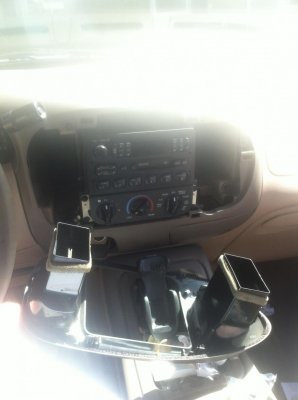
This is the stock unit (note the pimp 1990's Nokia cellphone mount below):
 

Attachments

  • IMG_0191.jpg
    IMG_0191.jpg
    98 KB · Views: 279
OP
OP
F

Fatboy005

Member
Joined
Jul 16, 2012
Posts
24
Reaction score
0
Location
Baltimore
Step One was gently pulling on the radio trim panels until the clips released and it pulled out:
 

Attachments

  • IMG_0193.jpg
    IMG_0193.jpg
    89.3 KB · Views: 139
Last edited:
OP
OP
F

Fatboy005

Member
Joined
Jul 16, 2012
Posts
24
Reaction score
0
Location
Baltimore
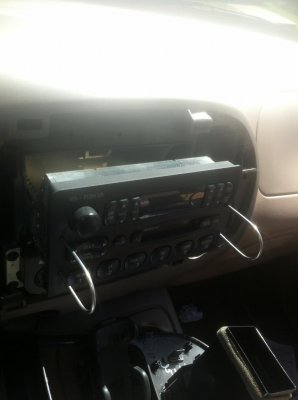
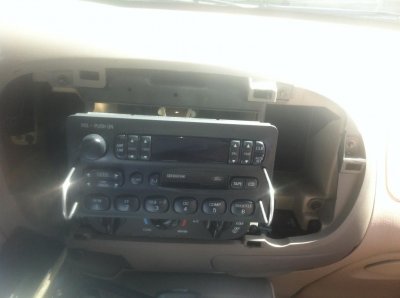
Then insert the Crutchfield-supplied DIN tools into the holes until I hear a click, spread them apart slightly, and pull the stock unit out of the dash.
 

Attachments

  • IMG_0195.jpg
    IMG_0195.jpg
    89.6 KB · Views: 136
  • IMG_0196.jpg
    IMG_0196.jpg
    89.3 KB · Views: 316
  • IMG_0197.jpg
    IMG_0197.jpg
    100.2 KB · Views: 114
OP
OP
F

Fatboy005

Member
Joined
Jul 16, 2012
Posts
24
Reaction score
0
Location
Baltimore
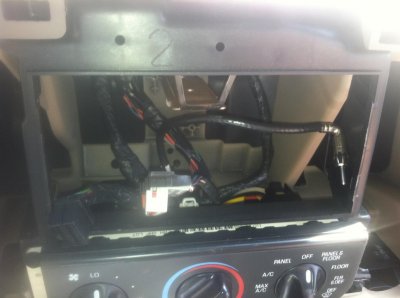
This is the stock antenna hookup and wiring setup inside the dash
 

Attachments

  • IMG_0199.jpg
    IMG_0199.jpg
    90.6 KB · Views: 172
OP
OP
F

Fatboy005

Member
Joined
Jul 16, 2012
Posts
24
Reaction score
0
Location
Baltimore
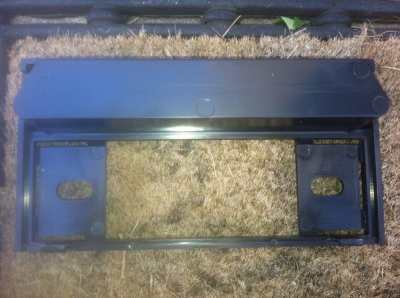
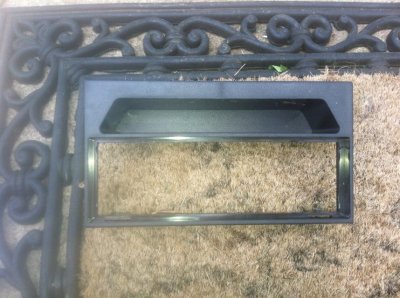
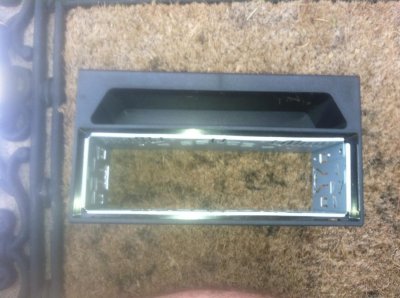
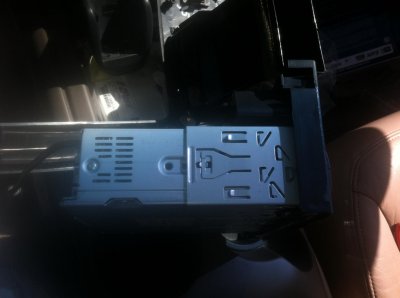
Cut the tabs out and modify the Crutchfield adapter plate to fit the DIN sleeve for the new unit, and then slide the DIN sleeve into the space I created in the adapter plate.
 

Attachments

  • IMG_0202.jpg
    IMG_0202.jpg
    98.7 KB · Views: 106
  • IMG_0203.jpg
    IMG_0203.jpg
    100.3 KB · Views: 113
  • IMG_0204.jpg
    IMG_0204.jpg
    93 KB · Views: 113
OP
OP
F

Fatboy005

Member
Joined
Jul 16, 2012
Posts
24
Reaction score
0
Location
Baltimore
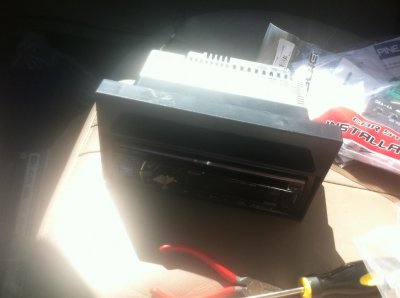
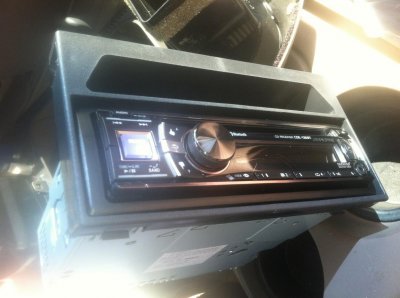
Slide the new unit into the DIN sleeve I just mounted into the adapter plate and lock it in place with the mounting tabs. Here's several views of what it looked like.
 

Attachments

  • IMG_0206.jpg
    IMG_0206.jpg
    89.7 KB · Views: 175
  • IMG_0207.jpg
    IMG_0207.jpg
    98.6 KB · Views: 119
  • IMG_0208.jpg
    IMG_0208.jpg
    88.1 KB · Views: 123
  • IMG_0209.jpg
    IMG_0209.jpg
    95.4 KB · Views: 197
OP
OP
F

Fatboy005

Member
Joined
Jul 16, 2012
Posts
24
Reaction score
0
Location
Baltimore
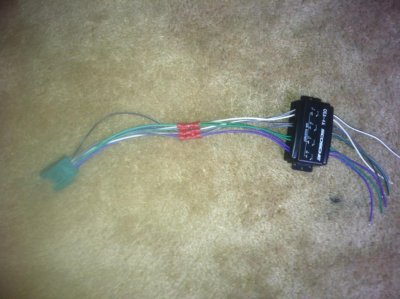
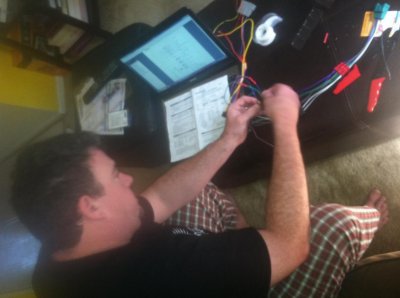
Then I had to modify the wiring for the new unit by splicing it into the two wiring harness adapters provided by Crutchfield. I used a wire stripping & crimping tool and crimp connectors. The Crutchfield wiring adapters and the new unit both came with color-coded wiring diagrams, so it was easy to figure out what to connect to what.

Please note the ultra-badass pic of me doing the wiring in my pajamas while I was getting ready to watch the Ravens spend almost 4 hours losing to the Eagles (god those replacement refs suck).

Pic 1 Crutchfield adapter
Pic 2 Wiring plug for new unit
Pic 3 Crutchfield adapter with speaker gain adjuster.
Pic 4 Good-looking man in pajamas.
 

Attachments

  • IMG_0224.jpg
    IMG_0224.jpg
    95.3 KB · Views: 184
  • IMG_0225.jpg
    IMG_0225.jpg
    98.9 KB · Views: 131
  • IMG_0226.jpg
    IMG_0226.jpg
    93.8 KB · Views: 129
  • IMG_0228.jpg
    IMG_0228.jpg
    93.2 KB · Views: 139
Last edited:
OP
OP
F

Fatboy005

Member
Joined
Jul 16, 2012
Posts
24
Reaction score
0
Location
Baltimore
Then after the game, All I had to do was plug it up, adjuster the speaker gain levels and slide it in. Also had to plug in the BT speaker to the rear of the unit and find a way to run it out so it could be mounted. I ran it out through the cigarette lighter/accessory plug. I haven't mounted the speaker yet, that will hopefully get done tomorrow.

Crutchfield provided a rear bracket that slid right onto the factory mounting rail. Push the adapter plate in until the tabs click, making sure to guide it so the spacing comes out even. Then snap the radio trim piece I showed at the beginning into place.

It works great, but the sound is not much better than before. Seems like the right rear speaker is significantly louder than the others, so I plan to go back in and fiddle with the gain control over this weekend. I also think replacing the 4 factory door speakers and subwoofer will make it sound significantly better.

I was rushing to get it installed before dark Sunday night (no garage) since I didn't want to commute 35 miles to work with no radio in the morning, so I got lazy about the step by step pics.

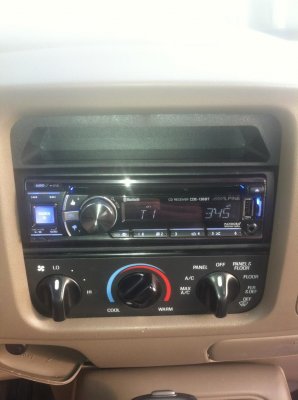
Here is what it looks like fully installed. I will update again to show the BT mic install tomorrow.
 

Attachments

  • IMG_0229.jpg
    IMG_0229.jpg
    98.3 KB · Views: 170

jstrut

Full Access Members
Joined
Mar 16, 2012
Posts
116
Reaction score
6
Location
Grand ledge, Michigan
I like it. How well does the BT work on that. I'm thinking of getting a new stereo but I don't want to shell out the $$$ for the double DIN. Great install.
 
Top