Any solutions to WAZE going crazy

Disclaimer: Links on this page pointing to Amazon, eBay and other sites may include affiliate code. If you click them and make a purchase, we may earn a small commission.

jimmyjess

Member
Joined
Mar 13, 2023
Posts
19
Reaction score
9
Location
Panama
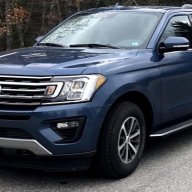
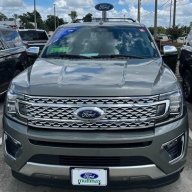
I have a 2022 XLT and this is the second time WAZE starts behaving very erratically, like there was a GPS problem, the car appears in different streets than where I am really driving, it jumps around, and starts giving random directions and alerts, but in reality, there is no GPS problem because Google Maps is working fine while WAZE is nuts.

 

Rob6805

Full Access Members
Joined
Mar 25, 2021
Posts
818
Reaction score
532
Location
49735
I have a 2022 XLT and this is the second time WAZE starts behaving very erratically, like there was a GPS problem, the car appears in different streets than where I am really driving, it jumps around, and starts giving random directions and alerts, but in reality, there is no GPS problem because Google Maps is working fine while WAZE is nuts.

Strange because both Waze and Google maps use your phones GPS (Android Auto/Carplay). Nothing to do with Ford Sync.
 

mr_dave

Full Access Members
Joined
Aug 5, 2021
Posts
315
Reaction score
244
Location
MN
I don't think this has anything to do with your vehicle. Waze itself is junk, I've been done with it for a while. There are way too many issues for it to be useful anymore.
 
OP
OP
J

jimmyjess

Member
Joined
Mar 13, 2023
Posts
19
Reaction score
9
Location
Panama
Strange because both Waze and Google maps use your phones GPS (Android Auto/Carplay). Nothing to do with Ford Sync.
Yeah, super strange since Google maps works flawless on the Expedition and Waze is the one going nuts; then I disconnect the phone from SYNC to use waze (I enjoy that it warns me about police traps), and in my phone it works perfect, as soon as I reconnect to SYNC it starts acting up.
 

mwar99

Full Access Members
Joined
Jan 2, 2023
Posts
127
Reaction score
71
Location
NJ
I feel waze is not as useful as it used to be. Last time I used it on a trip there may have been 1 time where it said there was police and they were actually there. I understand they can move around, but I would have expected better results. A few years ago it was a small percentage where they weren't there, now it was flipped.
 

Rob6805

Full Access Members
Joined
Mar 25, 2021
Posts
818
Reaction score
532
Location
49735
Yeah, super strange since Google maps works flawless on the Expedition and Waze is the one going nuts; then I disconnect the phone from SYNC to use waze (I enjoy that it warns me about police traps), and in my phone it works perfect, as soon as I reconnect to SYNC it starts acting up.
It's because Waze app isn't playing nice with AA which is strange because Google owns Waze. Still nothing to do with Sync. The device mirroring is just that. It's all in the phone. All the Sync system does is the projection.
 

Mack444

Well-Known Member
Joined
Mar 5, 2023
Posts
72
Reaction score
63
Location
CA
@jimmyjess still wondering if you are on AA or CarPlay. Have you tried system or app settings?
 

SunnySunshine

Full Access Members
Joined
Jul 1, 2023
Posts
170
Reaction score
86
Location
SF Bay Area, CA
Well Waze not working properly has nothing to do with your vehicle as everything is handled by your phone (and your phone is just projecting to the infotainment screen). Have you tried resetting the app in your phone? If you are on Android, try clearing the cache and app data.
 

Dahammer

Well-Known Member
Joined
May 23, 2023
Posts
78
Reaction score
32
Location
New York
Waze, Apple, Etc, work off your phone's GPS. Put your phone on top of your dash for the best reception. Also, if cell phone coverage is spotty, that too will throw off GPS. GPS uses cell towers as location finders and not satellites in the sky.
 

allaneyre

Member
Joined
Sep 25, 2021
Posts
15
Reaction score
5
Location
03841
I had this issue too. I was using Google Maps and it would show me off the road, like I was a thousand feet left or right of the actual location. I tried moving the phone and disconnecting and re-connecting. The Google Maps app worked just fine in the phone on its own, but wasn't happy when I connected to the car via USB. Only way I could get it to correct itself was to do a soft reset of the head unit (use the power and skip buttons together for a few seconds) or reboot the phone. Maps hasn't gone crazy in a long time. Only thing that's happened since are either phone/app updates or making sure Sync was on the latest version.
 
OP
OP
J

jimmyjess

Member
Joined
Mar 13, 2023
Posts
19
Reaction score
9
Location
Panama
Thanks for all the replies, as explained before, GOOGLE MAPS works perfectly in my phone as wella as in the head unit when using AA, but WAZE, while working perfectly in my phone, goes GPS bananas while connected to the head unit using AA. I was the first customer to report this to my Ford dealer to see if he have had any other customers with these, which he hadn't when I called, but a couple of weeks ago he called me to ask if I had found a solution because other new Ford customers were calling him with the same WAZE issue. So, no, our phones are not the problem, both navigation apps work perfect on the phones as well as in Android Auto in other vehicles, the problem is exclusively on WAZE when connected to Sync.
 

Mr Big

Full Access Members
Joined
May 29, 2023
Posts
1,012
Reaction score
588
Location
Tampa Bay, Florida USA
Thanks for all the replies, as explained before, GOOGLE MAPS works perfectly in my phone as wella as in the head unit when using AA, but WAZE, while working perfectly in my phone, goes GPS bananas while connected to the head unit using AA. I was the first customer to report this to my Ford dealer to see if he have had any other customers with these, which he hadn't when I called, but a couple of weeks ago he called me to ask if I had found a solution because other new Ford customers were calling him with the same WAZE issue. So, no, our phones are not the problem, both navigation apps work perfect on the phones as well as in Android Auto in other vehicles, the problem is exclusively on WAZE when connected to Sync.
NEW version of WAZE not working on Android Auto
This is the last post on the WAZE forum:

Re: New version - not working in Android Auto!?​

  • Quote
by world_vs85a966 Tue Aug 08, 2023 7:45 am
I had the same issue and realised that if I open Waze on my phone while connected to Android Auto then I have no GPS issues.

The next thing I did is to go to App Permissions and allow Waze to use location all the time (rather than just when using the app).

Now it works as it used to.

The might be an integration issue between Android OS and Android Auto. It's almost like Android OS doesn't understand the Waze is being used in Android Auto so it doesn't give it the right permissions.
 

Mack444

Well-Known Member
Joined
Mar 5, 2023
Posts
72
Reaction score
63
Location
CA
So this is at least 2x here of a suggestion to check in the phone settings and change to allow location all of the time. I wonder if @jimmyjess will take the advice…
 

Fastcar

Full Access Members
Army
Joined
Dec 14, 2013
Posts
1,115
Reaction score
707
Location
FL
I had that happen once, a year ago. Was in DC and heading for Fort Mead and waze went nuts for about 15 minutes. Shut it off, shut off the phone, shut down the truck and it continued. My belief was with all the antennas and dish's and God knows what else the alphabet group were playing with caused the problem.
 

Mr Big

Full Access Members
Joined
May 29, 2023
Posts
1,012
Reaction score
588
Location
Tampa Bay, Florida USA
So this is at least 2x here of a suggestion to check in the phone settings and change to allow location all of the time. I wonder if @jimmyjess will take the advice…
There's also a known issue with WAZE and Android Auto, which is why I stick with Google Maps because it always works. I feel Google Maps keeps their maps and app updated better.
But we all have our preferences.
 
Top