



No aux audio input on 2017 Limited with sync3?!

Disclaimer: Links on this page pointing to Amazon, eBay and other sites may include affiliate code. If you click them and make a purchase, we may earn a small commission.

LokiWolf

Staff member
Moderator
Joined
Apr 2, 2016
Posts
3,971
Reaction score
2,837
Location
Richmond VA
my 16 KR has the two usb ports in the center console..it has sync 3 and was built dec of 15 .my gripe is the usb sometimes dumps when i shut off the truck and when we start back up its on FM ...its random as hell. fwiw, i loaded 20g of music on my usb stick drive...so i hardly ever listen to the radio
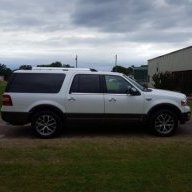
this kr has every option except the CCD suspension
View attachment 18810

Update to 2.2...I don't have any of those issues. Link to file below.

https://drive.google.com/open?id=0Bxlap1Uv4Q55NnhBMjdEaUtfZms
 

LokiWolf

Staff member
Moderator
Joined
Apr 2, 2016
Posts
3,971
Reaction score
2,837
Location
Richmond VA
Just so everybody knows. This is the update that will take 1.0/1.1/2.0 to 2.2. It enables Android Auto and if the Hub is Apple certified in yours, it will enable CarPlay.
 

powerboatr

Full Access Members
Joined
May 16, 2016
Posts
981
Reaction score
380
Location
North East Texas
maybe this will also cure the system changing my ambient lighting settings all by itself

switches colors and intensity
 

parrori1

Member
Joined
Jul 9, 2017
Posts
8
Reaction score
0
Location
Greenville SC
Question about 2017 navigation system- when in navigation mode my system does not talk to me about upcoming turns, etc. only time it talks is when it gets set, and it just says to drive safely. My previous navigation systems talked a lot. Is this normal or have I missed a setting somewhere?
 

LokiWolf

Staff member
Moderator
Joined
Apr 2, 2016
Posts
3,971
Reaction score
2,837
Location
Richmond VA
Question about 2017 navigation system- when in navigation mode my system does not talk to me about upcoming turns, etc. only time it talks is when it gets set, and it just says to drive safely. My previous navigation systems talked a lot. Is this normal or have I missed a setting somewhere?

You have Audio prompts turned off. Tap the screen when you are on the Nav Menu, and tap the speaker looking icon.
 

jeff kushner

Full Access Members
Joined
Nov 30, 2014
Posts
2,330
Reaction score
1,276
Location
North of Annapolis
Big file Loki but thanks for the link! 1.6Gigs.....I don't even know what ver Sync 3 I have but heck, I d/l'ed it anyway....updates, never have enough<LOL>!!

jeff
 

ExpeditionAndy

Full Access Members
Joined
Aug 31, 2013
Posts
3,708
Reaction score
1,130
Location
Fort Wayne, Indiana
Thanks. Before I read your answer I just hit the Reset button and now it works great. Now I may get tired of hearing it. :)
You can control the volume by turning the volume knob while the voice is speaking, otherwise all you are doing is controlling the radio volume
 

parrori1

Member
Joined
Jul 9, 2017
Posts
8
Reaction score
0
Location
Greenville SC
Well that didn't last long. After I hit Reset button on my navigation system, I immediately began to receive voice and tone prompts from the navigation system. It worked perfectly, for one day. Now it is doing it again.

When I enter a destination to start my trip, a voice prompt reminds me to obey all traffic rules, etc.

But while traveling, the screen is right on, but I have no voice guidance prompts and no tones. Don't know what went wrong, but the settings are correct.

I hate to hit the Reset button again and to get it to work for one day.

Any ideas?
 

bobmbx

Full Access Members
Joined
Jun 11, 2017
Posts
1,200
Reaction score
627
Location
Virginia
Well that didn't last long. After I hit Reset button on my navigation system, I immediately began to receive voice and tone prompts from the navigation system. It worked perfectly, for one day. Now it is doing it again.

When I enter a destination to start my trip, a voice prompt reminds me to obey all traffic rules, etc.

But while traveling, the screen is right on, but I have no voice guidance prompts and no tones. Don't know what went wrong, but the settings are correct.

I hate to hit the Reset button again and to get it to work for one day.

Any ideas?

On the Map screen, on the left side is a speaker symbol. Make sure it has the international "Don't" circle visible. The symbology is weird for that. Frankly, I think its backwards.
 

Adieu

Full Access Members
Joined
Dec 22, 2016
Posts
3,717
Reaction score
798
Location
SoCal
Anyone seen a splice-it-in kit AUX kit? My head unit has an aux button, but theres's no port, it has an additional power port instead on the 2009 SSV
 

parrori1

Member
Joined
Jul 9, 2017
Posts
8
Reaction score
0
Location
Greenville SC
Per bobmbx,"On the Map screen, on the left side is a speaker symbol. Make sure it has the international "Don't" circle visible. The symbology is weird for that. Frankly, I think its backward"


Wow! That fixed it. I didn't know WTH that was. Not at all familiar with that particular icon, didn't know which shade was off and which was on.

But you have solved a six week long dilemma, and I do appreciate it very much.
 
Last edited:

dand

New Member
Joined
Jul 29, 2018
Posts
4
Reaction score
0
Location
Jsckson, MO
My 18 Expy does not have audio input jack like my 10 expy, 07 mustang and 11 cadillac had. I want to us an audio device that is not blue tooth. I can't find a blue tooth transmitter to plug into my audio device that is compatible with the 18 Expy BT radio (tried TaoTronics Bluetooth 4.1 Transmitter and Receiver but does not work). Anyone know of a BT transmitter compatible with the 18 Expy?
 
Top

