GoDawgs2014
New Member
Hello all!
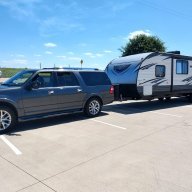
I recently purchased a 2017 Expy EL Limited. I knew it had some quirks to sort out, one of them being the backup camera. Current issues:
• the image is flipped
• There are no guidelines or colors to assist with parking.
In the head unit, I have the park assist turned on, but nothing from the camera.
I ran forscan, and when I tried to recalibrate I got a LIN error at the video camera. Then an alert that said “if this isn’t OEM…”. But the camera has FoMo written on the sticker. I also got a B115E:49 error.
I took the rear door apart and removed the camera. I knew this was a west Texas car, but I was blown away at the caked on grit and dirt everywhere. I’m hoping that was the issue. In any case, I figured before I go changing the camera I would try to clean up the connections.
I noticed electrical tape at the camera connection and at the main connection where the pigtails from the camera and License plate lights connect back to the main harness.
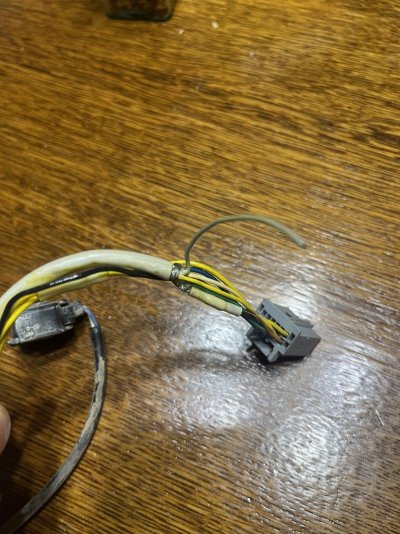
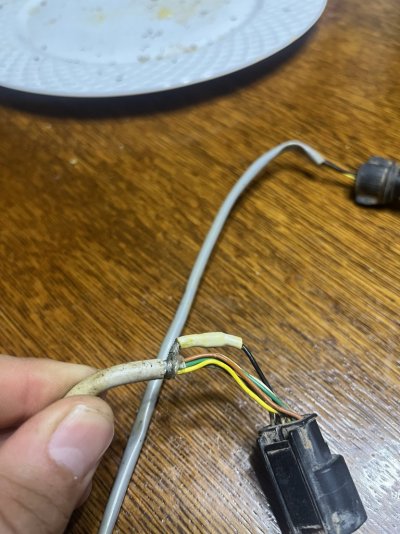
I decided to take the tape off, and I found these types of terminations. Now, I am not expert when it comes to how manufacturers create their wire harness, but I’ve never seen but splices like this in the middle of a harness. I also have not seen what looks to be the ground wires completely exposed and wrapped around all the other wires under the sheath? Also, in one of the images you can just see a gray wire completely separated from the group.
Am I looking at a hack job here, or is this a legitimate wiring harness with legitimate, OEM terminations?
Trying to do my best to understand if the camera, harness, or something further up the wiring harness is at fault here.
Thanks in advance!
I recently purchased a 2017 Expy EL Limited. I knew it had some quirks to sort out, one of them being the backup camera. Current issues:
• the image is flipped
• There are no guidelines or colors to assist with parking.
In the head unit, I have the park assist turned on, but nothing from the camera.
I ran forscan, and when I tried to recalibrate I got a LIN error at the video camera. Then an alert that said “if this isn’t OEM…”. But the camera has FoMo written on the sticker. I also got a B115E:49 error.
I took the rear door apart and removed the camera. I knew this was a west Texas car, but I was blown away at the caked on grit and dirt everywhere. I’m hoping that was the issue. In any case, I figured before I go changing the camera I would try to clean up the connections.
I noticed electrical tape at the camera connection and at the main connection where the pigtails from the camera and License plate lights connect back to the main harness.
I decided to take the tape off, and I found these types of terminations. Now, I am not expert when it comes to how manufacturers create their wire harness, but I’ve never seen but splices like this in the middle of a harness. I also have not seen what looks to be the ground wires completely exposed and wrapped around all the other wires under the sheath? Also, in one of the images you can just see a gray wire completely separated from the group.
Am I looking at a hack job here, or is this a legitimate wiring harness with legitimate, OEM terminations?
Trying to do my best to understand if the camera, harness, or something further up the wiring harness is at fault here.
Thanks in advance!