
SYNC Update Question

Disclaimer: Links on this page pointing to Amazon, eBay and other sites may include affiliate code. If you click them and make a purchase, we may earn a small commission.

Danm355

Well-Known Member
Joined
Mar 22, 2023
Posts
75
Reaction score
26
Location
Rochester, NY
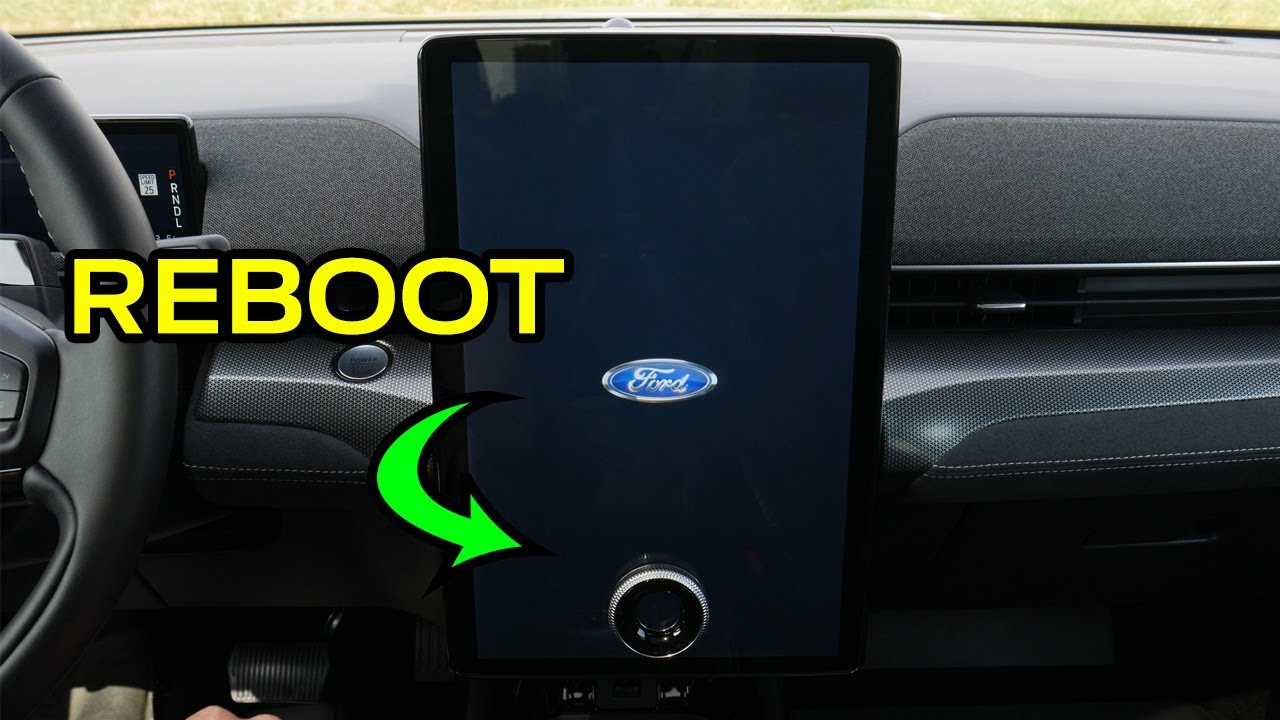
So, the steps that the Ford customer service rep had me do were: from main menu, go to settings, then go to software updates. Make sure automatic updates is turned on. Go to recurring schedule - this is where my problem was as recurring schedule was set to none. It needs to be set to any day or Monday to Thursday or use the custom schedule and pick your own day and time. After we did that, he had me push in the volume knob and the skip forward button to the bottom left of the tune knob at the same time until the center screen went black then release them both. After that reset, go back and confirm that the changes you made are still there then after a key cycle your update should go through.

Thanks for that it worked.
 

md540i

Member
Joined
Jul 25, 2024
Posts
6
Reaction score
0
Location
New York
Curious, @rugedraw if you had the schedule enabled properly before attempting this procedure from @Danm355 .

I have the schedule setup for 1am everyday, based on my memory, and verified this a few days ago. I even turned off the schedule, power cycled and then turned the schedule back on, but its still stuck.
 

rugedraw

Full Access Members
Joined
Aug 14, 2024
Posts
165
Reaction score
70
Location
Miami, FL
Curious, @rugedraw if you had the schedule enabled properly before attempting this procedure from @Danm355 .

I have the schedule setup for 1am everyday, based on my memory, and verified this a few days ago. I even turned off the schedule, power cycled and then turned the schedule back on, but its still stuck.

No, I have auto updates turned off on purpose. I don't want PCM updates wiping the tune on my truck, so I like to see what is going to install before I let it. In my case, I turned on the truck and the message was there to install it and I said yes. Next key cycle, it installed with no issues.
 
OP
OP
TonyR0206

TonyR0206

Well-Known Member
Joined
Jan 15, 2023
Posts
89
Reaction score
56
Location
Souther Tier NY
Same exact thing.....same exact date. This also happened on an F150 on the gen14 forum with the same update. One is a coincidence, but 3 different vehicles tell me the issue is on Ford's side. I highly doubt the battery disconnect will work, but it won't hurt to try.

View attachment 87429
Thank you for looking into this. I have an appointment later this week with the dealer for some other work. I'll have them look at this as well and let you know what they say.

Thanks again!
 

texsn95

Full Access Members
Marine Corps
Joined
Oct 30, 2024
Posts
103
Reaction score
40
Location
Houston
You have two active OTA's in queue, but the truck is not pinging the server back to accept them. OTA dashboard shows auto updates is off. Have you given permission for the OTA to install on the touchscreen? In your case, the truck has not downloaded anything. The OTA needs consent to try to install like the ones in June. That one does show it installed successfully. Once that one installed, the "nag screen" came back because there was another OTA waiting to install right after it. Give it permission, and the TCU will mostly likely go first. After that, the APIM update will queue up and that is the one everyone is having issues with.

View attachment 87445

I do have auto-updates off. I'll be home tomorrow to try it out, so is it best to connect to wifi and leave it running while it does the updates? thanks again.
 

rugedraw

Full Access Members
Joined
Aug 14, 2024
Posts
165
Reaction score
70
Location
Miami, FL
Thank you for looking into this. I have an appointment later this week with the dealer for some other work. I'll have them look at this as well and let you know what they say.

Thanks again!

You can try what was mentioned earlier in the thread. Seems to have worked for two different owners.

I do have auto-updates off. I'll be home tomorrow to try it out, so is it best to connect to wifi and leave it running while it does the updates? thanks again.

WiFi is not necessary. Even with WiFi turned on, updates download via the modem 99% of the time.
 

md540i

Member
Joined
Jul 25, 2024
Posts
6
Reaction score
0
Location
New York
Thanks for that it worked.
Danm, how did you do the screen reset? My 23 max platinum has the large screen and doesn't have a skip forward button on the screen, only on the steering wheel, which I tried and it didnt work.

Please LMK what worked for you as our trucks should be the same.
 

rugedraw

Full Access Members
Joined
Aug 14, 2024
Posts
165
Reaction score
70
Location
Miami, FL
Danm, how did you do the screen reset? My 23 max platinum has the large screen and doesn't have a skip forward button on the screen, only on the steering wheel, which I tried and it didnt work.

Please LMK what worked for you as our trucks should be the same.

With ignition or engine on, hold the volume down and forward seek buttuns on the steering wheel for 10 seconds until the center screen goes black.

 
Last edited:

texsn95

Full Access Members
Marine Corps
Joined
Oct 30, 2024
Posts
103
Reaction score
40
Location
Houston
WiFi is not necessary. Even with WiFi turned on, updates download via the modem 99% of the time.
So I got home and started it up, first I got the "your vehicle is sharing diagnostic data etc etc" screen. I see that every so often, what is that about, and can it be disabled?

So I got the nag screen again, hit continue, and it said "there are no updates available for your vehicle". So I set auto updates to "on", picked a few days, clicked the software update in the menu, and same thing, no updates available. Doesn't make sense?
 

rugedraw

Full Access Members
Joined
Aug 14, 2024
Posts
165
Reaction score
70
Location
Miami, FL
So I got home and started it up, first I got the "your vehicle is sharing diagnostic data etc etc" screen. I see that every so often, what is that about, and can it be disabled?

So I got the nag screen again, hit continue, and it said "there are no updates available for your vehicle". So I set auto updates to "on", picked a few days, clicked the software update in the menu, and same thing, no updates available. Doesn't make sense?

No way to get rid of that message AFAIK. Not sure what triggers it to pop up when it does pop up, either.

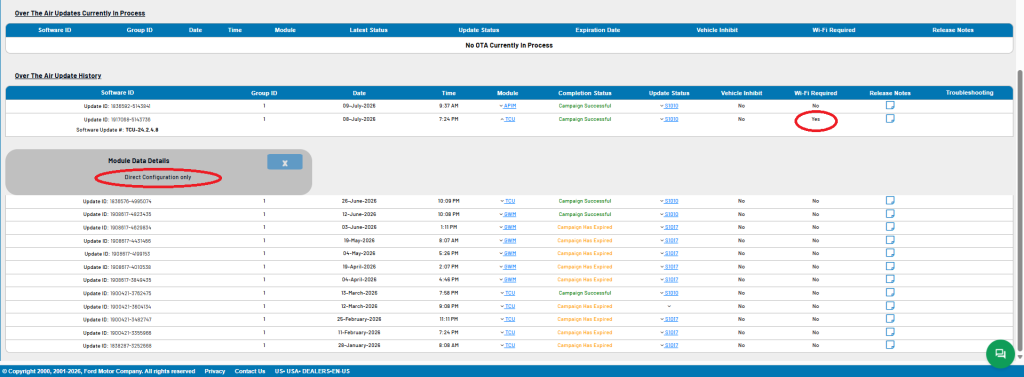
The update installed successfully. You had one install yesterday and another one today.

What is interesting to me is this TCU OTA. I had never seen a direct config only OTA sent to any Expo/Navi until now. I had mentioned earlier that wifi is not necessary because 99% of OTA's download through the modem. Well, say hello to the 1%. That TCU update is one of the very VERY rare OTA's that actually do require wifi.

Untitled.png
 

md540i

Member
Joined
Jul 25, 2024
Posts
6
Reaction score
0
Location
New York
I am still not having any luck. I guess I will just wait for the update to fail and hope that it works itself out. Or have the dealer look at it the next time its in for service.
 

rugedraw

Full Access Members
Joined
Aug 14, 2024
Posts
165
Reaction score
70
Location
Miami, FL
I am still not having any luck. I guess I will just wait for the update to fail and hope that it works itself out. Or have the dealer look at it the next time its in for service.

Were you able to reboot Sync with the steering wheel buttons?
 
Top