How often does Synch 3 search for updates when connected to wifi? I still have version 1.0 in my Synch 3 I connected it to my home wifi and set it for automatic updates a couple days ago but it has not yet updated and I have found no way to force it to search for updates. I suppose I could do it via the download and usb but if it will do it on it's own I'd prefer that.


You are using an out of date browser. It may not display this or other websites correctly.
You should upgrade or use an alternative browser.
You should upgrade or use an alternative browser.
Synch 3 Wifi update
- Thread starter XMan
- Start date
Disclaimer: Links on this page pointing to Amazon, eBay and other sites may include affiliate code. If you click them and make a purchase, we may earn a small commission.

ExpeditionAndy
Full Access Members
Hi XMan, Check out this thread (http://www.expeditionforum.com/posts/270861/) and you might want to talk to @LokiWolf for more help. I was able to upgrade from 2.0 with his update to 2.2. I am not sure which version of Sync 3 that you have but if it is what I think it is you also need to replace the USB ports in the center column to use CarPlay with Apple. I am not sure about Android.
ExpeditionAndy
Full Access Members
Bob it sounds like he already knows how to do that. It's not showing an update and he will have to go to that link I gave him and download the update and do it manually.
@XMan - you can go to FordOwner.com and enter your VIN if you haven't already and it should tell you if Ford has an automatic update for you.
@XMan - you can go to FordOwner.com and enter your VIN if you haven't already and it should tell you if Ford has an automatic update for you.
On the Wi-Fi setup screen, the bottom button forces an update check, and the last update check is displayed.
I just checked mine, and its 2.0. So I went to the owner link you provided and checked there. It also said I was up to date with 2.0. What is this 2.2 you guys are referring to?
I just checked mine, and its 2.0. So I went to the owner link you provided and checked there. It also said I was up to date with 2.0. What is this 2.2 you guys are referring to?
Yep I've done all the above except visit the link Andy provided which I will do. I think Ford says version 2.3 is available. It shows my Expedition as having version 1.0 an last update being April 2016 which is probably the last dealer up date when new.
It also said at the Ford Owner web site that it may have updated via wifi in the last week and it may not yet show that on the web site. So is that a hint that the Synch looks for updates on a weekly basis or it takes a week to post to the web site?
I've actually been leaving the Expedition at home and using the car so it stays connected to wifi and hopefully updates itself.
Thanks for the responses all!
It also said at the Ford Owner web site that it may have updated via wifi in the last week and it may not yet show that on the web site. So is that a hint that the Synch looks for updates on a weekly basis or it takes a week to post to the web site?
I've actually been leaving the Expedition at home and using the car so it stays connected to wifi and hopefully updates itself.
Thanks for the responses all!
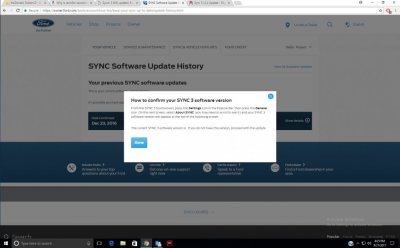
I didn't see anything that forces the update when I set my wifi up. Nor when you enable the automatic update button does it do a search. Or I should say it didn't say search in progress or no updates available however I expected it to when I enabled it. I thought I missed something so I went through all the steps again several times but it never indicated that it was searching or updating.On the Wi-Fi setup screen, the bottom button forces an update check, and the last update check is displayed.
I just checked mine, and its 2.0. So I went to the owner link you provided and checked there. It also said I was up to date with 2.0. What is this 2.2 you guys are referring to?
Well I got my answer. I went on Synch chat with a rep. Here's a copy of the chat session.
How often does Synch 3 search for updates when connected to wifi?
Doyonne says:
I will be glad to look into this for you! To begin, may I have your VIN?
Keith says:
sorry don't have my vin handy.
Doyonne says:
Ok, SYNC 3 Wi-Fi updates are not immediate. The update takes 30 days to complete via Wi-Fi. Not, sure why that information is not listed on the Owner.ford.com website. You will need to wait a complete 30 days for the download to finish, doing the update via Wi-Fi. Is there anything else that I can help you with at this time
How often does Synch 3 search for updates when connected to wifi?
Doyonne says:
I will be glad to look into this for you! To begin, may I have your VIN?
Keith says:
sorry don't have my vin handy.
Doyonne says:
Ok, SYNC 3 Wi-Fi updates are not immediate. The update takes 30 days to complete via Wi-Fi. Not, sure why that information is not listed on the Owner.ford.com website. You will need to wait a complete 30 days for the download to finish, doing the update via Wi-Fi. Is there anything else that I can help you with at this time
I did some investigating on this. I found that there is one build of version 2.0, which is Build_16074. This is the factory version of 2017 Sync 3 vehicles built prior to Jan/Feb 2017. The bootleg version of 2.2 is Build_16280. This build was apparently created to update Version 1.0 and 1.1 to 2.2, but needs the new USB hub to be installed. That version is not available from Ford, and never was. The factory version of 2.2 is Build_17011, and is the latest version of Sync 3 that has been identified. It started showing up in vehicles built in early 2017.
Its weird that Ford doesn't explain any of this.
Andy, you upgraded from 2.0 to 2.2. What is your build number, and did you notice any difference after you updated?
Its weird that Ford doesn't explain any of this.
Andy, you upgraded from 2.0 to 2.2. What is your build number, and did you notice any difference after you updated?


Go to the other thread and read. If you had, you would not have had to chat or do any of the leg work you have had to do. This has all been discussed. Not trying to be rude...just truthful.
In the other thread you will discover that Ford is NOT doing these large updates via Wifi. The USB method is the only way. What you call the Bootleg 2.2 was an actual Ford Update. Because it was leaked before they wanted it, they changed the version number on the official release to delineate it. Both the Ford and the Bootleg as you called it Update will work to take a 1.0, 1.1, or 2.0 to 2.2. The trick is if you want CarPlay and have a 2016, you need an updated USB hub with the Apple certified chipset. Android auto will work on 2.0 and above with any hub that comes with a Sync 3 equiped Ford.
All of the above was covered in the other thread also.
Yell if you have questions or want any of the files, I have them all.
In the other thread you will discover that Ford is NOT doing these large updates via Wifi. The USB method is the only way. What you call the Bootleg 2.2 was an actual Ford Update. Because it was leaked before they wanted it, they changed the version number on the official release to delineate it. Both the Ford and the Bootleg as you called it Update will work to take a 1.0, 1.1, or 2.0 to 2.2. The trick is if you want CarPlay and have a 2016, you need an updated USB hub with the Apple certified chipset. Android auto will work on 2.0 and above with any hub that comes with a Sync 3 equiped Ford.
All of the above was covered in the other thread also.
Yell if you have questions or want any of the files, I have them all.
ExpeditionAndy
Full Access Members
Thanks Loki I've been working to update my courses for next quarter. I have to have them ready by COB Friday - today so I haven't been paying attention here.Go to the other thread and read. If you had, you would not have had to chat or do any of the leg work you have had to do. This has all been discussed. Not trying to be rude...just truthful.
In the other thread you will discover that Ford is NOT doing these large updates via Wifi. The USB method is the only way. What you call the Bootleg 2.2 was an actual Ford Update. Because it was leaked before they wanted it, they changed the version number on the official release to delineate it. Both the Ford and the Bootleg as you called it Update will work to take a 1.0, 1.1, or 2.0 to 2.2. The trick is if you want CarPlay and have a 2016, you need an updated USB hub with the Apple certified chipset. Android auto will work on 2.0 and above with any hub that comes with a Sync 3 equiped Ford.
All of the above was covered in the other thread also.
Yell if you have questions or want any of the files, I have them all.
Everybody else:
This is the link I shared earlier in case you missed it. (http://www.expeditionforum.com/posts/270861/)
jrc50
Full Access Members
I have a 2017 Expedition Limited with Sync 2-2 this was built I believe in February. I have only had it briefly, and was not aware of the WiFi update capabilities, so this was a good forum for that. One question I had is will Ford do updates on the GPS in the Expedition or do you have to purchase a CD from them? The manual seems to be say that is how the GPS maps must be updated?
Does anyone know the correct answer to this? Hopefully they are free updates just as my Garmin I have been using!!
Does anyone know the correct answer to this? Hopefully they are free updates just as my Garmin I have been using!!
Andy your link goes to a thread about admin keys and remote start. No discussion about Synch 3 updates.
Sorry about that XMan. I will find the correct thread and post it later.
I have a 2017 Expedition Limited with Sync 2-2 this was built I believe in February. I have only had it briefly, and was not aware of the WiFi update capabilities, so this was a good forum for that. One question I had is will Ford do updates on the GPS in the Expedition or do you have to purchase a CD from them? The manual seems to be say that is how the GPS maps must be updated?
Does anyone know the correct answer to this? Hopefully they are free updates just as my Garmin I have been using!!
At this point there have been ZERO Map data updates to Sync 3. The version numbers we are talking about have Nothing to do with the Map Data.
ExpeditionAndy
Full Access Members
Sorry about that.Andy your link goes to a thread about admin keys and remote start. No discussion about Synch 3 updates.
Okay it starts here. This is a big long thread and there is a lot of info in it.
http://www.expeditionforum.com/posts/258252/
Here is part of the thread. This is how to install the USB port upgrade:
http://www.expeditionforum.com/threads/ford-sync-upgrade-from-v1-0-v2-2.31947/
Thank you Andy I will read through them. If the usb port upgrade is strictly for Apple Car Play not sure I'm interested. Seems like a lot of redundancy between Sych3 and Car Play.Sorry about that.
Okay it starts here. This is a big long thread and there is a lot of info in it.
http://www.expeditionforum.com/posts/258252/
Here is part of the thread. This is how to install the USB port upgrade:
http://www.expeditionforum.com/threads/ford-sync-upgrade-from-v1-0-v2-2.31947/
ExpeditionAndy
Full Access Members
If have an iPhone, the car play module allows you to use the USB connections to play certain iPhone apps on the main screen, with or without navigation, you can use Apple maps on your center screen for navigation, Pandora and a bunch of other car play certified apps. I think Android phones will do it over Bluetooth so you don't need the module - I'm not sure about that because I don't have an Android phone.Thank you Andy I will read through them. If the usb port upgrade is strictly for Apple Car Play not sure I'm interested. Seems like a lot of redundancy between Sych3 and Car Play.
GeezingInVA
Well-Known Member
Under the category of, "Should have left it well enough alone",...
After finding this thread in the weekly "Most Popular Topics" email, I decided to see what SYNC3 version my 2016 had. Version 1.0. So I went to owners site and saw my VIN has a Version 2.2 download available. I followed the instructions, downloaded the ZIP file to my hard drive, extracted the ZIP folder's files to my newly exFAT formatted USB thumb drive, then headed out to my Expy. Fired up the engine, plugged in my USB drive, and saw "Software Updating" come up on the display. Since the instructions on the web site said this update/files-transfer might take "up to an hour" (YIKES!!), I let the engine idle in the driveway, came back in the house, and then started checking on it from time to time. No change in the display after an hour, still not even after TWO hours. Shut down the engine, etc., etc., removed the USB drive, did an engine start-up as instructed, another engine shutdown, then brought the USB thumb drive back to my PC. There was no *.XML file written to the USB drive as the web site's instructions said there would be after a successful update. After letting the Expy sit for maybe twenty minutes (following instructions to let it sit engine-off for "at least five minutes"), I went back out to check. Display still showing "Software Updating" upon engine start-up. I went through the SYNC3's submenus to see what version it thought it had, and sure enough it shows version 2.2. But it still shows it in mid update. Harumph. :/
After finding this thread in the weekly "Most Popular Topics" email, I decided to see what SYNC3 version my 2016 had. Version 1.0. So I went to owners site and saw my VIN has a Version 2.2 download available. I followed the instructions, downloaded the ZIP file to my hard drive, extracted the ZIP folder's files to my newly exFAT formatted USB thumb drive, then headed out to my Expy. Fired up the engine, plugged in my USB drive, and saw "Software Updating" come up on the display. Since the instructions on the web site said this update/files-transfer might take "up to an hour" (YIKES!!), I let the engine idle in the driveway, came back in the house, and then started checking on it from time to time. No change in the display after an hour, still not even after TWO hours. Shut down the engine, etc., etc., removed the USB drive, did an engine start-up as instructed, another engine shutdown, then brought the USB thumb drive back to my PC. There was no *.XML file written to the USB drive as the web site's instructions said there would be after a successful update. After letting the Expy sit for maybe twenty minutes (following instructions to let it sit engine-off for "at least five minutes"), I went back out to check. Display still showing "Software Updating" upon engine start-up. I went through the SYNC3's submenus to see what version it thought it had, and sure enough it shows version 2.2. But it still shows it in mid update. Harumph. :/
Similar threads
- Replies
- 29
- Views
- 4K

- Replies
- 5
- Views
- 4K


- Replies
- 5
- Views
- 2K
- Replies
- 12
- Views
- 2K

- Replies
- 78
- Views
- 16K
Latest posts
-
-
-
Recall: Center Console May Peel, Causing Sharp Edges
- Latest: 99WhiteC5Coupe
-

Members online
Total: 2,214 (members: 12, guests: 2,202)