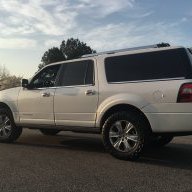
So I know there is a ton of info on here and forscan.org about its application. Just want to give an overview of what I had to do in order to disable hyperflash on my 2016 Platinum EL 4x4.
First you need a reliable OBD2 to allow FORSCAN to read. I bought this bc it came with a HS and MS CAN switch which is something you need in order to access the module:
https://www.amazon.com/OHP-ELMconfig-compatible-interface-diagnostics/dp/B01F0GVBWY
Secondly, you need to download FORSCAN to your laptop, join their forum, and apply for their extended license which is free two month trial. ***NOTE*** you will need to open FORSCAN on your laptop and find the hardware ID #. In FORSCAN, click on the steering wheel tab bottom left where you will see the hardware id number. Copy this number and go back to forscan.org site and click on download tab and then link to extended license key generator. login with your forum username and passwrod and when prompted, enter you first and last name, and hardware id # and click submit. this will take you to a new page where you will need to download/save the file somewhere easily accessible on your laptop. I did mine to desktop. back in FORSCAN, click load key file and find the file. It will ask you to exit FORSCAN and re-enter and when you do in the steering wheel tab it will say extended license with an expiration date.
Now the tricky part, if you have an older operating system like I do (Windows 7) and your USB ports will not connect to the OBD2, you will need to download a free software driver to make it so your USB ports will read the OBD2. You can find that here : http://www.ftdichip.com/Drivers/VCP.htm
Windows has an executable file which ou will need to run to have the drivers installed. So plug in your OBD2, and find a USB port and plug into that. Run the driver update and watch its progress. When it has successfully installed the driver, turn your truck on, put your OBD2 sensor to HSCAN and reopen FORSCAN and try to reconnect and this is where the magic worked for me. I was stuck bc none of my USB ports registered the OBD2; i Just kept getting red light on the OBD2 sensor. Finally after the install, FORSCAN pulled up all the modules on my truck.
A box will appear asking you what model year your truck is, select the appropriate one, and follow the prompts for moving between HS and MS CAN.
Specifically for hyperflash disabling, go to the wrench tab and find the body control module as built and click on the little "play arrow" to run service procedure. THis will bring up a list of a trillion number. The ones you will be looking for are 726-13-01 0101 0000 for the front and 726-14-01 0101 0000 for the rear. change the "1s" in the bold part to "0s" and select write, a message will appear saying its the wrong code ending, click yes to overwrite. Your vehicle lights will flash and you will hear two clicking sounds and get a message to turn off ignition and turn it back on. your lights will now be fixed!
First you need a reliable OBD2 to allow FORSCAN to read. I bought this bc it came with a HS and MS CAN switch which is something you need in order to access the module:
https://www.amazon.com/OHP-ELMconfig-compatible-interface-diagnostics/dp/B01F0GVBWY
Secondly, you need to download FORSCAN to your laptop, join their forum, and apply for their extended license which is free two month trial. ***NOTE*** you will need to open FORSCAN on your laptop and find the hardware ID #. In FORSCAN, click on the steering wheel tab bottom left where you will see the hardware id number. Copy this number and go back to forscan.org site and click on download tab and then link to extended license key generator. login with your forum username and passwrod and when prompted, enter you first and last name, and hardware id # and click submit. this will take you to a new page where you will need to download/save the file somewhere easily accessible on your laptop. I did mine to desktop. back in FORSCAN, click load key file and find the file. It will ask you to exit FORSCAN and re-enter and when you do in the steering wheel tab it will say extended license with an expiration date.
Now the tricky part, if you have an older operating system like I do (Windows 7) and your USB ports will not connect to the OBD2, you will need to download a free software driver to make it so your USB ports will read the OBD2. You can find that here : http://www.ftdichip.com/Drivers/VCP.htm
Windows has an executable file which ou will need to run to have the drivers installed. So plug in your OBD2, and find a USB port and plug into that. Run the driver update and watch its progress. When it has successfully installed the driver, turn your truck on, put your OBD2 sensor to HSCAN and reopen FORSCAN and try to reconnect and this is where the magic worked for me. I was stuck bc none of my USB ports registered the OBD2; i Just kept getting red light on the OBD2 sensor. Finally after the install, FORSCAN pulled up all the modules on my truck.
A box will appear asking you what model year your truck is, select the appropriate one, and follow the prompts for moving between HS and MS CAN.
Specifically for hyperflash disabling, go to the wrench tab and find the body control module as built and click on the little "play arrow" to run service procedure. THis will bring up a list of a trillion number. The ones you will be looking for are 726-13-01 0101 0000 for the front and 726-14-01 0101 0000 for the rear. change the "1s" in the bold part to "0s" and select write, a message will appear saying its the wrong code ending, click yes to overwrite. Your vehicle lights will flash and you will hear two clicking sounds and get a message to turn off ignition and turn it back on. your lights will now be fixed!
As an Amazon Associate we earn from qualifying purchases.