

You are using an out of date browser. It may not display this or other websites correctly.
You should upgrade or use an alternative browser.
You should upgrade or use an alternative browser.
2012 Expedition Entertainment system problem
- Thread starter Twood2861
- Start date
Disclaimer: Links on this page pointing to Amazon, eBay and other sites may include affiliate code. If you click them and make a purchase, we may earn a small commission.
rexster314
Full Access Members
This is what I have in my '12 KR. Made by Invision. Actually made by Clarion or Panasonic, not sure which, but I believe the Nav/Radio unit is made be Clarion. It has an FM modulator and a control that allows headrest A to watch a DVD playing on headrest B or vice versa. If you don't have a manual for it I have a PDF file I'll put on here for you to download.
B
bedrck46
Kindly post the PDF file I am sure it will be helpful in the future
rexster314
Full Access Members
Here it is, I'll leave it here for a while.
https://www.dropbox.com/s/xkfj696jt7ngdhs/Headrest%20DVD.pdf
https://www.dropbox.com/s/xkfj696jt7ngdhs/Headrest%20DVD.pdf
Yes I have that PDF file myself. It only deals with the headsets and monitors. My problem is at the Driver control screen, I will try and post a video to this site or post a youtube link to describle the problem I am having.
Rexster314 let me ask you a question. When you have someone put a DVD into one of the players in the two headrests, to get thee sound to plat through the vehicle speakers (not the headsets) do you have to tune the stereo at the drivers seat to a special channel? Or does the sound automatically come out of the vehicle speakers by selecting media/rear zone ?
Thx in advance
Tim
Rexster314 let me ask you a question. When you have someone put a DVD into one of the players in the two headrests, to get thee sound to plat through the vehicle speakers (not the headsets) do you have to tune the stereo at the drivers seat to a special channel? Or does the sound automatically come out of the vehicle speakers by selecting media/rear zone ?
Thx in advance
Tim
rexster314
Full Access Members
Yes I have that PDF file myself. It only deals with the headsets and monitors. My problem is at the Driver control screen, I will try and post a video to this site or post a youtube link to describle the problem I am having.
Rexster314 let me ask you a question. When you have someone put a DVD into one of the players in the two headrests, to get thee sound to plat through the vehicle speakers (not the headsets) do you have to tune the stereo at the drivers seat to a special channel? Or does the sound automatically come out of the vehicle speakers by selecting media/rear zone ?
Thx in advance
Tim
I honestly don't know, having never tried it as when the kids are in the back I don't want the sound of Barbie all inside the vehicle. I'll give it a go in a little bit and get back. I think what's the problem is the Owner Manual instructions that are designed for factory installed dvd player doesn't mesh with the dealer installed dvd even though (on mine anyway) they were listed directly on the original window sticker.
Last edited:
rexster314
Full Access Members
Yes I have that PDF file myself. It only deals with the headsets and monitors. My problem is at the Driver control screen, I will try and post a video to this site or post a youtube link to describle the problem I am having.
Rexster314 let me ask you a question. When you have someone put a DVD into one of the players in the two headrests, to get thee sound to plat through the vehicle speakers (not the headsets) do you have to tune the stereo at the drivers seat to a special channel? Or does the sound automatically come out of the vehicle speakers by selecting media/rear zone ?
Thx in advance
Tim
From the instruction guide:
Wireless FM Transmitter
Your device may be equipped with an external
FM transmitter, which allows you to listen to
the audio signal by tuning your vehicle’s FM
radio to the selected frequency and turning
SOUND AROUND on with the remote. Whenever
the SOUND AROUND is on, broadcast
radio reception may be poor. Performance will
vary based on geographic location. Turning
SOUND AROUND o$ will allow normal radio
reception.
How to use the FM Transmitter
Power up your system and place a disc in
monitor “A”. While pointing your remote at
the monitor press the “DVD A” button directly
What it leaves out is when you press the remote for HR A, Sound Select, you get a popup on the screen of HR A giving you the FM frequency to select your headunit to. In my instance, it's 87.3. The dvd in HR A will then play through the truck's speakers.
TWood - so you want to play through the FM Modulator. You must use the remote control to do it. The feature is not available by using the buttons on the headrest itself. Make sure you are controlling the DVD player with the disc you want to hear. Check the FM frequency that comes up and change your stereo to it.
One of the things you'll see in the manual is "Factory Install" provides you with the capability of controlling the headrest systems with the head unit (with the NAV system). Problem is, I don't think Ford ever factory installed any of the units. If the system is not on your factory sticker, it wasn't installed there. It's usually a dealer installed item.
One of the things you'll see in the manual is "Factory Install" provides you with the capability of controlling the headrest systems with the head unit (with the NAV system). Problem is, I don't think Ford ever factory installed any of the units. If the system is not on your factory sticker, it wasn't installed there. It's usually a dealer installed item.
rexster314
Full Access Members
Well, mine was listed on the factory sticker, but I've found no way of playing or controlling the headrest units through the head unit and I've got the factory NAV unit nor any way to play a dvd from the head unit to the rear headrests.
I found this in the NAV guide from my Expy.
REAR DVD SYSTEM (IF EQUIPPED)
Note: The images seen in this section, and the functions they represent,
are only available with the headrest DVD system and are only available
on Flex and MKT vehicles if the headrest DVD option is ordered
from the factory when ordering the vehicle. For all other headrest
DVD systems installed on vehicles other than the Flex and MKT, or for
headrest DVD systems installed on vehicles already available in a dealer
inventory, these functions are NOT available.
Your navigation system allows you to access the dual DVD headrest
system (if equipped). To access:
1. Press the MEDIA hard button on the navigation system.
I found this in the NAV guide from my Expy.
REAR DVD SYSTEM (IF EQUIPPED)
Note: The images seen in this section, and the functions they represent,
are only available with the headrest DVD system and are only available
on Flex and MKT vehicles if the headrest DVD option is ordered
from the factory when ordering the vehicle. For all other headrest
DVD systems installed on vehicles other than the Flex and MKT, or for
headrest DVD systems installed on vehicles already available in a dealer
inventory, these functions are NOT available.
Your navigation system allows you to access the dual DVD headrest
system (if equipped). To access:
1. Press the MEDIA hard button on the navigation system.
Well, mine was listed on the factory sticker, but I've found no way of playing or controlling the headrest units through the head unit and I've got the factory NAV unit nor any way to play a dvd from the head unit to the rear headrests.
I found this in the NAV guide from my Expy.
REAR DVD SYSTEM (IF EQUIPPED)
Note: The images seen in this section, and the functions they represent,
are only available with the headrest DVD system and are only available
on Flex and MKT vehicles if the headrest DVD option is ordered
from the factory when ordering the vehicle. For all other headrest
DVD systems installed on vehicles other than the Flex and MKT, or for
headrest DVD systems installed on vehicles already available in a dealer
inventory, these functions are NOT available.
Your navigation system allows you to access the dual DVD headrest
system (if equipped). To access:
1. Press the MEDIA hard button on the navigation system.
Well if that isn't interesting. If it's on the sticker, you're supposed to be able to hit the MEDIA button and see the "Rear DVD A" and "Rear DVD B" selection buttons under the "Jukebox" item. In your case, I'd contact Ford and ask them about it.
Yes, that is the same as mine. Was there more to the instructions?
Twood - there is supposed to be a supplemental manual with your vehicle. if you don't see it, you can go to the owners.ford.com website and get it. It's called the Navigation System Supplement. I have the 2011 but don't think they changed anything between the years.
The link I used is:
http://www.fordservicecontent.com/Ford_Content/catalog/owner_guides/11ngnsn2e.pdf
rexster314
Full Access Members
The excerpt out of the Nav guide is explicit. If you don't have a FLEX or MKT, controlling the rear dvd players from the front IS NOT AVAILABLE. I just checked and there are no options on my unit to accomplish that.
rexster314
Full Access Members
Yes, I have the Flex. I wonder why it is different? What does the Flex option have to do with the entertainment system?
Your first post says you have a 2012 Expy. Now you say it's a Flex. Which is it?
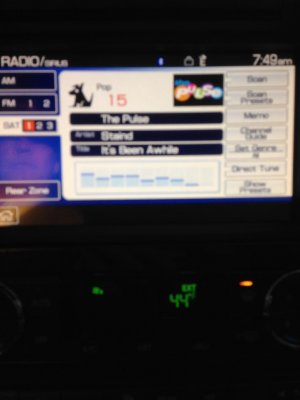
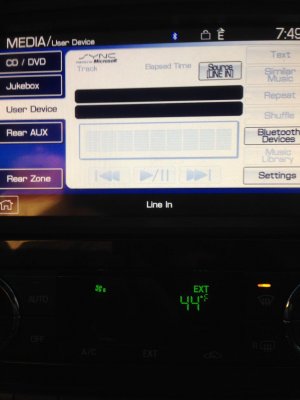
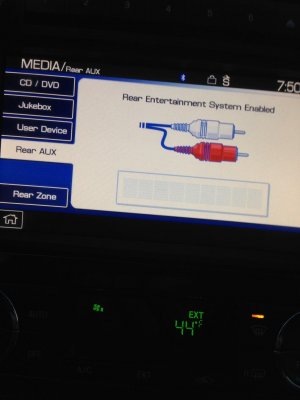
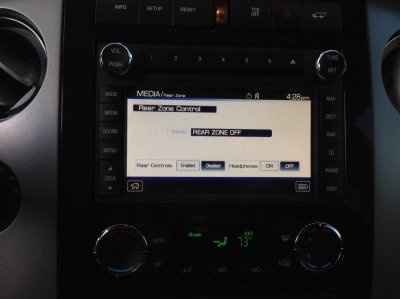
rexster314
Full Access Members
Looks exactly like mine.
rexster314
Full Access Members
Well, it was on the factory window sticker and not a supplement dealer sticker. I would assume so.
Similar threads
- Replies
- 5
- Views
- 1K
- Replies
- 4
- Views
- 1K

- Replies
- 7
- Views
- 676
- Replies
- 0
- Views
- 976
- Replies
- 0
- Views
- 1K


