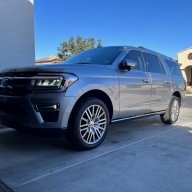
Hands free lift gate closing by itself

Disclaimer: Links on this page pointing to Amazon, eBay and other sites may include affiliate code. If you click them and make a purchase, we may earn a small commission.

Alex Taylor

Well-Known Member
Joined
Oct 27, 2020
Posts
72
Reaction score
36
Location
Queen Creek, Arizona
Very helpful thread, have had mine for less than a month now and was trying to get the hands free option to work open but after about 10 minutes of kicking the rear bumper in my driveway the neighbors began standing outside pointing & videoing me on their phones, (some were placing bets I swear) so I just smiled sheepishly, waved and went back inside, then searched on this thread. :)

I think we all can agree it's those small victories in life giving us that sense of quiet satisfaction that really matter in the end. :D

Thanks!

Alex
 

Dspud2006

Member
Joined
Dec 8, 2020
Posts
13
Reaction score
7
Location
Staunton IL
Thousands of Expedition owners out there, I don't understand how this function hasn't been disabled or recalled by Ford. I purchased mine new on Monday. I just spent an hour in the garage trying to get this to work. i probably kicked straight in and out in every location possible on the rear bumper, and MAYBE got it to open and close 2% of the time. Then after going outside of my garage to search google for an answer and coming back inside, I walk around the rear of the car and the liftgate starts lowering on my head. Funny, yes, but Ford has to see this as a major safety issue as well. I just wonder if this is an isolated problem of if every Expedition owner has this problem. I can't imagine people buying a 70k dollar vehicle and just being ok that a simple feature like this doesn't work from day 1.
 

Going_Going_Gone

Full Access Members
Joined
Aug 31, 2018
Posts
574
Reaction score
328
Location
Phoenix
Even after a trip to the service department to have the "fix" supposedly done, ours still randomly closes on us. Worst times are when inserting/removing receiver ball mount or when we back it into the garage to unload groceries etc. Our garage has raised walkways on three sides and just walking on the higher walkway behind the open lift gate invariably will cause it to close, usually on whoever has the fob in his/her pocket. I suppose it might not if one leaves the fob in the house, but really, you shouldn't have to.
 

5280tunage

Full Access Members
Joined
Sep 17, 2019
Posts
1,875
Reaction score
1,154
Location
colorado
And I love how when you really need to open it hands free, it doesn't work! So you have to put what ever heavy large object you're holding down to open it. Great feature...
 

5280tunage

Full Access Members
Joined
Sep 17, 2019
Posts
1,875
Reaction score
1,154
Location
colorado
Has anyone asked their dealership if there's a way to programmatically disable this? I'm likely going to disconnect my sensors but I don't like doing that, seems there has to be a way to disable the feature programmatically.
 

DWs-TTEB

Full Access Members
Joined
Jul 19, 2020
Posts
746
Reaction score
449
Location
Evans, GA
Has anyone asked their dealership if there's a way to programmatically disable this? I'm likely going to disconnect my sensors but I don't like doing that, seems there has to be a way to disable the feature programmatically.
The last time I used ForScan I believe I saw a enable/disable setting for the lift gate (human readable non-HEX). Got some time go play with ForScan on yours.
 

5280tunage

Full Access Members
Joined
Sep 17, 2019
Posts
1,875
Reaction score
1,154
Location
colorado
I actually did it last night, with the current version of Forscan, you can disable the handsfree liftgate via the configuration wizards. So glad I did that. Went ahead and changed the APIM splash screen while I was in there. Disabling the liftgate via Forscan feels so much better to me then having disconnected wires hanging out in the bumper.
 

lefty hack

Well-Known Member
Joined
Feb 6, 2021
Posts
71
Reaction score
52
Location
Vegas
I had problems kicking the “right” way when I got the 18 expy. After I read the instructions and practiced with no one watching[emoji3] it works great .


Sent from my iPhone using Tapatalk
 

5280tunage

Full Access Members
Joined
Sep 17, 2019
Posts
1,875
Reaction score
1,154
Location
colorado
Just give it time. You'll eventually have it close on you while unloading groceries, while your kids sit on the bumper, or maybe it will open when you walk by the car while it's in your garage with the garage door closed. Too many issues, I disabled mine.

It's one of the dumbest systems on the car. For one, it will open even if the lift glass is open. Second, I don't see why the stupid system doesn't use the parking sensors to also determine if there's a stationary object behind the car, and prevent it from opening. I also don't think it should close via handsfree if it wasn't opened that way to begin with.
 

Lou Hamilton

Full Access Members
Joined
Nov 28, 2019
Posts
939
Reaction score
640
Location
Maryland
Just give it time. You'll eventually have it close on you while unloading groceries, while your kids sit on the bumper, or maybe it will open when you walk by the car while it's in your garage with the garage door closed. Too many issues, I disabled mine.

It's one of the dumbest systems on the car. For one, it will open even if the lift glass is open. Second, I don't see why the stupid system doesn't use the parking sensors to also determine if there's a stationary object behind the car, and prevent it from opening. I also don't think it should close via handsfree if it wasn't opened that way to begin with.

Or disable it when the 7-pin plug is connected to the vehicle. Mine opens accidentally al the time when setting up or tearing down my camper. The 7-pin is the last thing I disconnect and the first thing I connect.


Sent from my iPad using Tapatalk
 

lefty hack

Well-Known Member
Joined
Feb 6, 2021
Posts
71
Reaction score
52
Location
Vegas
Just give it time. You'll eventually have it close on you while unloading groceries, while your kids sit on the bumper, or maybe it will open when you walk by the car while it's in your garage with the garage door closed. Too many issues, I disabled mine.

It's one of the dumbest systems on the car. For one, it will open even if the lift glass is open. Second, I don't see why the stupid system doesn't use the parking sensors to also determine if there's a stationary object behind the car, and prevent it from opening. I also don't think it should close via handsfree if it wasn't opened that way to begin with.

I’ve found that if I put the keys in the car(seems obvious I guess) and not in my pocket the lift stops opening as closing while I’m loading and unloading stuff... long road trip while packing, unpacking and repacking made me want to drive into the river dealing with the inadvertent lift gate. Not perfect but it doesn’t accidentally open and close while working g around the gate anymore


Sent from my iPhone using Tapatalk
 

5280tunage

Full Access Members
Joined
Sep 17, 2019
Posts
1,875
Reaction score
1,154
Location
colorado
Makes sense, for a myriad of reasons, I've made it a habit to only leave my fobs in my pockets. Not the least of which the stupid things are $500 to get replaced/programmed sometimes. But CO is having issues with lots of stolen vehicles. Mine was pilfered in the first month of ownership as it sat in my driveway waiting to get washed (had to run in to finish a quick conference call). Luckily my keys weren't in it, but it was unlocked.

All good, at this point I just like knowing mine is disabled.
 

lv2drive

Full Access Members
Joined
Oct 22, 2020
Posts
239
Reaction score
192
Location
PA, USA
OK so i’ve had my share of this POS door opening & closing on me enough, but this has driven me off the cliff .

apparently, while the keys were hanging safely in the mud room all night, somehow the tailgate opened itself. it was certainly closed when i took the trash out as i would have whacked my head on the damned thing.

well wouldn’t you know it that we had a sleet storm all night? on a NE angle?

sweet.
 

rob4092xx

Full Access Members
Joined
Aug 1, 2005
Posts
356
Reaction score
94
Location
Phoenix, AZ
Can anyone please walk me through step by step to disable the tailgate in settings? I can’t find it.
 

mhExped

Well-Known Member
Joined
Dec 17, 2019
Posts
99
Reaction score
29
Location
USA
Can anyone please walk me through step by step to disable the tailgate in settings? I can’t find it.
You can disable the power liftgate through settings, but that completely disables the power, so you have to pull it open and push it closed.

To do that you can find the setting here (search within for liftgate): https://www.fordservicecontent.com/...rket=usa&div=f&vCode=&vFilteringEnabled=False

You cannot, however, disable only the hands-free feature through settings and retain the power assist of the tailgate.
 

gf0625

New Member
Joined
Mar 22, 2024
Posts
2
Reaction score
0
Location
Pennsylvania
I actually did it last night, with the current version of Forscan, you can disable the handsfree liftgate via the configuration wizards. So glad I did that. Went ahead and changed the APIM splash screen while I was in there. Disabling the liftgate via Forscan feels so much better to me then having disconnected wires hanging out in the bumper.
I'm looking to disable the hands free tailgate function on my 2020 Expedition Platinum in Forscan. I've searched this Forum and Forscan Forum and you are the only one I've found to do this in Forscan. I have been hit by the gate numerous times by simply walking by the rear of the vehicle. I know this is an old post but do you have a spreadsheet or can you please tell me the correct address and changes you made in Forscan to accomplish this? I believe it is in Module 775 which only contains 5 addresses according to my As-Builts.
 

Mr Big

Full Access Members
Joined
May 29, 2023
Posts
1,012
Reaction score
588
Location
Tampa Bay, Florida USA
I'm looking to disable the hands free tailgate function on my 2020 Expedition Platinum in Forscan. I've searched this Forum and Forscan Forum and you are the only one I've found to do this in Forscan. I have been hit by the gate numerous times by simply walking by the rear of the vehicle. I know this is an old post but do you have a spreadsheet or can you please tell me the correct address and changes you made in Forscan to accomplish this? I believe it is in Module 775 which only contains 5 addresses according to my As-Builts.
I didn't want to lose the power liftgate feature, but was tired of it closing on me and opening when I didn't want it to. So, I used Forscan to disable it.
Start FORScan go to bdyCM Module Configuration (not AsBuilt), look for "Hands Free Liftgate", double click on it and select Disable and save it.
Then try opening it hands free. If your mod was successful, it is disabled and won't open, unless you revert back to the factory setting. Your open and close liftgate buttons still work as expected.
 

gf0625

New Member
Joined
Mar 22, 2024
Posts
2
Reaction score
0
Location
Pennsylvania
Thank you. I can't wait to try this. I too am tired of having the liftgate close on me. I'm having a problem connecting to my OBD adapter but will try once I correct it. Thanks again.
 

5280tunage

Full Access Members
Joined
Sep 17, 2019
Posts
1,875
Reaction score
1,154
Location
colorado
I didn't want to lose the power liftgate feature, but was tired of it closing on me and opening when I didn't want it to. So, I used Forscan to disable it.
Start FORScan go to bdyCM Module Configuration (not AsBuilt), look for "Hands Free Liftgate", double click on it and select Disable and save it.
Then try opening it hands free. If your mod was successful, it is disabled and won't open, unless you revert back to the factory setting. Your open and close liftgate buttons still work as expected.
What he said!
 
Top