Update all versions of Ford Sync 3 to the latest Sync 3.4

Disclaimer: Links on this page pointing to Amazon, eBay and other sites may include affiliate code. If you click them and make a purchase, we may earn a small commission.

Bmanxx13

Well-Known Member
Joined
Jan 11, 2020
Posts
63
Reaction score
24
Location
Arizona
New to this thread but I've read a decent amount. I have a 2018 Platinum and until today I was on the stock 17200something build, but Ford prompted an update in my app so I downloaded and installed 19205 successfully directly from their site. I see the Cyanlabs site and am familiar with what to do, but am nervous going to some of the more recent builds as I'm seeing things like bluetooth or USB issues. It looks like 20196 fixed some of that. I'm just wondering if there's any other 18 Expedition owners that have upgraded to 20196 and it works fine. Trying to avoid how my wife's Toyota entune system was when it locked up repeatedly as the Ford works flawlessly currently.

I upgraded my 18 to 20196 as well as to the latest maps (1.19?) and haven't had any issues. The system is a lot more responsive and looks much better than the stock version the 18's came with. Worth the upgrade.

 

Lou Hamilton

Full Access Members
Joined
Nov 28, 2019
Posts
939
Reaction score
640
Location
Maryland
Thanks all, enjoyed reading this thread. Download the app to my pc and did the update. I kept reading the need for 2 or 3 usb sticks. For me, all I needed was one, but everything went as smooth as possible with my stick and one set of files dumped to it.

It looks like the new installer puts it on one USB. I just did the download to a single USB stick. I might do the update either tomorrow or this weekend. I will be upgrading from 3.4 Build 19274 to 3.4 20196.

When I upgraded from 3.0 to 3.4 19274, it required 2 USB sticks for my application.
 

Lou Hamilton

Full Access Members
Joined
Nov 28, 2019
Posts
939
Reaction score
640
Location
Maryland
I upgraded my 18 to 20196 as well as to the latest maps (1.19?) and haven't had any issues. The system is a lot more responsive and looks much better than the stock version the 18's came with. Worth the upgrade.

I have not seen a side-by-side comparison of the looks. Is the look that much better? Any one know if the Lincoln look is also affected? I am currently running the Lincoln dark mode version of the SYNC.
 

zoey2015

Active Member
Joined
Jun 1, 2019
Posts
41
Reaction score
6
Location
US
I have a 2018 sync3 3.4.19274 and NA 118 Nav map. To upgrade to 20196 and map 119, when I run the Sync3 updater, in the Advanced Options, Force Install Mode, should I specify "automatic" or "reformat", "downgrade" or "autoinstall"?

My 1st attemp was specifying "reformat" but after I put the USB in the truck it stayed at the "updating system software" for as long as 30 minutes before I stopped it. I did reboot it twice before inserting the USB.

Sent from my SM-G960U1 using Tapatalk
 

techdude99

Full Access Members
Joined
Nov 25, 2019
Posts
367
Reaction score
140
Location
US
My 2019 Expedition with Navigation and Sync 3.0 was just updated to the 1.19 maps.

When upgrading to 3.4.19274 I just wanted to confirm that the 3.0 and 3.4 maps are version specific and not interchangeable - CONFIRMED

The "Automatic" option is default for the "Force Install Mode" option on the Sync3Updater for safety. When it completed the install setup, "Downgrade" was the option it selected as the best method for the 3.4 update.

I'm a little puzzled because it contradicts the CyanLabs site that states "Reformat" should be selected for 3.0 or less.

As I continue to hunt for answers in this thread and on the developer site I'll update the post and hold off on the update until I get confirmation that "Downgrade" is the correct method.

Has anyone tried 3.4.20237?

This looks like an excellent opportunity for a FAQ sticky.

LokiWolf - Thank you for posting the links and your support to members in the forum!
 
Last edited:

LokiWolf

Staff member
Moderator
Joined
Apr 2, 2016
Posts
3,971
Reaction score
2,837
Location
Richmond VA
My 2019 Expedition with Navigation and Sync 3.0 was just updated to the 1.19 maps.

When upgrading to 3.4.19274 I just wanted to confirm that the 3.0 and 3.4 maps are version specific and not interchangeable - CONFIRMED

The "Automatic" option is default for the "Force Install Mode" option on the Sync3Updater for safety. When it completed the install setup, "Downgrade" was the option it selected as the best method for the 3.4 update.

I'm a little puzzled because it contradicts the CyanLabs site that states "Reformat" should be selected for 3.0 or less.

As I continue to hunt for answers in this thread and on the developer site I'll update the post and hold off on the update until I get confirmation that "Downgrade" is the correct method.

Has anyone tried 3.4.20237?

This looks like an excellent opportunity for a FAQ sticky.

LokiWolf - Thank you for posting the links and your support to members in the forum!

No Problem!

You will have to reformat to go from 3.0 to 3.4. The file structure is different between those 2 versions.

Use the Utility from CyanLabs. Make sure you enter what you have currently correctly, and it will help make sure you download what you need.

I just installed 20237 a few weeks ago, and honestly not sure about it yet. I installed it on my Explorer, haven't on the Expedition yet. Stick with 20196 for now.
 

techdude99

Full Access Members
Joined
Nov 25, 2019
Posts
367
Reaction score
140
Location
US
No Problem!

...Make sure you enter what you have currently correctly...

Ah...Thank you!!!

This was the problem. I didn't realize that the field defaulted to the latest Sync version and required manual input to change it.

That's what I get for trying to do this after 1am and mentally exhausted from a long day...

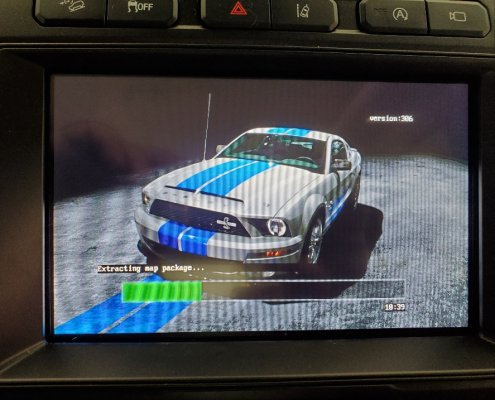
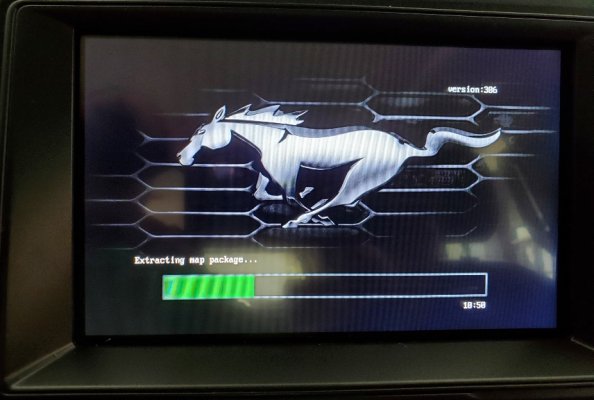
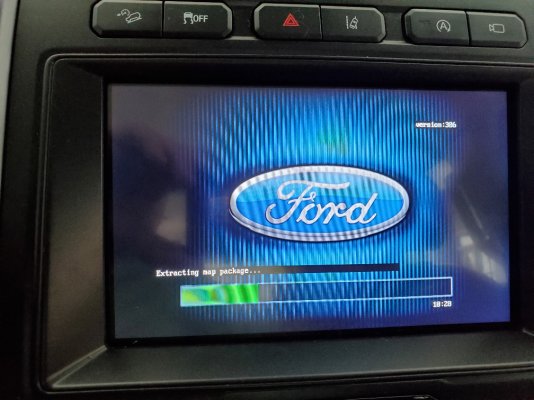
Here are some shots of the progress:

068dd89d6e2f237f008760eb1af8225f.jpg1ef7d077185babf751da6299492c4491.jpgf9b6fb9d7c4bd238ffb2a85d0ba49de5.jpg
 
Last edited:

techdude99

Full Access Members
Joined
Nov 25, 2019
Posts
367
Reaction score
140
Location
US
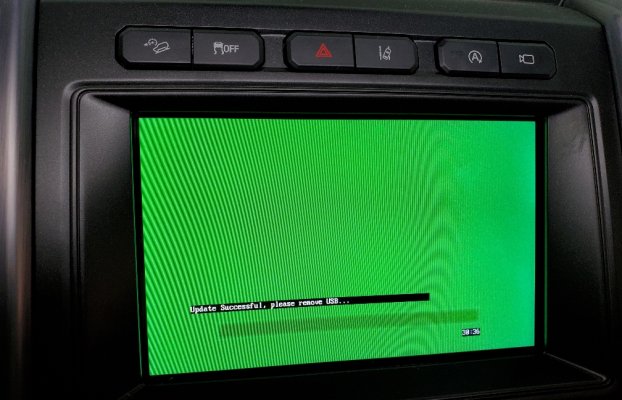
It's done. The entire process, was a quick 30 minutes! No need to Master Reset, yet. It kept all my settings from Sync 3.0!

I'll post back if I run into any issues.
ac4f47673dc9998a9ec6714d57f4335f.jpg759c4b3866fb4eb46a090fee65c79c1f.jpg
 
Last edited:

LokiWolf

Staff member
Moderator
Joined
Apr 2, 2016
Posts
3,971
Reaction score
2,837
Location
Richmond VA
Yeah, Master Reset is not needed. Only done it a few times out of the 100+ times I have done one of these installs. Most were because of some weird FORSCAN settings the owner had done. Like Regions that don’t match.

Enjoy! What version did you end up loading?


Sent from my iPhone using Tapatalk Pro
 

Foamy

Member
Joined
Oct 19, 2020
Posts
5
Reaction score
5
Location
South Florida
I just upgraded my 2018 Expy to 20196. No issues. It may have taken longer to build the USB stick than it did to do the upgrade. I'm hoping that the upgrade clears out the CarPlay connection problem that I was experiencing with 3.0 build 17276. That is a PITA.
 

LokiWolf

Staff member
Moderator
Joined
Apr 2, 2016
Posts
3,971
Reaction score
2,837
Location
Richmond VA
I just upgraded my 2018 Expy to 20196. No issues. It may have taken longer to build the USB stick than it did to do the upgrade. I'm hoping that the upgrade clears out the CarPlay connection problem that I was experiencing with 3.0 build 17276. That is a PITA.

17276 was NOT a good build.


Sent from my iPhone using Tapatalk Pro
 

techdude99

Full Access Members
Joined
Nov 25, 2019
Posts
367
Reaction score
140
Location
US
Yeah, Master Reset is not needed...Enjoy! What version did you end up loading?

I took your advice and loaded 20196 with maps. Everything worked so I didn't update the APIM.

Android Auto (AA) and Apple Car Play are fully tested and work great. The Ford UI is much better.

The UI with all interfaces is more responsive and the update fixed some annoying issues.
For example, adjustment of seats while in Google Maps would not automatically go back Maps after the adjustments. Now it does.
 
Last edited:

techdude99

Full Access Members
Joined
Nov 25, 2019
Posts
367
Reaction score
140
Location
US
...I'm hoping that the upgrade clears out the CarPlay connection problem that I was experiencing with 3.0 build 17276. That is a PITA.

I used CarPlay for a few hours. No connection or USB errors with the OEM Apple cable.
 

Eswfarms

Member
Joined
Jan 22, 2019
Posts
6
Reaction score
7
Location
Florida
With this update, does it happen to give the speed limit sign on the dash next to the speedometer like on the f250 and lincoln? Would love to get that feature.
 

LokiWolf

Staff member
Moderator
Joined
Apr 2, 2016
Posts
3,971
Reaction score
2,837
Location
Richmond VA
With this update, does it happen to give the speed limit sign on the dash next to the speedometer like on the f250 and lincoln? Would love to get that feature.

Nope. Has nothing to do with the Version of Sync. That feature is handled by another module, and so far the coding hasn’t been found.


Sent from my iPhone using Tapatalk Pro
 

Jace

Full Access Members
Joined
Feb 24, 2018
Posts
206
Reaction score
95
Location
Utah
Quick question for you guys... I'm on 3.0 19205. I believe my '19 was previously on a 17000 build and then auto updated.

Is the 19205 build known to have problems with Android auto? I can't even get the USB ports up front to even charge my phone, let alone connect to Android Auto. Same results on two pixel 3's as well as a pixel 5. Plug it in and nothing happens. I've reset the system with no change. All worked perfectly a few months ago. The USB ports are lit up still so I don't think the ports have failed.

If this sounds like a Ford Sync issue, I'll jump on the 3.4 ship asap as this is annoying haha.
 

techdude99

Full Access Members
Joined
Nov 25, 2019
Posts
367
Reaction score
140
Location
US
Quick question for you guys... I'm on 3.0 19205. I believe my '19 was previously on a 17000 build and then auto updated.

Is the 19205 build known to have problems with Android auto?

When I was on 19205, I ran into issues when I didn't use my OEM Samsung cable with my S10. There were annoying bugs (using any cable) that surfaced with the Ford UI communication and AA. None were related to charging.

Version 3.4 is worlds better and has less bugs based on my usage. So far, it's been flawless.

I don't use a thumb/flash drive for music and haven't tested that functionality.
 

5280tunage

Full Access Members
Joined
Sep 17, 2019
Posts
1,875
Reaction score
1,154
Location
colorado
Couple things, I'm assuming you've tried other cables right? I have no issues with charging from the ports but I'm on the latest 3.4 (20237) version and I still have android auto issues. For example, in the previous release and this release, almost every time I shut off the car, then turn it back on with a Pixel 3 connected the whole time, the Sync display is completely black. I have to unplug the phone and reconnect it to get the head unit to start working again.

Additionally, as many others have, I have a lot of issues with incoming calls when connected via usb and android auto. Specifically, there's no audio when you answer a call while connected, if I disconnect the usb cable (which stops AA), bluetooth picks up and starts working almost immediately.
 

Jace

Full Access Members
Joined
Feb 24, 2018
Posts
206
Reaction score
95
Location
Utah
When I was on 19205, I ran into issues when I didn't use my OEM Samsung cable with my S10. There were annoying bugs (using any cable) that surfaced with the Ford UI communication and AA. None were related to charging.

Version 3.4 is worlds better and has less bugs based on my usage. So far, it's been flawless.

I don't use a thumb/flash drive for music and haven't tested that functionality.
Appreciate the comments! I've tried pretty much every cable I own haha. I think I'll give upgrading to 3.4 a try and go from there.

If it doesn't fix the issue, have any of you ran into any problems with Ford fixing the head units, etc that have been upgraded to 3.4 from outside sources?
 

Jace

Full Access Members
Joined
Feb 24, 2018
Posts
206
Reaction score
95
Location
Utah
Couple things, I'm assuming you've tried other cables right? I have no issues with charging from the ports but I'm on the latest 3.4 (20237) version and I still have android auto issues. For example, in the previous release and this release, almost every time I shut off the car, then turn it back on with a Pixel 3 connected the whole time, the Sync display is completely black. I have to unplug the phone and reconnect it to get the head unit to start working again.

Additionally, as many others have, I have a lot of issues with incoming calls when connected via usb and android auto. Specifically, there's no audio when you answer a call while connected, if I disconnect the usb cable (which stops AA), bluetooth picks up and starts working almost immediately.
Yeah I've tried a handful of cables, including the Google cable with USB A adapter, and it acts as if I never plugged anything in. The phone doesn't charge, and Sync doesn't even flinch. It used to work surprisingly well!

I haven't had any black screen issues, but I believe I've always unplugged my phone before exiting the vehicle... I'll have to check with my wife since she drives it the most, but to my knowledge she hasn't complained haha.
 
Top