Finally! A Wired audio connection for Ford Rear Entertainment System

Disclaimer: Links on this page pointing to Amazon, eBay and other sites may include affiliate code. If you click them and make a purchase, we may earn a small commission.

scottdm

Full Access Members
Joined
Dec 2, 2018
Posts
828
Reaction score
495
Location
Western PA
I have read the various RES threads about the likes/dislikes of the Ford RES supplied by Voxx Hirschmann. We have a 2018 Expedition with the Ford RES and I'm aware of its limitations, especially the lag issues caused by bluetooth audio over the vehicle's audio system. I have adjusted the lip sync lag time in the RES settings on several occasions, but it seems to vary based on the movie being played, etc. Not interested in FM tuners, or bluetooth speakers, etc, etc.

My question is if anyone has figured out a clever way to hard wire an audio connection to the factory head unit? We don't use the factory CD player (I have a 2018 model with factory CD player), and I don't use Sirius XM radio. Curious if there's any way to utilize either of these inputs for a rear entertainment system? I haven't been able to find any photos of the inputs on the factory head unit, so appreciate everyone's insight.
 
OP
OP
scottdm

scottdm

Full Access Members
Joined
Dec 2, 2018
Posts
828
Reaction score
495
Location
Western PA
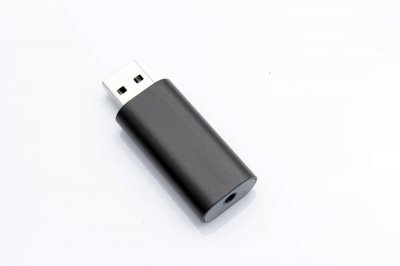
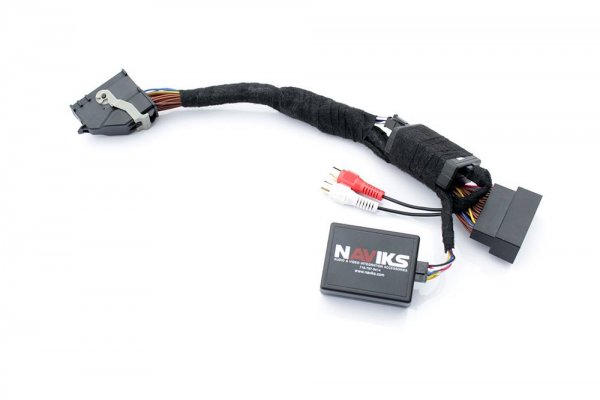
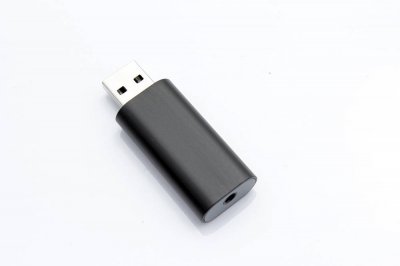
Interesting. I also see this harness on the NAVIKS site that says it's an aux audio input for Sync 3. I'll ask around at my local stereo shops and see if they have any experience with either of these.

F144774726.jpg
 
OP
OP
scottdm

scottdm

Full Access Members
Joined
Dec 2, 2018
Posts
828
Reaction score
495
Location
Western PA
So I called NAVIKS and they were very helpful. He said for the RES application that the wiring harness version is required to avoid any lag with the audio. He said the USB to 3.5mm converter still has a signal processor involved that would cause a delay. Good to know!
 

Johnb21

Well-Known Member
Joined
Dec 11, 2019
Posts
51
Reaction score
15
Location
boston, ma
Voxx International does have an update for RES. Not sure how good it will be in fixing bluetooth delay issues, but I should be able to report back in a week or so. My truck is in the shop and Voxx is mailing my dealer the UBS flash drives today.
 
OP
OP
scottdm

scottdm

Full Access Members
Joined
Dec 2, 2018
Posts
828
Reaction score
495
Location
Western PA

It won't work for the wired audio for the RES. See comments in post #4. I ordered the harness version in the link below and will run a 3.5mm stereo cable from the headphone output and convert to the RCA audio inputs on the new Naviks harness. The only exposed wire will be the 3.5mm stereo cable coming out near the headrest post and into the headphone jack.

https://naviks.com/i-24076489-2016-...dio-input-interface.html?ref=category:1207132
 

AKentPhoto

Full Access Members
Joined
Jan 23, 2020
Posts
508
Reaction score
309
Location
New Orleans
Wow, I don't know how I double posted that. Sorry!

Looking forward to seeing how it pans out for you. Hopefully it works! Definitely let us know...
 
OP
OP
scottdm

scottdm

Full Access Members
Joined
Dec 2, 2018
Posts
828
Reaction score
495
Location
Western PA
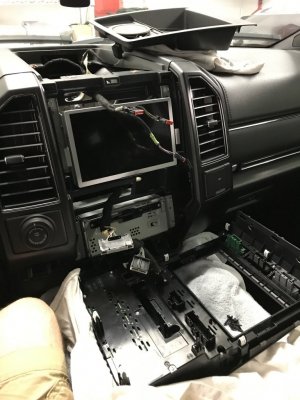
Sure thing. This has been a pet peeve of mine, so hopefully it does the trick. Will have to pull the center stack apart to add the new harness, so that should be interesting. Thought about taking it to a stereo shop, but if they break a clip I'm sure they'd never say anything. If I break a clip pulling the center stack apart, I'll have a chance to fix it, etc.
 
OP
OP
scottdm

scottdm

Full Access Members
Joined
Dec 2, 2018
Posts
828
Reaction score
495
Location
Western PA
Finally got the Naviks module installed and am pleased with the results. It's nice to FINALLY have a wired audio input from the RES to the factory headunit so I don't have to mess with all the issues associated with Bluetooth audio. Ford really dropped the ball on this issue and should have had a wired input from the factory.

Required/recommended hardware:
1. Naviks aux input module for SYNC 3
( https://naviks.com/i-24076489-2016-...dio-input-interface.html?ref=category:1207132 )

2. 3.5mm cable (10' length)
https://www.amazon.com/gp/product/B0793ND3NR/ref=ppx_yo_dt_b_asin_title_o09_s00?ie=UTF8&psc=1

3. 3.5mm to RCA adapter cable
https://www.amazon.com/gp/product/B079L2VL1S/ref=ppx_yo_dt_b_asin_title_o09_s00?ie=UTF8&psc=1

4. Ground loop isolator
https://www.amazon.com/gp/product/B077Y5DLBB/ref=ppx_yo_dt_b_asin_title_o03_s00?ie=UTF8&psc=1

Recommended tools/supplies:
1. Plastic pry tools to disassemble the center cluster

https://www.amazon.com/gp/product/B01KXN7LE6/ref=ppx_yo_dt_b_asin_title_o08_s00?ie=UTF8&psc=1

2. 7mm socket to remove center cluster bolts and head unit bolts

3. electrical tape, zip ties and felt to bundle the Naviks module to prevent rattling.

4. fish tape to fish 3.5mm cable through seat back and up into center cluster.


Install details:
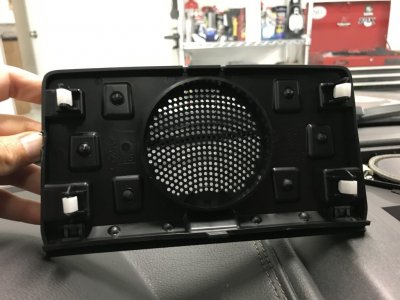
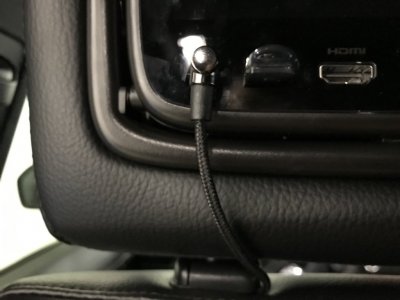
1. I ran a 3.5mm stereo cable from the headphone jack on the driver's side screen and fished it through the seatback by the headrest post.
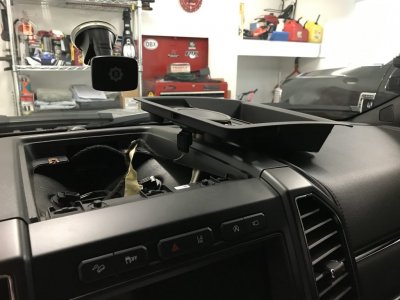
2. Hid the 3.5mm stereo cable under the center tunnel and fished it up into the center cluster.
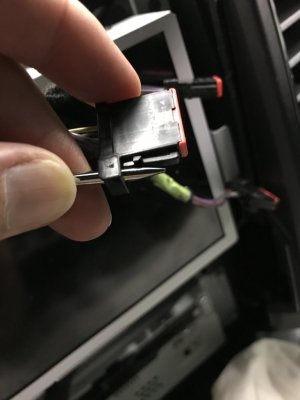
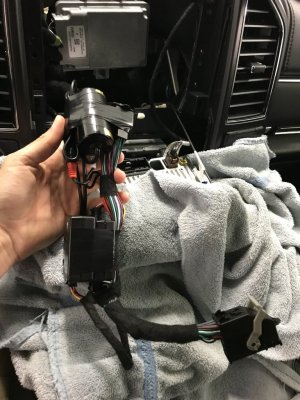
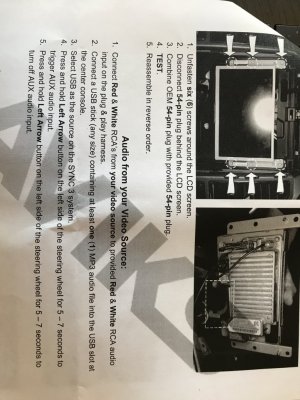
3. Naviks module is plug and play with the factory head unit and provides an RCA audio input, so I used a 3.5mm to RCA adapter cable.
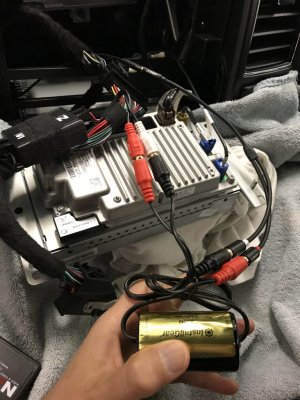
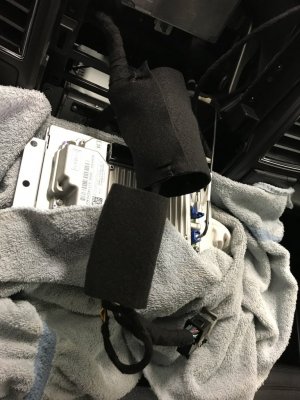
4. Ended up needing a ground loop isolator (gold colored cylindrical item in photos) since there was initially some hum in the audio. With the ground loop isolator installed, the sound is clean with no buzz/static, etc.
5. Bundled up the Naviks module and cables and wrapped in black felt to prevent any rattles after install.


Functionality:
1. Basically shares the USB audio input and requires a USB stick with music to be inserted into the USB slot in the center console in order to function.
2. To activate the wired audio input from the RES, select USB audio on the head unit and then press and hold the left arrow button on the left side of the steering wheel for 7 seconds and it now uses the RES audio over the factory stereo. Hold left arrow again for 7 seconds to deactivate.
3. IR headphones function as normal on the RES regardless of if the new wired audio input is being used.
4. Bluetooth audio on the RES only works if the headphone cable is disconnected from the rear screen. However, the whole point of this mod is to NOT use the Bluetooth audio from the RES, so this isn't an issue from my perspective.
5. Audio is now reliable and properly lip-synced all the time with no time delay issues to mess with.

Observations:
1. Was initially disappointed in the hum and static when using the new input, and am glad the ground loop isolator completely solved this issue!
2. I did some experimenting and when a phone is paired with Bluetooth audio and a call is received, the phone will not interrupt the RES audio feed when the RES wired audio input is active. My kids would always get upset when the phone interrupted their movie in the past since the movie would keep playing with no audio while the phone was being used. Just a reminder to be aware of this "feature" and to unpair your phone on a long trip if the kids are watching a movie.
3. If the RES wired audio input is active when you shut off the vehicle with a movie playing, it will be active upon restarting. Kids will only have to power up the rear screens and movie will resume (we use USB stick for movies). No more messing with bluetooth on the headunit and RES every time the vehicle is turned on/off.
3. The only visible evidence of this mod being done is the 2" length of 3.5mm cable that runs from the headphone jack to the seat post. I selected a cable with a 90 degree connector and black fabric insulation to blend in as well as possible.
4. Overall, I'm very pleased and glad to have this mod completed prior to our 9 hour drive to the beach!

Photos:
(needed multiple posts for photos since max limit of 5 photos per post).
IMG_0466.JPG

IMG_0467.JPG

IMG_0468.JPG

IMG_0477.JPG

IMG_0478.JPG
 
Last edited:
As an Amazon Associate we earn from qualifying purchases.

AKentPhoto

Full Access Members
Joined
Jan 23, 2020
Posts
508
Reaction score
309
Location
New Orleans
Well done!!!
Man... The list of things to do while I have the console/dash apart keeps growing... I'm going to have to hit them up and make sure it works on the Navi... Fingers crossed... Thank you for the writeup!!
 
OP
OP
scottdm

scottdm

Full Access Members
Joined
Dec 2, 2018
Posts
828
Reaction score
495
Location
Western PA
Sure thing. Hopefully if helps others that have the same disdain for the Bluetooth audio connection from the Ford RES that I do.

Also wish there was a readily accessible video output on the RES as well since Naviks also has a version of the module that adds both audio and video inputs to the factory head unit so front seat passengers could see the movie on the front screen as well. If I end up adding an aftermarket RES to my 2020 F350, I’ll make sure it has a video output for this reason.
 
Last edited:

AKentPhoto

Full Access Members
Joined
Jan 23, 2020
Posts
508
Reaction score
309
Location
New Orleans
Have you looked into the video portion?
Does it use the backup input that keeps the parking assist/text etc? On the Navi that input also only uses 3/4 of the screen too so it looks super bootleg if that is how they do it... There are some lazy ass programmers/penny pinchers at Lincoln that didnt want to put in a camera setup that matched the resolution of the screen so that is what we are stuck with.

Which reminds me...
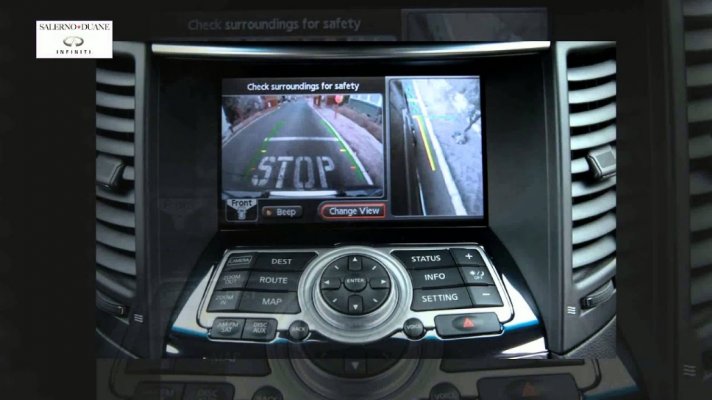
if there is any way to get access to the side mirror camera that would be way more useful than the useless top down view they give us. This is the #1 feature I miss from my wife's 2013 Infiniti. Front wheel saver view. A view that is actually useful at protecting your vehicle from the curb. The rear is covered by the mirror drop in reverse. We are left with nothing up front despite having "360" view.

maxresdefault.jpg
 
OP
OP
scottdm

scottdm

Full Access Members
Joined
Dec 2, 2018
Posts
828
Reaction score
495
Location
Western PA
If you look around on Naviks website they have a module that allows a lot of configurations of the various camera views and allows use while in motion. Mirror cameras are one of the options as well. Could see more use on my F350 with all the trailer cameras, etc.
 
Joined
Jun 24, 2020
Posts
6
Reaction score
0
Location
calgary
This was a great tutorial! I'm looking to use the same Naviks unit in my 16 max platinum, but using an ipad as the screen. do you think it would work to run the adapter into the head unit replacing the sirius xm slot? I don't use that one, and i wondered if it might eliminate the steering wheel toggle etc.?
 
OP
OP
scottdm

scottdm

Full Access Members
Joined
Dec 2, 2018
Posts
828
Reaction score
495
Location
Western PA
This was a great tutorial! I'm looking to use the same Naviks unit in my 16 max platinum, but using an ipad as the screen. do you think it would work to run the adapter into the head unit replacing the sirius xm slot? I don't use that one, and i wondered if it might eliminate the steering wheel toggle etc.?
The Naviks module is installed inline between the 54 pin factory harness male connector and the 54 pin female connector on the back of the SYNC head unit. The Naviks module has firmware installed to allow it to function as designed. Not familiar with how to repurpose the Sirius input. Would assume it’s part of the 54 pin connector.
 
Joined
Jun 24, 2020
Posts
6
Reaction score
0
Location
calgary
The Naviks module is installed inline between the 54 pin factory harness male connector and the 54 pin female connector on the back of the SYNC head unit. The Naviks module has firmware installed to allow it to function as designed. Not familiar with how to repurpose the Sirius input. Would assume it’s part of the 54 pin connector.
Fair enough. That would work just fine. Thanks for your reply
 

Jay Mac

Member
Joined
Oct 31, 2018
Posts
14
Reaction score
5
Location
Utah
Voxx International does have an update for RES. Not sure how good it will be in fixing bluetooth delay issues, but I should be able to report back in a week or so. My truck is in the shop and Voxx is mailing my dealer the UBS flash drives today.

Did you get the update from Voxx? Did it solve any issues? Would love some input, thanks.
 

NukeLife

Full Access Members
Joined
Nov 2, 2019
Posts
288
Reaction score
271
Location
Charlotte
Sure thing. Hopefully if helps others that have the same disdain for the Bluetooth audio connection from the Ford RES that I do.

Also wish there was a readily accessible video output on the RES as well since Naviks also has a version of the module that adds both audio and video inputs to the factory head unit so front seat passengers could see the movie on the front screen as well. If I end up adding an aftermarket RES to my 2020 F350, I’ll make sure it has a video output for this reason.

You beat me to it. That was going to be my next question.
So Naviks makes the same type of harness with audio and video?

What I am looking for is a harness that will do three things (that Ford should have done themselves):
  • Hardwired audio to the Sync3 system.
  • Hardwired video to the front screen (is there an HDMI input on the rear of the Head unit that can accomplish both of these things?)
  • And a motion interlock override to allow access to all of the Sync 3 menu items even while on the highway
Scott, thanks for the write up. This will definitely save me some time!
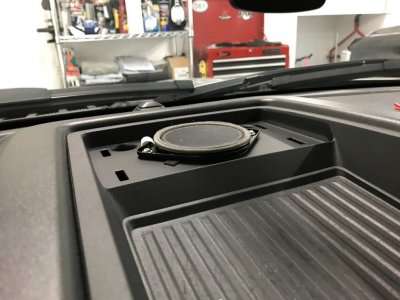
I’ll probably replace that center channel speaker while I’m in there, and definitely install the autostop defeat.
 
Top