
ForScan Tweaks - 2015+

Disclaimer: Links on this page pointing to Amazon, eBay and other sites may include affiliate code. If you click them and make a purchase, we may earn a small commission.

ads245

Full Access Members
Joined
Jul 24, 2017
Posts
80
Reaction score
47
Location
Tampa
Drove 200 miles today just to be able to try this. No luck getting the option to be available in the IPC (yet), but changing 726-49-01 did the magic. The checkmark is gone. I am unable to physically verify they are in fact off, because my truck doesn't have any headlights. But I consider that a good sign.

View attachment 22043

So are you saying you changed 726-49-01 from 0101 0101 01 to 0101 0101 00?
I can't tell from your picture. Is the 'Daytime Lights' still grayed out as in you can't select and unselect it?
 

AllBoostNoEco

Full Access Members
Joined
May 2, 2017
Posts
328
Reaction score
196
Location
GA
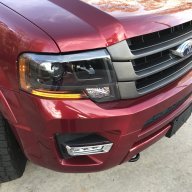
@ExpeditionAndy my headlights are currently being converted from the base reflectors to custom-painted projectors with bi-xenon HIDs and a few other small tweaks. Thankfully I don't need my truck again until next month.

@ads245 According to my notes, I went the other way. I changed 726-49-01 from 0101 0101 00 to 0101 0101 01. That may have been a typo earlier suggesting it was the opposite. The option is still grayed out, but the checkmark is gone now.
I changed 726-49-02 as well, but it had no effect on the option in the IPC. I'm wondering if perhaps our trucks lack the ability to make it active just like we can't get the climate in the right screen.

As an additional note on things that don't work the same: I updated my MFT to v3.10, which is the latest (mine was 3.7), and installed the update file for the other startup animations. Changing the code in the IPC per the F-150 and Explorer spreadsheets didn't change the animation. It stayed the 'Ford' one regardless.
 

ads245

Full Access Members
Joined
Jul 24, 2017
Posts
80
Reaction score
47
Location
Tampa
@ExpeditionAndy my headlights are currently being converted from the base reflectors to custom-painted projectors with bi-xenon HIDs and a few other small tweaks. Thankfully I don't need my truck again until next month.

@ads245 According to my notes, I went the other way. I changed 726-49-01 from 0101 0101 00 to 0101 0101 01. That may have been a typo earlier suggesting it was the opposite. The option is still grayed out, but the checkmark is gone now.
I changed 726-49-02 as well, but it had no effect on the option in the IPC. I'm wondering if perhaps our trucks lack the ability to make it active just like we can't get the climate in the right screen.

As an additional note on things that don't work the same: I updated my MFT to v3.10, which is the latest (mine was 3.7), and installed the update file for the other startup animations. Changing the code in the IPC per the F-150 and Explorer spreadsheets didn't change the animation. It stayed the 'Ford' one regardless.


Ah very good. I have MFT v3.8 and was wanting to upgrade to v3.10. However, everything I found said that v3.10 was an update only available from the dealer. With my Mustang GT, I have it registered with my myFordOwner account and periodically (although not any more since Microsoft Sync is done with) Ford would release an update that I could download to a USB and install myself. However, v3.10 isn't available on myFordOwner to download and install myself on the Expedition. Did you have it done at the dealer?
 

AllBoostNoEco

Full Access Members
Joined
May 2, 2017
Posts
328
Reaction score
196
Location
GA
Ah very good. I have MFT v3.8 and was wanting to upgrade to v3.10. However, everything I found said that v3.10 was an update only available from the dealer. With my Mustang GT, I have it registered with my myFordOwner account and periodically (although not any more since Microsoft Sync is done with) Ford would release an update that I could download to a USB and install myself. However, v3.10 isn't available on myFordOwner to download and install myself on the Expedition. Did you have it done at the dealer?
No, the dealer won't touch MFT anymore. I found a link to a few different versions online, downloaded and compared them, and went with the latest one that was complete. It's not an 'official' version, and is pieced together from alternate sources. I tried it anyway, and it worked fine for me. Touchscreen seems more responsive and it is less laggy from my (brief) time with it.
 

ExpeditionAndy

Full Access Members
Joined
Aug 31, 2013
Posts
3,708
Reaction score
1,130
Location
Fort Wayne, Indiana
@ExpeditionAndy my headlights are currently being converted from the base reflectors to custom-painted projectors with bi-xenon HIDs and a few other small tweaks. Thankfully I don't need my truck again until next month.
Okay I remember that you talked about that before. Sorry I forgot.

What is the MFT? is that the Sync system with the 4 panes?
 

ads245

Full Access Members
Joined
Jul 24, 2017
Posts
80
Reaction score
47
Location
Tampa
No, the dealer won't touch MFT anymore. I found a link to a few different versions online, downloaded and compared them, and went with the latest one that was complete. It's not an 'official' version, and is pieced together from alternate sources. I tried it anyway, and it worked fine for me. Touchscreen seems more responsive and it is less laggy from my (brief) time with it.


Gotcha, would you happen to have the link you used?

And @ExpeditionAndy exactly it's the Sync version with the four panes. It's the predecessor to Sync 3 which is what you have in your 2016. Sync 3 is no longer powered by Microsoft.
 

AllBoostNoEco

Full Access Members
Joined
May 2, 2017
Posts
328
Reaction score
196
Location
GA
https://mega.nz/#!o8wkBThJ!tuT3IbfaIpwgl22KKaAUYpWQ5Sr-LdBwmZ4rCdzkxck

This is the version I used. If you do the update, ONLY unzip the main file. I found out the hard way if you touch any of the rest, the install will fail.
I didn't change anything in my APIM coding and got everything back the way it was. You do have to start over with things like your phone, but it seemed like it saved most of the settings I had before I switched. I spent all of five minutes with it though.
 

ads245

Full Access Members
Joined
Jul 24, 2017
Posts
80
Reaction score
47
Location
Tampa
https://mega.nz/#!o8wkBThJ!tuT3IbfaIpwgl22KKaAUYpWQ5Sr-LdBwmZ4rCdzkxck

This is the version I used. If you do the update, ONLY unzip the main file. I found out the hard way if you touch any of the rest, the install will fail.
I didn't change anything in my APIM coding and got everything back the way it was. You do have to start over with things like your phone, but it seemed like it saved most of the settings I had before I switched. I spent all of five minutes with it though.

Awesome, thanks!
 

ExpeditionAndy

Full Access Members
Joined
Aug 31, 2013
Posts
3,708
Reaction score
1,130
Location
Fort Wayne, Indiana
Gotcha, would you happen to have the link you used?

And @ExpeditionAndy exactly it's the Sync version with the four panes. It's the predecessor to Sync 3 which is what you have in your 2016. Sync 3 is no longer powered by Microsoft.
So you are saying that current version of the Sync3 that is in the 17 is not a Microsoft product? I don't recall ever seeing a Microsoft logo.
 

ads245

Full Access Members
Joined
Jul 24, 2017
Posts
80
Reaction score
47
Location
Tampa
So you are saying that current version of the Sync3 that is in the 17 is not a Microsoft product? I don't recall ever seeing a Microsoft logo.

Correct beginning in MY16, Ford severed it's ties with Microsoft. From 2016 and on, Ford now relies on Blackberry's QNX operating system. Ford simply couldn't get to where they wanted with Sync powered by Microsoft. That's why Sync 3 is much faster and has far less lag.
 

ExpeditionAndy

Full Access Members
Joined
Aug 31, 2013
Posts
3,708
Reaction score
1,130
Location
Fort Wayne, Indiana
Correct beginning in MY16, Ford severed it's ties with Microsoft. From 2016 and on, Ford now relies on Blackberry's QNX operating system. Ford simply couldn't get to where they wanted with Sync powered by Microsoft. That's why Sync 3 is much faster and has far less lag.
Okay gotcha. My son has Sync in his 14 Flex. I wonder if that download will work with his.
 

ads245

Full Access Members
Joined
Jul 24, 2017
Posts
80
Reaction score
47
Location
Tampa
@ExpeditionAndy my headlights are currently being converted from the base reflectors to custom-painted projectors with bi-xenon HIDs and a few other small tweaks. Thankfully I don't need my truck again until next month.

Post some pictures after you get it back together. Sounds like it will look pretty sharp.
 

powerboatr

Full Access Members
Joined
May 16, 2016
Posts
981
Reaction score
380
Location
North East Texas
No, the dealer won't touch MFT anymore. I found a link to a few different versions online, downloaded and compared them, and went with the latest one that was complete. It's not an 'official' version, and is pieced together from alternate sources. I tried it anyway, and it worked fine for me. Touchscreen seems more responsive and it is less laggy from my (brief) time with it.
this makes no sense, are you saying your dealer will do any updated from ford that is out there for the MFT system? or that they just dont want to ? they as are all mfgs required to provide service for all systems that were produced for your vehicle for ten years after the build date.
just because ford does not use a microsoft based system any more does not let them ignore previous iterations..

as far as the blackberry system for speed of recovery.. my nav is SLOW to slow to update turns or after a turn. My 2010 was dead on balls accurate, my 2013 was less, and now the 2016 is between the two for recovery.
 

AllBoostNoEco

Full Access Members
Joined
May 2, 2017
Posts
328
Reaction score
196
Location
GA
this makes no sense, are you saying your dealer will do any updated from ford that is out there for the MFT system? or that they just dont want to ? they as are all mfgs required to provide service for all systems that were produced for your vehicle for ten years after the build date.
just because ford does not use a microsoft based system any more does not let them ignore previous iterations..

as far as the blackberry system for speed of recovery.. my nav is SLOW to slow to update turns or after a turn. My 2010 was dead on balls accurate, my 2013 was less, and now the 2016 is between the two for recovery.

It's hard to describe. Ford never installed version 3.10 in any production vehicle. V3.7 and 3.8 were considered "stable", and Ford discontinued the MFT support where you could download the latest version online in 2015 with the introduction of Sync 3. For instance, mine was 3.7 and I couldn't download 3.8 even though some 2015 Expeditions got that version.
The Microsoft Auto team released 3.10 in 2016, and since MFT was no longer being produced, Ford released it to dealers only for certain vehicles, and only as a troubleshooting measure for a customer who complained about Sync under warranty. In fact, the update says "you have successfully updated to version 3.8" because Microsoft didn't even bother changing the update screen on it. After they got to 3.10.17133, Microsoft pulled the plug on the program. There will be no more updates for MFT.
Many of the guys on the Fusion forum went to their dealer to get 3.10 with mixed results. Some dealers wouldn't upgrade to it whether under warranty or not because Ford says 3.8 is the latest and greatest for the Fusion, others got it installed no problem for free under warranty, and those out of warranty that found dealers who would do it spent an hour's labor to have it done.
Will a dealer update an Expedition to 3.10? Maybe, maybe not. It was never released for the Expedition, and Ford said 3.8 is the pinnacle for our trucks. None of the bug fixes in 3.10 technically applied to the Expedition. Did I try? No, I didn't. I'll admit that. I discovered this update existed while I was out of town, stuck it on a thumb drive, and installed it myself because it wasn't worth $65 even if I could get it from the dealer.
 

flexitis

Active Member
Joined
Oct 3, 2017
Posts
39
Reaction score
14
Location
US
It's hard to describe. Ford never installed version 3.10 in any production vehicle. V3.7 and 3.8 were considered "stable", and Ford discontinued the MFT support where you could download the latest version online in 2015 with the introduction of Sync 3. For instance, mine was 3.7 and I couldn't download 3.8 even though some 2015 Expeditions got that version.
The Microsoft Auto team released 3.10 in 2016, and since MFT was no longer being produced, Ford released it to dealers only for certain vehicles, and only as a troubleshooting measure for a customer who complained about Sync under warranty. In fact, the update says "you have successfully updated to version 3.8" because Microsoft didn't even bother changing the update screen on it. After they got to 3.10.17133, Microsoft pulled the plug on the program. There will be no more updates for MFT.
Many of the guys on the Fusion forum went to their dealer to get 3.10 with mixed results. Some dealers wouldn't upgrade to it whether under warranty or not because Ford says 3.8 is the latest and greatest for the Fusion, others got it installed no problem for free under warranty, and those out of warranty that found dealers who would do it spent an hour's labor to have it done.
Will a dealer update an Expedition to 3.10? Maybe, maybe not. It was never released for the Expedition, and Ford said 3.8 is the pinnacle for our trucks. None of the bug fixes in 3.10 technically applied to the Expedition. Did I try? No, I didn't. I'll admit that. I discovered this update existed while I was out of town, stuck it on a thumb drive, and installed it myself because it wasn't worth $65 even if I could get it from the dealer.
The reason you got the message that you successfully upgraded to 3.8 when you did the 3.10 update is because you got the unofficial update that was NOT pieced together by Ford.
The latest update that was officially released to syncmyride.com was 3.8 and Ford pulled it off the site because costumers always complained that the upgrade went bad so they went the route that if you want to update you have to go to the dealer.

Sent from my Z982 using Tapatalk
 

Muddy Bean

Full Access Members
Joined
Oct 19, 2017
Posts
818
Reaction score
508
Location
Michigan
Sorry this might drift away from the topic being discussed at the moment, but if someone didn't want to invest the time or $$ to learn to make a handful of ForScan tweaks on their 2015 Expedition, is there a way any of you ForScan tweakers would be willing to charge a reasonable fee to make one-time changes to my system? Or is that not feasible? I literally want just four things:

1. Fast turn signal killed (bulb out)
2. LED fogs as DRL's turned on
3. Double honk when vehicle is running but smartkey isn't inside vehicle turned off.
4. Headlight and fog light dash indicators turned off

**EDIT** I'm reading through the 19 pages of this thread and I'm itching to be able to make my own modifications. I have an IT tech background...I think I want to delve into this.
Sent from my iPhone using Tapatalk Pro
 
Last edited:

Muddy Bean

Full Access Members
Joined
Oct 19, 2017
Posts
818
Reaction score
508
Location
Michigan
I've joined the ForScan forum and noticed they aren't doling out the "extended" license without proof that you need it...actually they are but it's a two month deal. After that you have to do it all over again. The only way to get the lifetime license is to specifically request it and join their R&D forum etc.


Sent from my iPhone using Tapatalk Pro
 

AllBoostNoEco

Full Access Members
Joined
May 2, 2017
Posts
328
Reaction score
196
Location
GA
That's correct, been that way since the beginning unfortunately. I've never heard of anyone NOT being able to get a new extended license every two months though.
I suspect at some point they will stop giving out the extended license for free, even for a couple of months.
I haven't looked into the possibility of joining their R&D forum, but it could be worth trying for.
 

ExpeditionAndy

Full Access Members
Joined
Aug 31, 2013
Posts
3,708
Reaction score
1,130
Location
Fort Wayne, Indiana
Sorry this might drift away from the topic being discussed at the moment, but if someone didn't want to invest the time or $$ to learn to make a handful of ForScan tweaks on their 2015 Expedition, is there a way any of you ForScan tweakers would be willing to charge a reasonable fee to make one-time changes to my system? Or is that not feasible? I literally want just four things:

1. Fast turn signal killed (bulb out)
2. LED fogs as DRL's turned on
3. Double honk when vehicle is running but smartkey isn't inside vehicle turned off.
4. Headlight and fog light dash indicators turned off

**EDIT** I'm reading through the 19 pages of this thread and I'm itching to be able to make my own modifications. I have an IT tech background...I think I want to delve into this.
Sent from my iPhone using Tapatalk Pro

For the front Fast turn signal change this line to - 726-13-01 0000 0000 43 - you have to change 0101 to 0000
@LokiWolf said that he thinks the line below the 726-13-01 is the one that controls the rear hyper flash.

For the double honk, you can defeat it by closing your door but not completely latching it - if your door isn't completely closed you can walk away from the vehicle while it's running and not get the horn honk.

One thing to remember (this caused me some worry before I figured it out) if you have power running boards and you update the BdyCM module it will turn your running boards off and you will have to reset them in the instrument panel on the left hand side in settings.
 
Top