Update all versions of Ford Sync 3 to the latest Sync 3.4

Disclaimer: Links on this page pointing to Amazon, eBay and other sites may include affiliate code. If you click them and make a purchase, we may earn a small commission.

Bow512

Full Access Members
Joined
Jul 27, 2018
Posts
158
Reaction score
92
Location
TX
Those of you that have updated, what does your SiriusXM screen look like? This is the one in the loaner F150 I currently have. Does the Expy show the station logos and album art like this or does that require the firmware update?

I like how you can mix and match AM, FM and Sirius favorites on the presets on the F150.
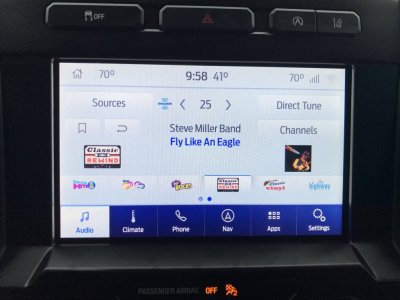
C2C2AD8B-E540-4CD7-B962-B2454C25C5EF.jpeg
 

byathread

Full Access Members
Joined
May 8, 2019
Posts
267
Reaction score
159
Location
Pennsylvania
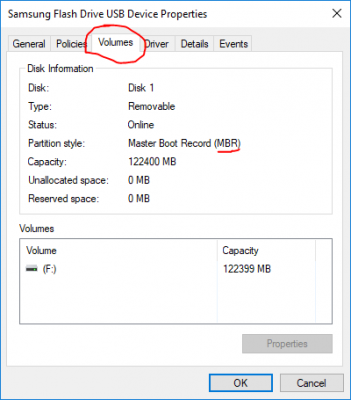
thanks for clarification, but i still don't have the MBR option on my windows 10, does it matter?
upload_2020-2-11_16-25-38.png

Computer Management/Storage/Disk Management. Right click properties on your USB drive, Volumes tab. Formatting defaults to MBR for FAT, FAT32, NTFS or exFAT in W10 if memory serves, but, that's how you can check definitively.
 

Johhn14

Well-Known Member
Joined
Sep 15, 2019
Posts
48
Reaction score
16
Location
boston
Those of you that have updated, what does your SiriusXM screen look like? This is the one in the loaner F150 I currently have. Does the Expy show the station logos and album art like this or does that require the firmware update?

I like how you can mix and match AM, FM and Sirius favorites on the presets on the F150.
View attachment 34344
I don’t have either of those in my 2019

less concerned about the icons but a “unified” list of pre sets would be cool.
 

armoredsaint

Full Access Members
Joined
Oct 30, 2019
Posts
321
Reaction score
157
Location
Ohio
Anyone do it from a Mac? Does it have MBR automatically also? I'm travelling for work and only have my macbook pro to reformat and download
 

Johhn14

Well-Known Member
Joined
Sep 15, 2019
Posts
48
Reaction score
16
Location
boston
Yes from a Mac. Search this thread for a post I made on it. They don’t make it intuitive for MBR formatting.
 

armoredsaint

Full Access Members
Joined
Oct 30, 2019
Posts
321
Reaction score
157
Location
Ohio
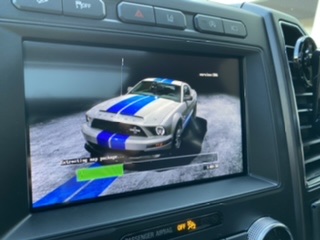
So it’s been about almost an hour and the progress bar is still in the same place “Extracting map package” and it’s cycling between the screensavers. normal?

49ADB77D-7FB8-4599-B9EA-12F0460E9C32.jpeg
 
Last edited:

armoredsaint

Full Access Members
Joined
Oct 30, 2019
Posts
321
Reaction score
157
Location
Ohio
That is the longest step. Depending on the speed of your flash drive it can take that long.

Give it a bit more.


Sent from my iPhone using Tapatalk Pro
Thanks! I have a lexar 32gb 3.0 from cost o. Also I’ve been driving while it’s updating.
 

Gumby

Full Access Members
Joined
Jun 5, 2019
Posts
496
Reaction score
238
Location
Beaumont, Alberta
Yeah, I found that it would seem the progress bar "stalls" for a rather long time. Then it quickly finishes.
 

armoredsaint

Full Access Members
Joined
Oct 30, 2019
Posts
321
Reaction score
157
Location
Ohio
So it’s been 2 hours now at the same progress bar, tempted to pull it out and redo it?
 

armoredsaint

Full Access Members
Joined
Oct 30, 2019
Posts
321
Reaction score
157
Location
Ohio
It took 27 minutes total really fast it looks pretty nice on the interface. It’s funny at start up it has the Lincoln logo and presidential written across in cursive
 

HawkX66

Semper Fi!
Joined
Aug 28, 2018
Posts
643
Reaction score
318
Location
VA/MA
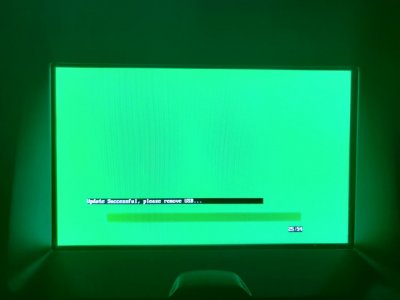
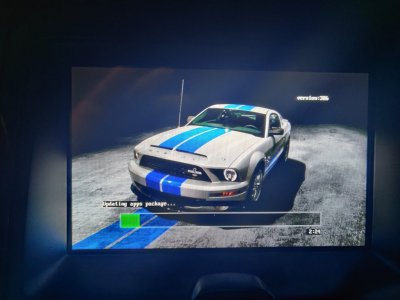
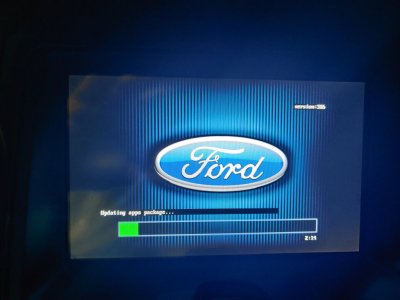
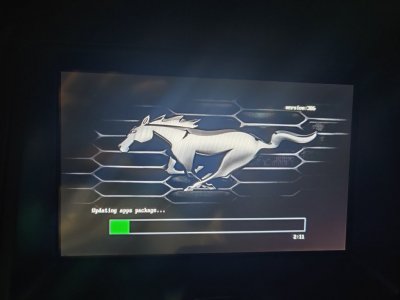
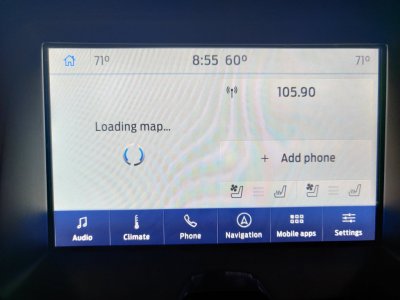
Just did this last night on my 17. I was killing myself trying to use the Ford site to update from 2.3. I couldn't get the Ford files to extract correctly. Finally I found this post... I used one 16GB USB thumb drive. Two would have been easier, but not a must. Downloaded two files to my pc. Extracted one to the USB drive, loaded it to the Expy. Deleted the file off the thumb drive, extracted the other file, loaded it to the Expy and walla. Worked like a charm. ~27 min for the second file to download also. ~13.5GB for that one.
Thanks LokiWolf!


IMG_20200211_155349.jpg


IMG_20200211_153019.jpg
IMG_20200211_153008.jpg
IMG_20200211_153006.jpg
IMG_20200211_155530.jpg
 

LokiWolf

Staff member
Moderator
Joined
Apr 2, 2016
Posts
3,971
Reaction score
2,837
Location
Richmond VA
Just did this last night on my 17. I was killing myself trying to use the Ford site to update from 2.3. I couldn't get the Ford files to extract correctly. Finally I found this post... I used one 16GB USB thumb drive. Two would have been easier, but not a must. Downloaded two files to my pc. Extracted one to the USB drive, loaded it to the Expy. Deleted the file off the thumb drive, extracted the other file, loaded it to the Expy and walla. Worked like a charm. ~27 min for the second file to download also. ~13.5GB for that one.
Thanks LokiWolf!


View attachment 34359


View attachment 34362
View attachment 34361
View attachment 34360
View attachment 34363

Glad to help! @Cyanlabs deserves the credit for writing those instructions and compiling the files! He made it SO much easier vs the first 2 times I did it!!! Make sure you also do the 19274 update. Should be 3 installs total unless you slip streamed the 19274 update in to the 2nd step.


Sent from my iPhone using Tapatalk Pro
 
Top