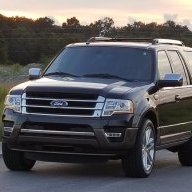
2013+ Flex https://docs.google.com/spreadsheet...RCN5OBXpcdrIvx6qvenWbHRtRA8/edit?usp=drivesdk
Sent from my Z982 using Tapatalk
Sent from my Z982 using Tapatalk

Disclaimer: Links on this page pointing to Amazon, eBay and other sites may include affiliate code. If you click them and make a purchase, we may earn a small commission.


All I get on the links is "Unable to load file." Are these MAC files?
-- Chuck
@LokiWolf and @AllBoostNoEco I was really wanting to enable the climate controls on the right dash screen as well like guys have done in their Fusions, Edges and Explorers. Everything I have tried doesn't work and it seems the consensus is that the firmware our cluster uses eliminated the option entirely in 2014 (This is why earlier versions like the 2013 Explorer have it).
The address that edits the right screen options is 720-05-01 (IPC). For earlier model years using this same cluster to enable climate control on the right screen (picture shown):
XXXX xxxx xxxx (replacing the capital Xs)
D8B8 (With Navigation)
D8A8 (Without Navigation)
My 2015 Expedition has a Default of D878, which shows Entertainment, Navigation and Phone. Changing it to D8B8 did nothing. It kept the same three options.
Here are two other spreadsheets for reference as well. They are for the 2014 F150s which more closely resemble '15 - 17' Expeditions.
https://docs.google.com/spreadsheet...vHJXZPBfqJs94JIf45c7X2zgg/edit#gid=1329872825
https://docs.google.com/spreadsheet...J8uUqpLwP_xyqbfQHB0rAnXNs/edit#gid=1329872825
Thanks for the links! I was looking for them, and could not find them...
Found my notes on the Right screen. You have the correct IPC Line, but you need to check the DDM, and PDM. Line 05-01 I changed 8A to CA. Those are my notes. See what you see.
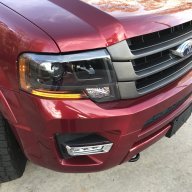
REALLY good stuff!!!I've also been compiling working changes for the Expedition (at least my 2015) here in this spreadsheet. I used the F150 sheet created by Livinitup as a template and have added line changes both myself and others have found to work within this thread. I listed credit in the last column to the individual who found them. I'll update it as more changes are found.
https://docs.google.com/spreadsheets/d/1ftOaxYUkHWU1ZEwbIOI_ImhTg40SZdlDIrUNPVs5_z8/edit?usp=sharing

I'm happy to share my as-built modules from 17 Limited EL. Just let me know which ones you want and I can email them to you.As far as I know, my truck was originally sold in NJ, so pretty sure it's a US truck, but just as you found @ads245 my cluster has the option on the right screen, but it is grayed out. Lines 726-09-01 and 726-11-01 were also different in my truck versus my wife's Platinum, but changing both of those lines along with the IPC code (720-02-01 **X*) resulted in the DRLs still being on, but the grayed-out option disappearing from the cluster entirely.
There's something missing that is forcing the DRLs on regardless of the coding in the BCM. The dealer said they can turn them off with IDS, which strikes me as strange that IDS can do it, but Forscan can not. Makes me think there is code changes elsewhere that either don't show up in the As Built data from the Motorcraft site, or we can't access through Forscan.
From what I've found, this issue doesn't affect any of the F-150s ('13-14, '15-18), Super Duties, the 2G Fusion guys have figured it out on the '14-up models (along with activating the option on the IPC), and the Explorer also doesn't seem to suffer from an inability to shut them off either.
If anyone has their IPC and BCM data saved via Forscan on their non-locked DRL truck and is willing to share it so i can compare with my truck, I have some free time to give it a look and see if I can narrow it down. I'd like to eliminate the info straight from the Motorcraft site in case there are inconsistencies. It's the only thing I can think of that might be playing an additional factor.
Thanks for the additional info.
If I read the grid correctly I can enable using the Nav touch screen while driving but that change disables Sirius XM TravelLink. I'd like to be able to use the touch screen but have no clue what TravelLink is or if i can do without it.
-- Chuck
As far as I know, my truck was originally sold in NJ, so pretty sure it's a US truck, but just as you found @ads245 my cluster has the option on the right screen, but it is grayed out. Lines 726-09-01 and 726-11-01 were also different in my truck versus my wife's Platinum, but changing both of those lines along with the IPC code (720-02-01 **X*) resulted in the DRLs still being on, but the grayed-out option disappearing from the cluster entirely.
There's something missing that is forcing the DRLs on regardless of the coding in the BCM. The dealer said they can turn them off with IDS, which strikes me as strange that IDS can do it, but Forscan can not. Makes me think there is code changes elsewhere that either don't show up in the As Built data from the Motorcraft site, or we can't access through Forscan.
From what I've found, this issue doesn't affect any of the F-150s ('13-14, '15-18), Super Duties, the 2G Fusion guys have figured it out on the '14-up models (along with activating the option on the IPC), and the Explorer also doesn't seem to suffer from an inability to shut them off either.
If anyone has their IPC and BCM data saved via Forscan on their non-locked DRL truck and is willing to share it so i can compare with my truck, I have some free time to give it a look and see if I can narrow it down. I'd like to eliminate the info straight from the Motorcraft site in case there are inconsistencies. It's the only thing I can think of that might be playing an additional factor.