techdude99
Full Access Members
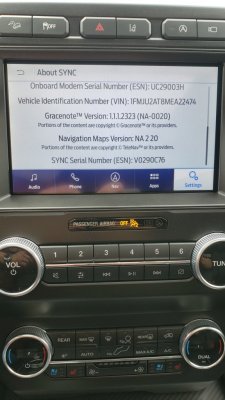
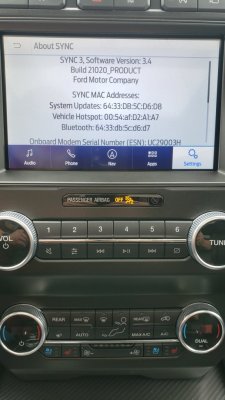
20196 didn't auto update on my install.
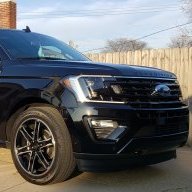
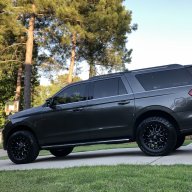
I'm really curious about Rob6805 's build so I can try to duplicate his results.
I'm really curious about Rob6805 's build so I can try to duplicate his results.


Disclaimer: Links on this page pointing to Amazon, eBay and other sites may include affiliate code. If you click them and make a purchase, we may earn a small commission.
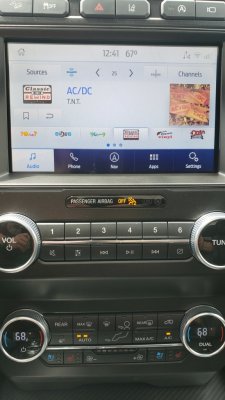
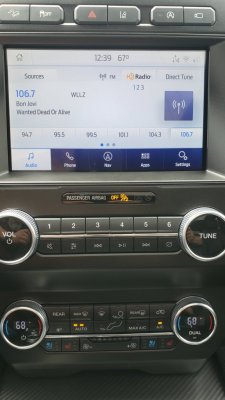
Also what year Robs vehicle is? Mine is a 2019 so I had to go the unapproved route to update. Wonder if his experiences are only going to work for models that had 3.4 from the factory? I’d certainly like the art work if I can get it going. Not the end of the world if it doesn’t, but if I can I will!!20196 didn't auto update on my install.
I'm really curious about Rob6805 's build so I can try to duplicate his results.
He has a '21 Expedition.
I have a '19. What do you mean by, "unapproved "?
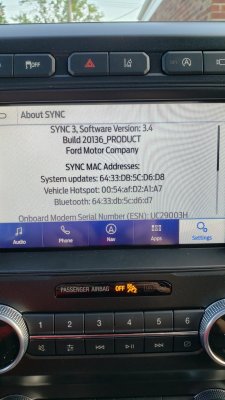
The software compatibility is approvedfor years 18-19. Years 20+ need to use the Beta.
AFAIK There is no 3.4 from the factory for the Expedition at this time.
20196 didn't auto update on my install.
I'm really curious about Rob6805 's build so I can try to duplicate his results.
Also what year Robs vehicle is? Mine is a 2019 so I had to go the unapproved route to update. Wonder if his experiences are only going to work for models that had 3.4 from the factory? I’d certainly like the art work if I can get it going. Not the end of the world if it doesn’t, but if I can I will!!
Same with my '19.2018 here and I can only get the album art to work for mp3s with 3.4 21020. No setting changes are showing album art with Sirius.

Some Late 19’s, and 2020+ came with 3.4 XXXXX from the factory. Sirius Art work will work for those. To get Sirius art work on the older APIM you have to update the Firmware. It is a risky process and not recommended for the faint of heart.
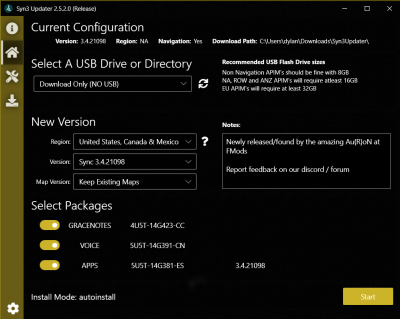
Updates are working over WiFi again, but not for all versions. 3.4’s will update to newer versions of 3.4 if they came from the factory with 3.4. If they cane with 3.3, the only way to get to 3.4 is via CyanLabs method. Also an APIM updated to 3.4 using CyanLabs method in most cases will not get updates off WiFi.
Hope that is clear as Mud…
Sent from my iPhone using Tapatalk
Correct.
You'll need Forscan and an ODBLink EX interface cable to flash the APIM firmware. From what I read, CyanLabs recommends a USB 2.O port connection instead of USB 3.0 for the cable due to sporadic errors. You can use Bluetooth with ODBLINK MX+ but it's not as reliable.
LokiWolf is correct - it's risky. If the flash fails at the wrong point, it bricks the APIM and you'll need to buy a replacement from Ford and program it. I checked recently and it's ~$500 for the part.
Here's the info for the firmware update: https://community.cyanlabs.net/t/updating-apim-firmware-calibration-files/17
The benefit of going the route of trying to update this module just doesn't get you anything of real value compared to the risk.I’m on the fence...I’m in technology - robotics, IT, software development, networking, etc as a career for the last 20 years and used to “hack” everything I owned, but automative seems to be a bit of its own beast. I’ve also been in leadership roles for a while instead of getting my hands dirty anymore and I just don’t know I feel like the juice is worth the squeeze for me. Is it really that risky for someone who is quite fluent with technology? Is it the process itself that is so unknown or is it because the processes are intolerant of mistakes?
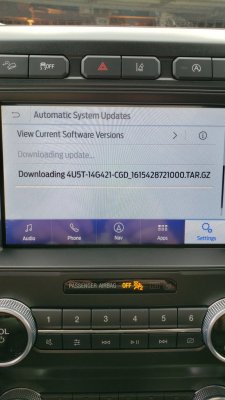
Ok, my Sync 3 is STILL downloading files. It's on at least #8. It is installing SYNC3 v3.4.21020. Every time it downloads a file and installs it I get a message that the system successfully updated. It then checks for updates and starts downloading another file. They are all like this one but they do have slightly different file names. I assume this is normal but when will it be done? Has anyone gone through this process and had it finish completely?
View attachment 42089