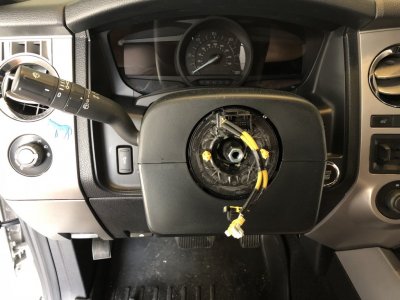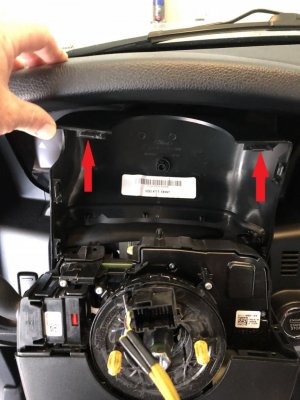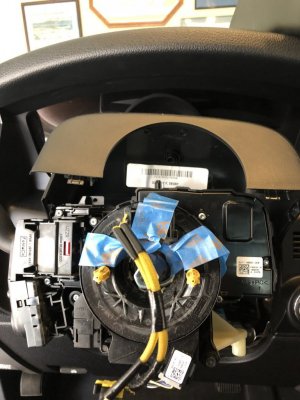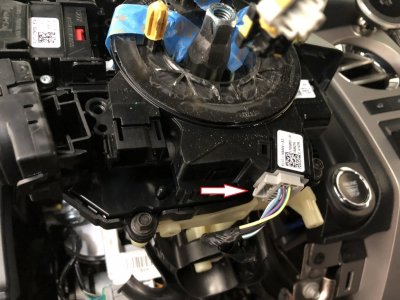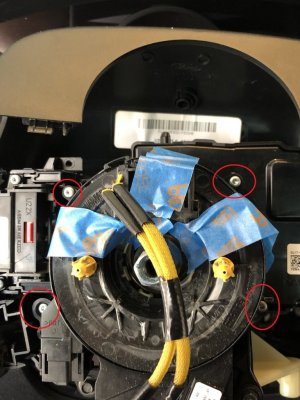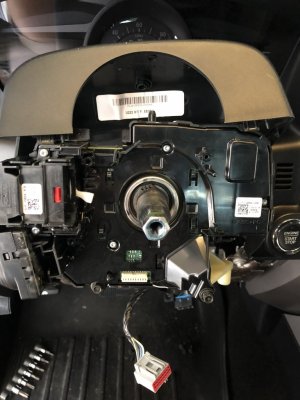

OP
OP

Now that you have the red locking cover up and removed, turn the plug around so that you can see the back of the connector with the wires going into the plug, like this:
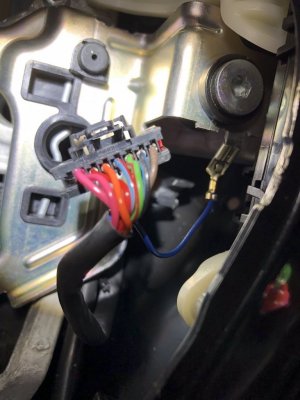
Look closely and you will see a small opening at the top right of each opening where the wires go into the connector...this is where you will insert one of the paperclips (see pics below)
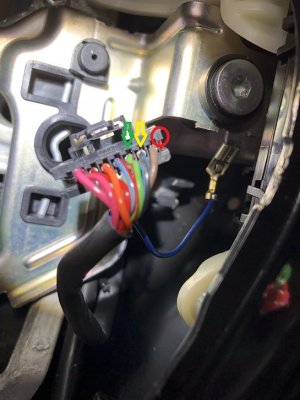
The red circle shows you the #8 that's marked on the connector...then it's simple to find pins #6 (green arrow) and #7 (yellow arrow)
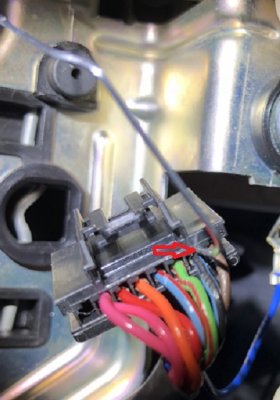
Insert one paperclip into the opening at the top right of the pin you want to remove...here, I have the paperclip inserted into the lock/unlock opening for pin # 7...insert the paperclip until you feel a 'click'. Then insert the other paperclip (this is why I recommend 2 paperclips) into pin #7 on the front side of the plug...use the paperclip on the front side of the plug to push the pin/wire out the back of the connector.
If the pin doesn't move, push against the two paperclips...you may not have unlocked the pin from the connector.
This part of the pin swap is a little hard to describe, but essentially you unlock the pin from the back, then push against the 2 paperclips to move the pin out/to the back of the connector. If the pin is unlocked, it requires very little effort to push the pin back.
Once you have both pins pushed out...swap them into the appropriate opening. Pin #6 goes into the #7 opening, and vice-versa...just slide the pin into the back of the plug until you again, feel a 'click'...once it's locked into position give a slight tug on the wire to ensure it's fully seated/locked...then insert #7 wire into the #6 plug opening.
Reattach the red locking cover, push it fully down and reconnect the plug to the right switch on the new HSW...you are complete.
Look closely and you will see a small opening at the top right of each opening where the wires go into the connector...this is where you will insert one of the paperclips (see pics below)
The red circle shows you the #8 that's marked on the connector...then it's simple to find pins #6 (green arrow) and #7 (yellow arrow)
Insert one paperclip into the opening at the top right of the pin you want to remove...here, I have the paperclip inserted into the lock/unlock opening for pin # 7...insert the paperclip until you feel a 'click'. Then insert the other paperclip (this is why I recommend 2 paperclips) into pin #7 on the front side of the plug...use the paperclip on the front side of the plug to push the pin/wire out the back of the connector.
If the pin doesn't move, push against the two paperclips...you may not have unlocked the pin from the connector.
This part of the pin swap is a little hard to describe, but essentially you unlock the pin from the back, then push against the 2 paperclips to move the pin out/to the back of the connector. If the pin is unlocked, it requires very little effort to push the pin back.
Once you have both pins pushed out...swap them into the appropriate opening. Pin #6 goes into the #7 opening, and vice-versa...just slide the pin into the back of the plug until you again, feel a 'click'...once it's locked into position give a slight tug on the wire to ensure it's fully seated/locked...then insert #7 wire into the #6 plug opening.
Reattach the red locking cover, push it fully down and reconnect the plug to the right switch on the new HSW...you are complete.
Last edited: