Update all versions of Ford Sync 3 to the latest Sync 3.4

Disclaimer: Links on this page pointing to Amazon, eBay and other sites may include affiliate code. If you click them and make a purchase, we may earn a small commission.

LokiWolf

Staff member
Moderator
Joined
Apr 2, 2016
Posts
3,971
Reaction score
2,837
Location
Richmond VA
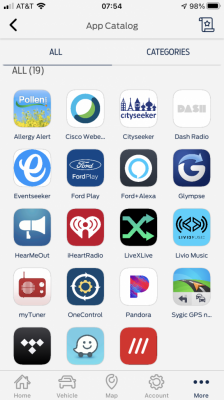
Post a day using Sync build 3.4.21098, it is noticeability faster navigating from menu 2 menu or screen to screen. Almost instant response now. I also have more apps available on the sync screen/CarPlay (Dunkin Donuts & Cisco WebEx were the ones I noticed as new so far).

Webex has been CarPlay capable for a while. They removed it in last revision, cause it was buggy. They apparently added support back in the most recent.


Sent from my iPhone using Tapatalk
 

techdude99

Full Access Members
Joined
Nov 25, 2019
Posts
367
Reaction score
140
Location
US
Well well... It's done. All total 8-10 files it downloaded. I tried to keep track but I'm sure I missed one or two. No more than 10 though...

Kinda bummed they changed the GUI for the radio stations and now no image shows up. It used to have the stations logo. Now nothing.

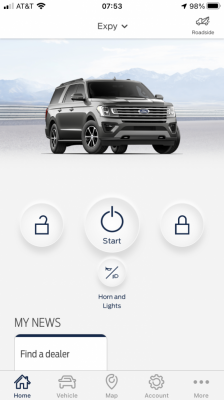
Looks like was some changes to Ford Pass and now Google assistant works without having to plug in USB and launch Android Auto.

What changes do you see in Ford Pass and what are the settings to get the Google Assistant to work without Android Auto enabled? Do the newer Expeditions support wireless AA?
 
Last edited:

techdude99

Full Access Members
Joined
Nov 25, 2019
Posts
367
Reaction score
140
Location
US
LokiWolf - The FAQ's for the APIM update state, "Before starting this process, it is recommended that you try making the AsBuilt changes to try enabling calm screen and radio logos first - Approx 2018 and onward vehicles are likely to have this update anyway. (NOTE: Once you have made the AsBuilt changes, perform a master reset of your APIM and check that radio logos and calm screen stay enabled. If they disappear, you will need to follow this guide to make the changes stay permanently)"

Have you had success with this AsBuilt process on '18-'19 models?
 

techdude99

Full Access Members
Joined
Nov 25, 2019
Posts
367
Reaction score
140
Location
US
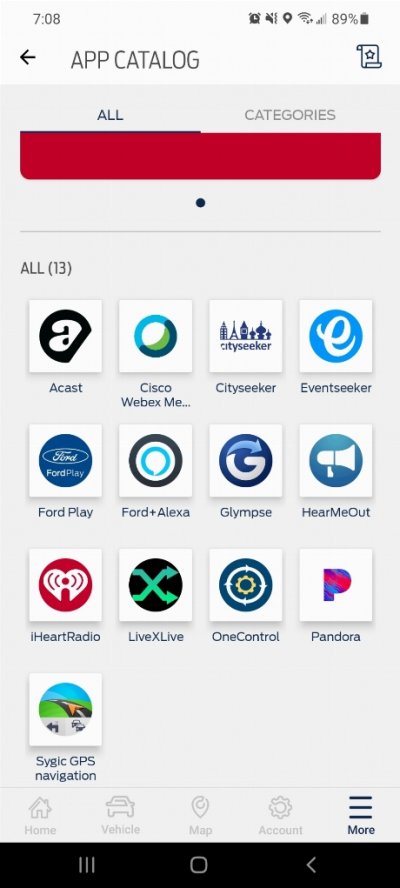
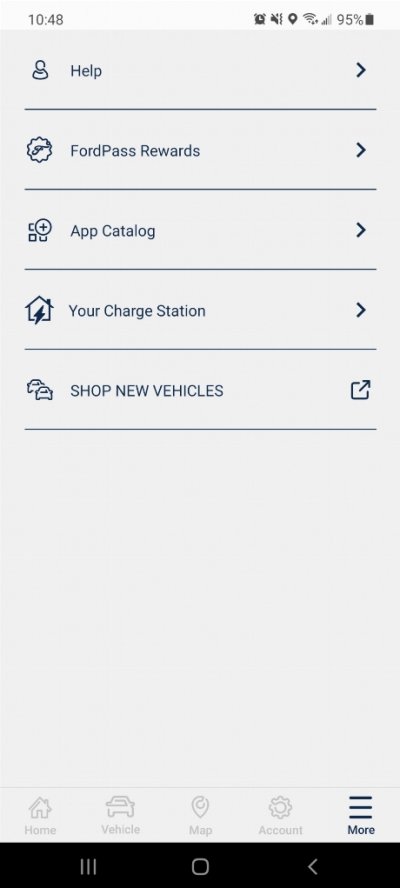
Thanks. Looks like you have an iPhone. Here's what I see in Android 11 for the same version of Sync.
45517ccdf70f810f35e03de0c03ec239.jpg
 
Last edited:

Rob6805

Full Access Members
Joined
Mar 25, 2021
Posts
818
Reaction score
532
Location
49735
What changes do you see in Ford Pass and what are the settings to get the Google Assistant to work without Android Auto enabled? Do the newer Expeditions support wireless AA?

In the Phone settings menu there is now a button for Voice Assistant. You can specify either Google or Alexa. A long press of the VR button on the steering wheel will bring it up.
 

LokiWolf

Staff member
Moderator
Joined
Apr 2, 2016
Posts
3,971
Reaction score
2,837
Location
Richmond VA
LokiWolf - The FAQ's for the APIM update state, "Before starting this process, it is recommended that you try making the AsBuilt changes to try enabling calm screen and radio logos first - Approx 2018 and onward vehicles are likely to have this update anyway. (NOTE: Once you have made the AsBuilt changes, perform a master reset of your APIM and check that radio logos and calm screen stay enabled. If they disappear, you will need to follow this guide to make the changes stay permanently)"

Have you had success with this AsBuilt process on '18-'19 models?

I have had varying luck with it. I always forgot about it until I get to messing. I tried it on a late 18 Expy with no luck. But on a 18 Mustang it worked. Used FORSCAN, the Stang was already on 3.4 using the CyanLabs installer. After a reset, and it is still working to this day as far as I know.

It won't hurt a thing to try it - The FORSCAN changes that is.

I have actually done the firmware 2 times. Both times I warned the person that it could brick the APIM, and I would not be responsible for the damage. It worked both times, but there are several pucker moments during the process. I never did it on my previous 16 Edge or 17 Expedition. Just didn't think it was worth the hassle.
 

daviddsims

Member
Joined
Mar 15, 2020
Posts
12
Reaction score
4
Location
Louisiana
I upgraded my 2018 Expy from 3.0 to 3.4 with no major issues. One weird annoyance, on Bluetooth calls it sometimes sounds like a robot or underwater. I did a master reset on the radio and repaired but still having the same issues. Anyone been able to fix this?
 

techdude99

Full Access Members
Joined
Nov 25, 2019
Posts
367
Reaction score
140
Location
US
Guess that's how 21020 is. I didn't check while I had 21020. Since I have a MY19, I have to use the cynalabs flash drive method to upgrade.

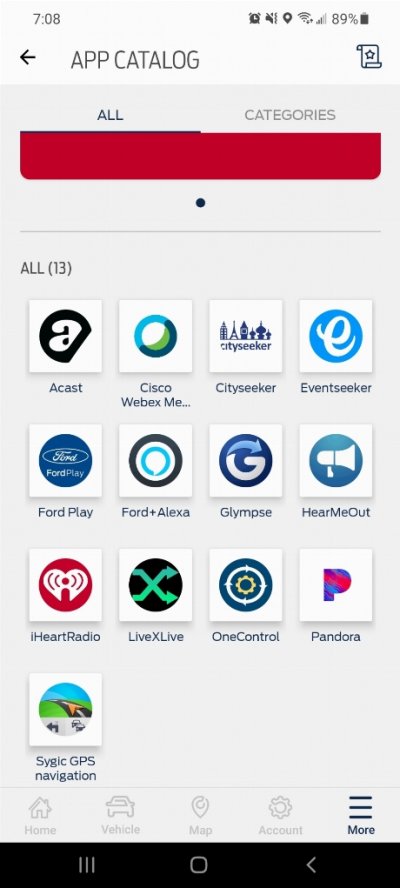
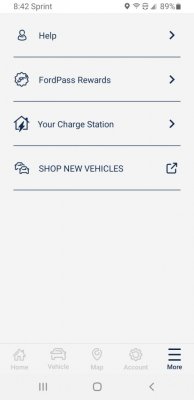
I have 21098 in my '19 from CyanLabs and this is what I see on Android 11, Ford Pass 3.22.0.

89bce6e3159aedc8691a6c88d486bb78.jpg
 
Last edited:

techdude99

Full Access Members
Joined
Nov 25, 2019
Posts
367
Reaction score
140
Location
US
I upgraded my 2018 Expy from 3.0 to 3.4 with no major issues. One weird annoyance, on Bluetooth calls it sometimes sounds like a robot or underwater. I did a master reset on the radio and repaired but still having the same issues. Anyone been able to fix this?
I ran into that briefly on a previous build and had to run the installer again.
 

techdude99

Full Access Members
Joined
Nov 25, 2019
Posts
367
Reaction score
140
Location
US
I have had varying luck with it. I always forgot about it until I get to messing. I tried it on a late 18 Expy with no luck. But on a 18 Mustang it worked. Used FORSCAN, the Stang was already on 3.4 using the CyanLabs installer. After a reset, and it is still working to this day as far as I know.

It won't hurt a thing to try it - The FORSCAN changes that is.

I have actually done the firmware 2 times. Both times I warned the person that it could brick the APIM, and I would not be responsible for the damage. It worked both times, but there are several pucker moments during the process. I never did it on my previous 16 Edge or 17 Expedition. Just didn't think it was worth the hassle.

Did you have the adapter connected with USB 2 or 3?
 

techdude99

Full Access Members
Joined
Nov 25, 2019
Posts
367
Reaction score
140
Location
US
3. Not sure I even have a laptop with only 2 anymore. It has been years. Probably more dependent on the chipset than the speed.

I have a 2019 LG Gram i7. Any issues that you're aware?
 
Top