


Synch 3 Wifi update

Disclaimer: Links on this page pointing to Amazon, eBay and other sites may include affiliate code. If you click them and make a purchase, we may earn a small commission.

LokiWolf

Staff member
Moderator
Joined
Apr 2, 2016
Posts
3,971
Reaction score
2,837
Location
Richmond VA
So a few things on this update.

They have changed the method and process for the update. In the Nav version it pulls the whole file in to the storage on the head unit then starts the install. Total time for the update to complete is less, but the starting process takes a little longer.

This does not allow Waze to work. It loads the back end components needed. Waze(At least for iOS) has not released the Ford compatible version yet.

Do a FULL format, not quick on the flash drive before you copy the files to it. Make sure you are doing ExFAT. If you are on a Mac, that is not possible unless you have 3rd party software installed. Quality of the flash drive matters. Also, even though the file is only 1.5GB, the process uses the flash drive as a swap file location during the update, so that is why they recommend a larger drive. I have done it with 8, 16, and my current drive of choice is a 32GB Sandisk USB3 Drive.
 

bobmbx

Full Access Members
Joined
Jun 11, 2017
Posts
1,200
Reaction score
627
Location
Virginia
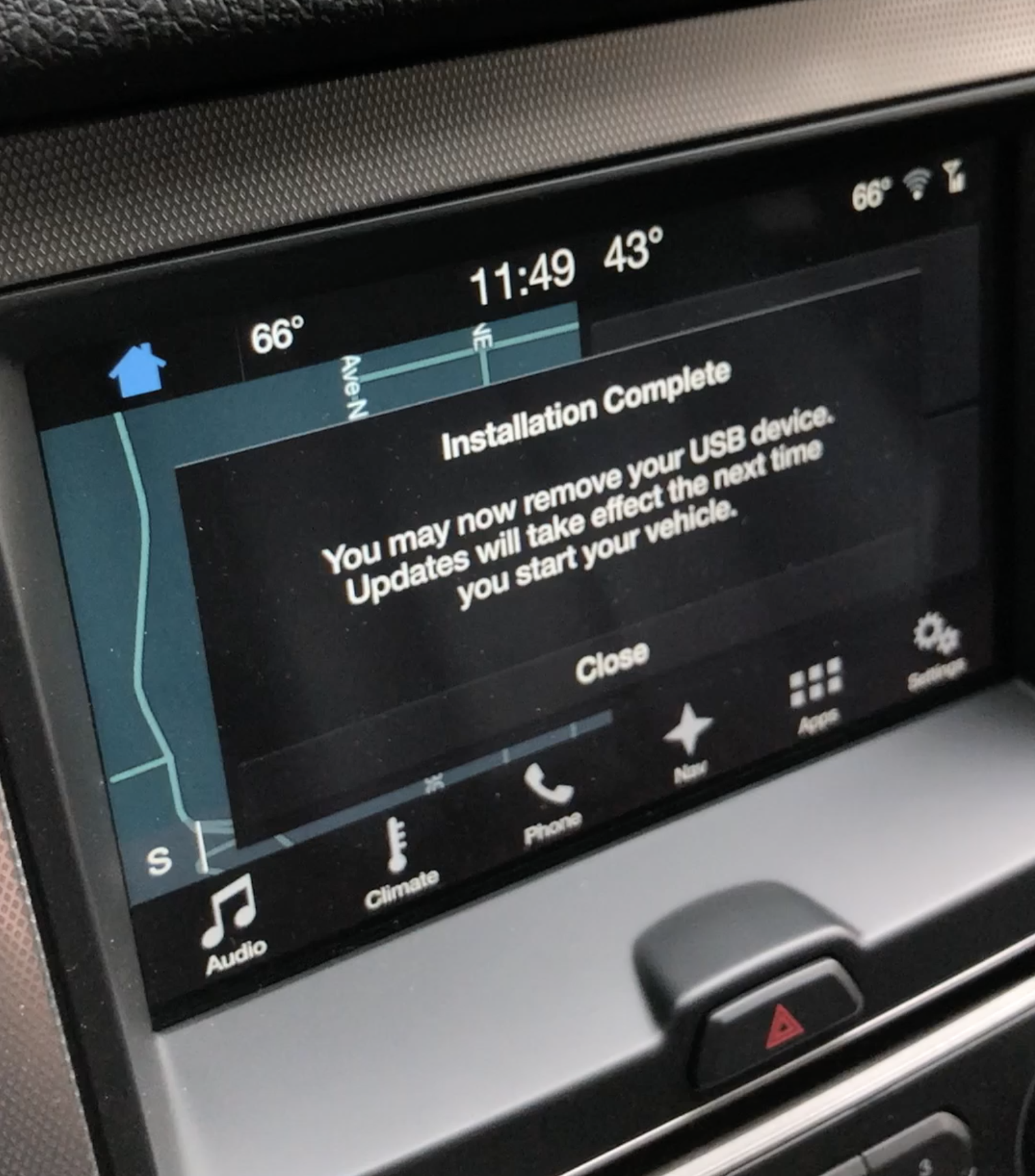
Ok, its been an hour, and all I've received is the first "Installation Complete" popup, which we're told to ignore. By ignore, I wonder if they mean don't acknowledge the pop-up (which I did), or just leave it on screen. Still waiting for the 'set up automatic update" pop-up.
 

LokiWolf

Staff member
Moderator
Joined
Apr 2, 2016
Posts
3,971
Reaction score
2,837
Location
Richmond VA
Ok, its been an hour, and all I've received is the first "Installation Complete" popup, which we're told to ignore. By ignore, I wonder if they mean don't acknowledge the pop-up (which I did), or just leave it on screen. Still waiting for the 'set up automatic update" pop-up.

It should have done something.

So when I have a unit that is being a pain here is what I do.

Remove anything attached to the USB ports and do 2 resets in a row, waiting for the unit to come fully back up before doing the second. Press and hold Power and the Next Track button for 6+ seconds to reboot the unit.

After that and it is all the way up insert the flash drive again, and see if it does what it is supposed to do.
 

bobmbx

Full Access Members
Joined
Jun 11, 2017
Posts
1,200
Reaction score
627
Location
Virginia
It should have done something.

So when I have a unit that is being a pain here is what I do.

Remove anything attached to the USB ports and do 2 resets in a row, waiting for the unit to come fully back up before doing the second. Press and hold Power and the Next Track button for 6+ seconds to reboot the unit.

After that and it is all the way up insert the flash drive again, and see if it does what it is supposed to do.

Hmmm...I shut it off, now in the 5 min off period. Never got the additional popups, but the thumbdrive now has the XML file to report the update. Its time stamped at 12:41. I started the update at 12:08.
 

LokiWolf

Staff member
Moderator
Joined
Apr 2, 2016
Posts
3,971
Reaction score
2,837
Location
Richmond VA
Hmmm...I shut it off, now in the 5 min off period. Never got the additional popups, but the thumbdrive now has the XML file to report the update. Its time stamped at 12:41. I started the update at 12:08.

OK, Check the version. Good luck!
 

bobmbx

Full Access Members
Joined
Jun 11, 2017
Posts
1,200
Reaction score
627
Location
Virginia
Joy!
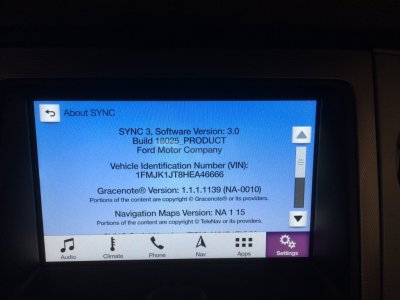
20180325_173159557_iOS.jpg

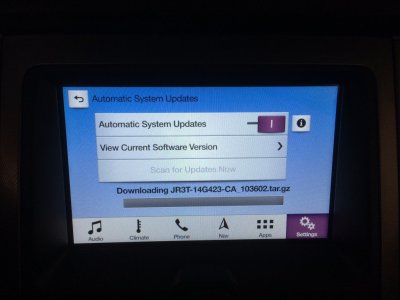
Uh oh....
20180325_174341938_iOS.jpg

That file is part of the 3.0 download, although the filename being downloaded here has "_103602" added.
 

East-TN

Full Access Members
Air Force
Joined
Jan 4, 2018
Posts
533
Reaction score
269
Location
TN
Joy!
View attachment 24439

Uh oh....
View attachment 24441

That file is part of the 3.0 download, although the filename being downloaded here has "_103602" added.

Not to worry...mine did the same thing. I shutoff the truck and waited 45 minutes. When I restarted, everything was fine.

It takes a little time for the full update to install.
 

mossback

2017 Limited EL
Joined
Oct 9, 2017
Posts
359
Reaction score
176
Location
WA state
The update process on the whole is a little clunky- especially the progress status. But, I'm grateful that we can update these vehicles and that they actually release them fairly regularly. Kudos to Ford. Hopefully we'll see a Waze update this week and get that functionality going.
... my current drive of choice is a 32GB Sandisk USB3 Drive.
Loki, I'm using the same exact drive. I think the fast throughput of those suckers helps. It certainly does not hurt.
 

East-TN

Full Access Members
Air Force
Joined
Jan 4, 2018
Posts
533
Reaction score
269
Location
TN
FYI-to those who haven’t updated yet, if you have Nav, you will lose your destination favorites data...you will have to re-enter those addresses and save them to your favorites. Recommend you copy the addresses or take pics to help you setup your Nav again after you update.

Update: some may lose this data...not all upgrades will cause this info to disappear. I updated my Mustang and didn’t lose the Nav Favorites data, but my Expy wiped the data.
 
Last edited:

ExpeditionAndy

Full Access Members
Joined
Aug 31, 2013
Posts
3,708
Reaction score
1,130
Location
Fort Wayne, Indiana
Seems like it took an extraordinarily long time to find the thumb drive, but after about 3-4 minutes of nothing, the "update in progress" message popped up. I seem to recall when updating to 2.2 it found the thumbdrive nearly instantly. I think I stopped on the first attempt before it connected.
I put the thumb drive in and drove about a mile before it found it. I got to my destination it wasn't finished so I turned it off. Came back out 3 hours later, and it continued to update. Got home and it was still updating. I turned the truck off. Going out to get gas in a few minutes and we'll see what it's up to. I wish they would give you one of those updating bars so you would at least have hope that it was doing something. :)
 

ExpeditionAndy

Full Access Members
Joined
Aug 31, 2013
Posts
3,708
Reaction score
1,130
Location
Fort Wayne, Indiana
FYI-to those who haven’t updated yet, if you have Nav, you will lose your destination favorites data...you will have to re-enter those addresses and save them to your favorites. Recommend you copy the addresses or take pics to help you setup your Nav again after you update.
Good thing I didn't have any favorites setup or I'd probably be pissed off. :)
 

chuck s

Full Access Members
Joined
Dec 20, 2006
Posts
1,990
Reaction score
753
Location
Chesterfield, VA (that's south of Richmond, y'all)
Are you guys reading the instructions? :)

Update to 3.0 took maybe 30 minutes while I was driving and then parked for a few minutes and restated the car normally. Everything came up as expected.

All my Favorite and Previous Destinations remained in Navgation. iPhone linked automatically as did Wifi (even detected my HP printer.)

-- Chuck
 

ExpeditionAndy

Full Access Members
Joined
Aug 31, 2013
Posts
3,708
Reaction score
1,130
Location
Fort Wayne, Indiana
Are you guys reading the instructions? :)

Update to 3.0 took maybe 30 minutes while I was driving and then parked for a few minutes and restated the car normally. Everything came up as expected.

All my Favorite and Previous Destinations remained in Navgation. iPhone linked automatically as did Wifi (even detected my HP printer.)

-- Chuck
Mine is still trying to update. I just drove about 1/2 hour both ways, and then sat in the drive way for about 5 minutes. It's still updating. I may purchase the thumb drive that @LokiWolf mentioned and try again in a few days when I get it.
 

mossback

2017 Limited EL
Joined
Oct 9, 2017
Posts
359
Reaction score
176
Location
WA state
Andy, FYI, my update took exactly 16 minutes from the time the 'updating system software' message appeared to the 'please remove the USB drive and restart the vehicle' message. Using a Sandisk Extreme USB 3.0 32GB drive.
 

bobmbx

Full Access Members
Joined
Jun 11, 2017
Posts
1,200
Reaction score
627
Location
Virginia
Andy, FYI, my update took exactly 16 minutes from the time the 'updating system software' message appeared to the 'please remove the USB drive and restart the vehicle' message. Using a Sandisk Extreme USB 3.0 32GB drive.
I did not get that message, but it did install and created the xml file on the thumbdrive.
 

mossback

2017 Limited EL
Joined
Oct 9, 2017
Posts
359
Reaction score
176
Location
WA state
Hmm, that's odd. The message is very clearly displayed.

message.png
 

chuck s

Full Access Members
Joined
Dec 20, 2006
Posts
1,990
Reaction score
753
Location
Chesterfield, VA (that's south of Richmond, y'all)
That's about how mine looked.

I noted the Nav icon on the base of the screen is now an Arrow, not a compass rose.

The instructions specify to put the chip in the slot after the car is running and don't remove it or shut the engine off until it's all complete. My USB card is 128G. One I found in my wife's desk...

I say 30 minutes maybe as I parked the car with the engine running after maybe a 10 or 15 minute drive and with I want and checked 15 or 20 minutes later it was all done. I'd read the notes about it taking an hour and about losing all the Favorites. Neither applied to my installation.

Hardest part of the whole install was remembering my password on the Ford website. Seems I entered it the first time with the CapsLock on!

-- Chuck
 
Top