Hi all,
Last week when I wanted to install the Ford OEM brake controller (TBC) on my 2017 Expy, I saw a couple of successful cases on this forum. But I could not find a post showing the detail of the steps. So after I did it in this weekend, I want to share it here and hope it will help someone who want to do the same thing. The process is quite simple (screw-free) but it could let you wonder long time on the internet without guidance.
First, the controller for 2017 Expedition is FL1Z-2C006-D. You can find it mentioned on some other posts. When I ordered this from a seller on Ebay, the seller, who is actually a ford dealer, asked my VIN to make sure the part fit my car. Unlike F-150 TBC, which is screwed on after part of the dashboard is dismantled, the Expy TBC is simply clicked on.
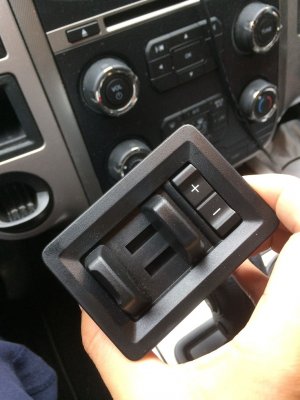
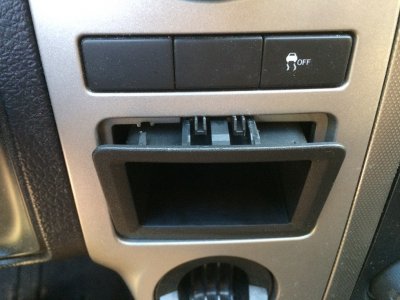
Picture 1 shows when you push the cubby inside upward a little bit hard, the upper side will pop out. Then wiggle the front end up and down, you should be able to get it out. This step maybe too simple that I could find a demo from no where, including almighty Youtube.
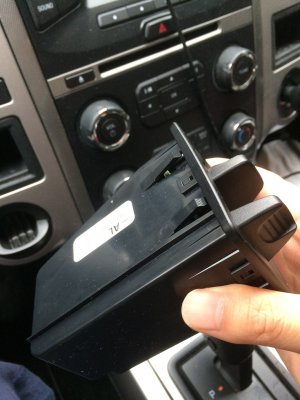
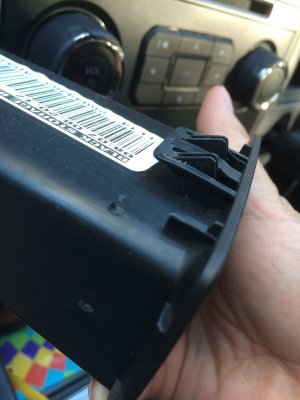
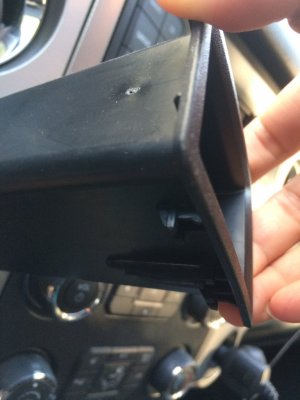
Picture 2 and 3 show the top and bottom clips of the cubby, which explain how they worked.
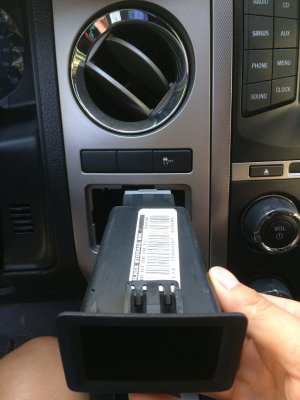
Picture 4 and 5 show the TBC connector on the rear end after the cubby is pulled out.
Picture 6 is the front view of the Expy TBC.
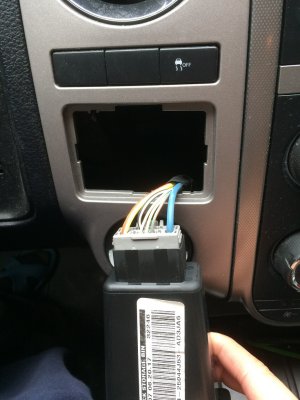
Picutre 7 is the clip of the Expy TBC. You remove the connector from the cubby, connect it to the TBC, and you can just put it back in the space. That's it. However, I don't know how/ didn't try to get it back out afterwards. So make sure the connector is conntected before put it back in.
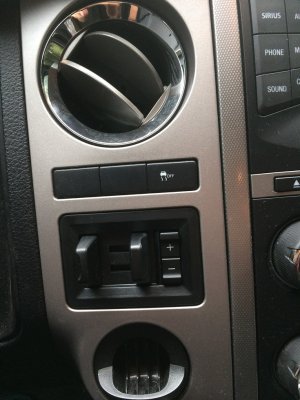
Picture 8, TBC installed.
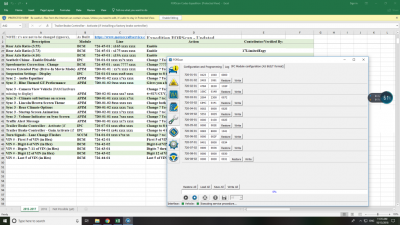
Picture 9: To enable the TBC feature in the car ECU, I ordered a ODB2 module like someone suggested on this forum from Amazon. The shipping package also has a piece of paper telling you what kind of driver you should install. After that, the tool I need is Forscan (I used version 2.3.17 beta3). The interface is as picture 9. I just modifed two IPC module in the picture. In the back ground, it is the shared google doc someone maintained on this forum too.
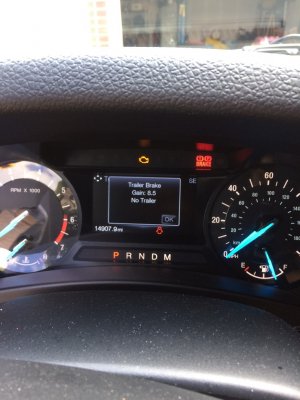
Picture 10 is the final result. When I push the plus/minus sign, the trailer brake gain will show up on the display.
I think I don't need to show how to convert the 4-pin connector to 7-pin connector. There are many demos on the internet. I just need to connect the spare blue "brake controller" wire to the new 7-pin connector. The only trick is probably after I drilled holes on the rear bumper, I found the hole could not hold screw because there is no screw thread. So I used plastic anchor.
The total cost is about $150: controller ~$100, 7-pin connector ~$20, and ODB2 module ~$30, plus tax.
Last week when I wanted to install the Ford OEM brake controller (TBC) on my 2017 Expy, I saw a couple of successful cases on this forum. But I could not find a post showing the detail of the steps. So after I did it in this weekend, I want to share it here and hope it will help someone who want to do the same thing. The process is quite simple (screw-free) but it could let you wonder long time on the internet without guidance.
First, the controller for 2017 Expedition is FL1Z-2C006-D. You can find it mentioned on some other posts. When I ordered this from a seller on Ebay, the seller, who is actually a ford dealer, asked my VIN to make sure the part fit my car. Unlike F-150 TBC, which is screwed on after part of the dashboard is dismantled, the Expy TBC is simply clicked on.
Picture 1 shows when you push the cubby inside upward a little bit hard, the upper side will pop out. Then wiggle the front end up and down, you should be able to get it out. This step maybe too simple that I could find a demo from no where, including almighty Youtube.
Picture 2 and 3 show the top and bottom clips of the cubby, which explain how they worked.
Picture 4 and 5 show the TBC connector on the rear end after the cubby is pulled out.
Picture 6 is the front view of the Expy TBC.
Picutre 7 is the clip of the Expy TBC. You remove the connector from the cubby, connect it to the TBC, and you can just put it back in the space. That's it. However, I don't know how/ didn't try to get it back out afterwards. So make sure the connector is conntected before put it back in.
Picture 8, TBC installed.
Picture 9: To enable the TBC feature in the car ECU, I ordered a ODB2 module like someone suggested on this forum from Amazon. The shipping package also has a piece of paper telling you what kind of driver you should install. After that, the tool I need is Forscan (I used version 2.3.17 beta3). The interface is as picture 9. I just modifed two IPC module in the picture. In the back ground, it is the shared google doc someone maintained on this forum too.
Picture 10 is the final result. When I push the plus/minus sign, the trailer brake gain will show up on the display.
I think I don't need to show how to convert the 4-pin connector to 7-pin connector. There are many demos on the internet. I just need to connect the spare blue "brake controller" wire to the new 7-pin connector. The only trick is probably after I drilled holes on the rear bumper, I found the hole could not hold screw because there is no screw thread. So I used plastic anchor.
The total cost is about $150: controller ~$100, 7-pin connector ~$20, and ODB2 module ~$30, plus tax.