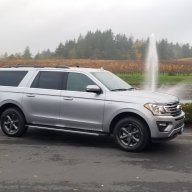
Has anyone had any luck using Forscan to activate your global windows? If you either have a sheet or the steps that went through this process do you please reach out to me? I've got everything else taken care of that I wanted done except for this.


You are using an out of date browser. It may not display this or other websites correctly.
You should upgrade or use an alternative browser.
You should upgrade or use an alternative browser.
Forscan global windows
- Thread starter wercsje1
- Start date
Disclaimer: Links on this page pointing to Amazon, eBay and other sites may include affiliate code. If you click them and make a purchase, we may earn a small commission.
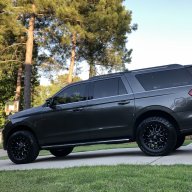
I would really greatly appreciate that. I was able to get the heated and cooled seats on the sync 3, turned off the dinging sound, at the temperature readouts above the gauges, so pretty much just the global windows was left. Again, thank you very much Hope to hear from you soon. I am still fairly new to this so if you can spell it out as clearly as possible I would greatly appreciate it.
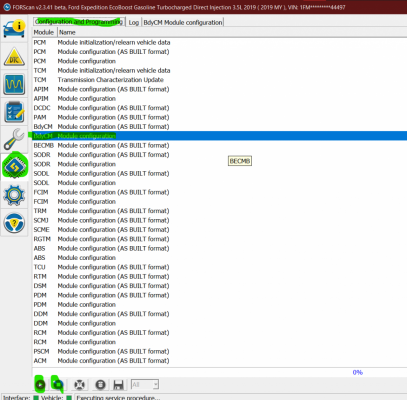
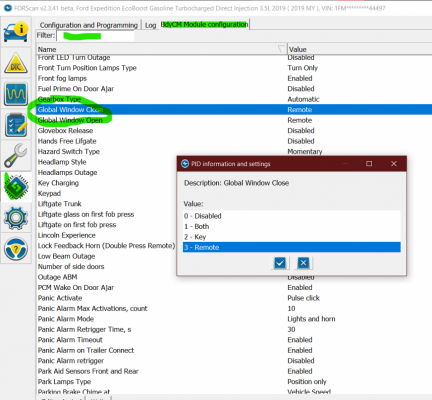
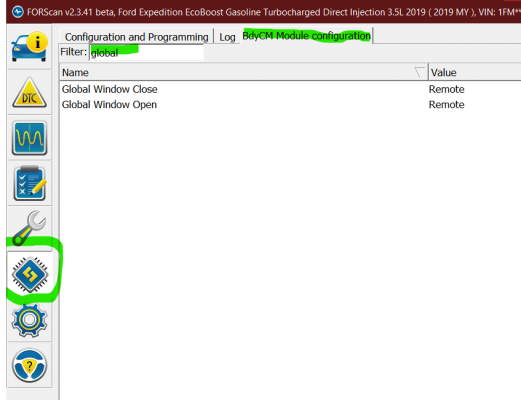
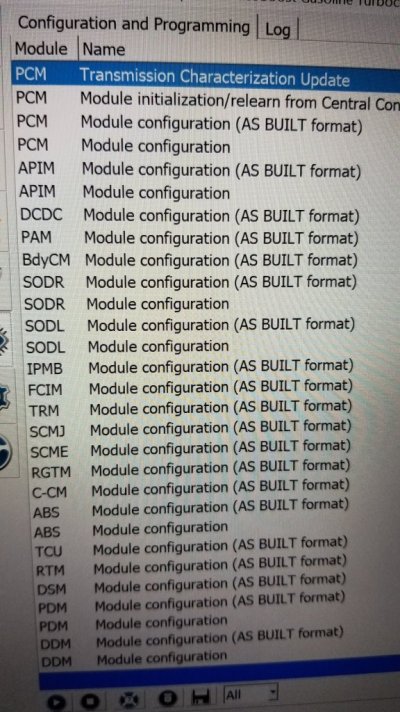
I understand that there are big differences between model years with what’s available in ForScan. I have a MY19 & I have the 3 year ForScan license. So, I’d attempt to buy the 1 year license at least for $10 & than look for the module. Also, just go explore the different modules you have to see if maybe global windows is somewhere else for MY21.
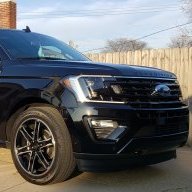
I don't know what submodel you have. I know on the XLT I went under my main dash configurations went to settings and then the vehicle and there was no window function in there to select boxes on until I went into Forscan. I followed some of the updates that were out there but no such luck nothing budged. And we've had this function on numerous other vehicles so I'm familiar with how it should be working. I did go in and enable everything to do with global windows as well as the rear global windows but still nothing I'm sure it's just one code I'm missing

wakeboarder
Full Access Members
I don’t think rear global windows will work because it does not have the correct module for one touch up and down.I don't know what submodel you have. I know on the XLT I went under my main dash configurations went to settings and then the vehicle and there was no window function in there to select boxes on until I went into Forscan. I followed some of the updates that were out there but no such luck nothing budged. And we've had this function on numerous other vehicles so I'm familiar with how it should be working. I did go in and enable everything to do with global windows as well as the rear global windows but still nothing I'm sure it's just one code I'm missing
This thread has some more information, but it may be different for the 2020’s and 2021’s.
4th Gen Expy FORScan Modifications
I just took delivery of my 2018 Expedition Limited MAX this morning and by noon, I was already playing around with FORScan. Here is what I have found works so far. Everything listed below has been confirmed working. If you find something you think is of interest that you have confirmed working...
 www.expeditionforum.com


Like @Rob6805 said, did you check to see if it already works?
Also, you have an XLT, do you have the one touch up/down on the 2 front windows? If you don't it won't work.
Also the 2020/2021's have a few module differences than the 18/19's and sometimes things do not work. DO NOT use the hex coding that worked on the 18/19's on a 2020+ because you will not be changing what you think you are.
Also, don't need to pay for a license, just need to request a trial license. It is fully functional. Of course, I HIGHLY recommend paying too, because supporting the FORSCAN geeks is highly recommended.
Also, you have an XLT, do you have the one touch up/down on the 2 front windows? If you don't it won't work.
Also the 2020/2021's have a few module differences than the 18/19's and sometimes things do not work. DO NOT use the hex coding that worked on the 18/19's on a 2020+ because you will not be changing what you think you are.
Also, don't need to pay for a license, just need to request a trial license. It is fully functional. Of course, I HIGHLY recommend paying too, because supporting the FORSCAN geeks is highly recommended.
I do have one up one down and I can code it to put the window prompt under vehicle settings on dash. It just will not work and nobody has any info on a 2020 or 2021 as far as adding it. I have checked 3 different Ford sites and no luck.
Because of the changes to the modules for 2020+. Nobody has mapped it out. It is not like there is a magic decoder ring for this stuff. Coding changes are found by either trial and error, or comparing coding from versions of the same modules with the feature turned on.I do have one up one down and I can code it to put the window prompt under vehicle settings on dash. It just will not work and nobody has any info on a 2020 or 2021 as far as adding it. I have checked 3 different Ford sites and no luck.
On most Ford vehicles 4 modules need to be edited to add Global Open/Close.
Those modules are:
BCM(Body Control Module)
DDM(Driver Door Module)
PDM(Passenger Door Module)
APIM(What controls Sync) - Technically not a requirement, because it just turns it on and off
Since it is turned on in our Limited from the factory, I have never dug in to see what is there for drop down options. You could possibly try 2020 F150 coding. It is the closest coding to the 20/21 Expeditions.
Similar threads

- Replies
- 7
- Views
- 2K
- Replies
- 1
- Views
- 700


- Replies
- 4
- Views
- 2K

- Replies
- 5
- Views
- 1K
- Replies
- 14
- Views
- 10K

