2019 Expedition Auto Stop

Disclaimer: Links on this page pointing to Amazon, eBay and other sites may include affiliate code. If you click them and make a purchase, we may earn a small commission.

CBlasek

Member
Joined
Dec 20, 2019
Posts
11
Reaction score
3
Location
Philly
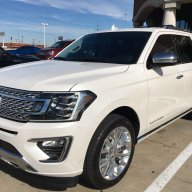
Just picked up a new 2019 Expedition Stealth package in the tri coat white. Loving the car so far EXCEPT for the auto start stop. The dealer said there might be a way to disable it or set the default to NOT stop. He didnt have a definitive answer as he was rather new/no one there.

Is it possible? If not whats the consensus on the auto stop eliminator (where you add another wiring harness behind the button?) I read a few posts and it didnt seem clear if it would work with the Drivers Asssitance package. I do NOT want to disable the backup sensors etc.

 

Going_Going_Gone

Full Access Members
Joined
Aug 31, 2018
Posts
574
Reaction score
328
Location
Phoenix
All the device does is to signal that the switch is in the "off" setting. Hopefully there will be some other enterprising people out there who will come up with different versions and competition will drive down the price to a more reasonable number. Until then, it's making it a habit of hitting the button when you first start up, or when ASS first stops the engine.
 

rodman2185

Member
Joined
Jan 17, 2018
Posts
17
Reaction score
6
Location
North Carolina
I have it installed on my 2019 and love it. Cost around $75.00 +/- when it was on sale and I also found a another discount online. Completely plug and play. Took about 10 to 20 minutes to install and doesn't affect anything else. It stays either in the on or off position depending how it was set the last time the truck was turned off. Many think it's a waste of money because you can just press the button each time you start the vehicle. I disagree because it just does it for me doesn't revert back automatically to the on position, and I don't have to think about it anymore. My dealer has no issue with it at all.
 

armoredsaint

Full Access Members
Joined
Oct 30, 2019
Posts
321
Reaction score
157
Location
Ohio
My salesman told me to buy those red light hitch adapters and plug it into the connectors and it'll override it or keep it in tow/haul mode
 

stricnine

Full Access Members
Joined
Sep 14, 2019
Posts
107
Reaction score
65
Location
Florida
Run a jumper wire behind the switch, costs $1 maybe? Plenty of guys in the F150 forums have the write up.
 

Bow512

Full Access Members
Joined
Jul 27, 2018
Posts
158
Reaction score
92
Location
TX
I suggest getting familiar with Forscan. All you need is a obd2 adapter for your computer and you can turn that off as well as adjust a bunch of other things to your liking.
 

AAOO

Full Access Members
Joined
May 15, 2019
Posts
364
Reaction score
205
Location
USA
Enjoy. You were given bad info. Everything works as it should after the install. If you can't afford this you can't afford the truck. Takes 5 minutes to install. I'd go with the harness version. This is the only true option and you get to keep a functioning button on the dash.

https://www.autostopeliminator.com/
 
OP
OP
C

CBlasek

Member
Joined
Dec 20, 2019
Posts
11
Reaction score
3
Location
Philly
Enjoy. You were given bad info. Everything works as it should after the install. If you can't afford this you can't afford the truck. Takes 5 minutes to install. I'd go with the harness version. This is the only true option and you get to keep a functioning button on the dash.

https://www.autostopeliminator.com/

Thanks for confirming. Placed an order for one on the website a few minutes ago.
 

Molaf

Full Access Members
Joined
Nov 27, 2019
Posts
159
Reaction score
58
Location
Merica
I suggest getting familiar with Forscan. All you need is a obd2 adapter for your computer and you can turn that off as well as adjust a bunch of other things to your liking.
Only issue with the Forscan route is that you get a battery management message in the instrument cluster every time you start the car.
 

Flexpy19

Well-Known Member
Joined
Sep 17, 2018
Posts
65
Reaction score
47
Location
Florida
I purchased the plug version. Takes 2 seconds to plug in. It also takes two seconds to unplug if for some reason I wanted to remove it. Why would anyone get the harness instead? I guess if you needed that plug for some other device?
 

Rufus4bz

Member
Joined
Mar 8, 2014
Posts
9
Reaction score
1
Location
Illinois
I already have one in my '19 Expy, but just purchased another for a Ford Fusion to give to a family member. Use the coupon code "FBFORD" you will get a $13 discount. Merry Christmas!
 

Bow512

Full Access Members
Joined
Jul 27, 2018
Posts
158
Reaction score
92
Location
TX
Only issue with the Forscan route is that you get a battery management message in the instrument cluster every time you start the car.

What message are you referring to? I turned mine off with Forscan the day after delivery and I don’t get any messages on startup (that was a year and a half ago).
 

AAOO

Full Access Members
Joined
May 15, 2019
Posts
364
Reaction score
205
Location
USA
I purchased the plug version. Takes 2 seconds to plug in. It also takes two seconds to unplug if for some reason I wanted to remove it. Why would anyone get the harness instead? I guess if you needed that plug for some other device?

It’s just my preference not to have anything plugged into the OBD port. With the harness it’s 5 minutes and you’re good for the life of the vehicle. They probably made the plug for folks that aren’t comfortable popping off the dash and turning a wrench a couple of times. Smart of them! I also use Forscan so need the port every now and then. Also when you take it for service you have to remember to unplug. I’d forget...
 

Jace

Full Access Members
Joined
Feb 24, 2018
Posts
206
Reaction score
95
Location
Utah
After install and Auto Stop is turned off, does the light stay off on the button?
It functions the same as it does before the autostop eliminator, it just remembers what was chosen. So when you want auto stop off, off stays lit, and if you want auto stop on for whatever reason, it stays unlit.
 

RDDriver

New Member
Joined
Dec 10, 2019
Posts
4
Reaction score
2
Location
Chapel Hill, NC
Perhaps I misunderstand the original post but there is a menu driven option to turn off the ASS by default in addition to the top right dash switch which I use to manual disable occasionally as I have gotten used to the ASS.
 
OP
OP
C

CBlasek

Member
Joined
Dec 20, 2019
Posts
11
Reaction score
3
Location
Philly
Perhaps I misunderstand the original post but there is a menu driven option to turn off the ASS by default in addition to the top right dash switch which I use to manual disable occasionally as I have gotten used to the ASS.
There isn’t an option for that in my 19. The remove auto off in advanced settings remove the idle turn off according to ford service advisor.
 

aggiegrad05

Full Access Members
Joined
Nov 6, 2017
Posts
1,833
Reaction score
1,390
Location
North Texas
There isn’t an option for that in my 19. The remove auto off in advanced settings remove the idle turn off according to ford service advisor.

Correct.

“AUTO ENGINE OFF” in the ADVANCED/VEHICLE menu changes the duration after which the engine will shut off if idling in park.

“AUTO START/STOP” just shows you the status of the system, e.g. why it’s not turning off when stopped, is it working normally, etc.
 
Top