2016 / 2017 Sync 3.4 Success?

Disclaimer: Links on this page pointing to Amazon, eBay and other sites may include affiliate code. If you click them and make a purchase, we may earn a small commission.

LokiWolf

Staff member
Moderator
Joined
Apr 2, 2016
Posts
3,971
Reaction score
2,834
Location
Richmond VA
If I am reading this correctly, if I install version 19274 it prevents me from updating my Sync ever again because the Reformat Tool has been disabled?

No, most likely forward will not be an issue, but yes once you go to 19274, you can no longer go back to 3.0 without access to a Ford Dealer diagnostic system.

Again, it is VERY unlikely Ford will ever release an update to officially take any Sync 3 system that came with less than 3.3 to 3.4. Heck 3.3 has been out for a year and nothing.

This is the only path forward.

I also do not recommend doing this update unless you go all the way to 19274, as the less than are BUGGY.


Sent from my iPhone using Tapatalk Pro

 

LokiWolf

Staff member
Moderator
Joined
Apr 2, 2016
Posts
3,971
Reaction score
2,834
Location
Richmond VA
Does the 19274 update disable the 911 Assist feature because it has a Europe license?

Nope. No issues.

The only thing that disables 911 Assist that I am aware of is doing the tweaks in FORSCAN to get Nav in Motion. Cause you really aren’t turning in Nav in Motion, you are telling Sync you are located in Europe.


Sent from my iPhone using Tapatalk Pro

 

Cyanlabs

Member
Joined
Jan 9, 2020
Posts
10
Reaction score
17
Location
England
If I am reading this correctly, if I install version 19274 it prevents me from updating my Sync ever again because the Reformat Tool has been disabled?
No, only using the reformat tool, upgrades don't use this they use a autoinstall.lst, but i've read multiple places you can autoinstall.lst back to 19200 or lower then use the reformat tool anyway
 
OP
OP
G213

G213

Full Access Members
Joined
Apr 9, 2018
Posts
201
Reaction score
120
Location
Los Angeles
Gotta be the NiM. You deal with the fancy English or turn it off. If you do, and it switches to US I would love to know. Just to close the loop.

Finally got around to this tonight...

Removing the Navigation in Motion (NiM) functionality and performing a master reset from the SYNC GUI does indeed bring back the "US" version of English.

The "UK" english version is not an option with NiM disabled. Very interesting.

I also noticed that my APIM is now throwing a DTC code, saying it's an incompatible configuration with the current module. Doesn't seem to be hurting anything.
 
Last edited:

HawkX66

Semper Fi!
Joined
Aug 28, 2018
Posts
643
Reaction score
318
Location
VA/MA
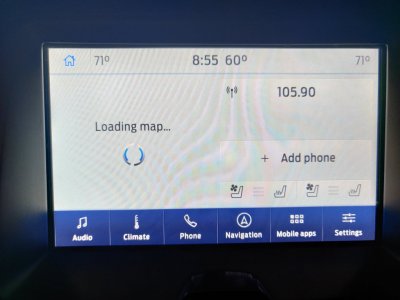
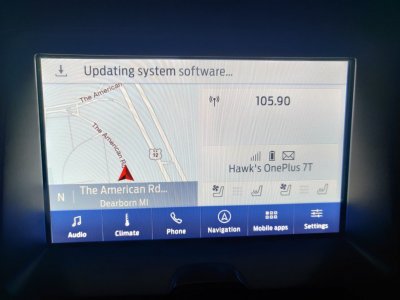
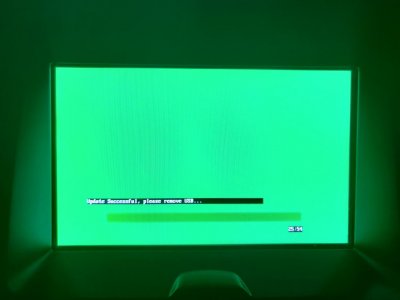
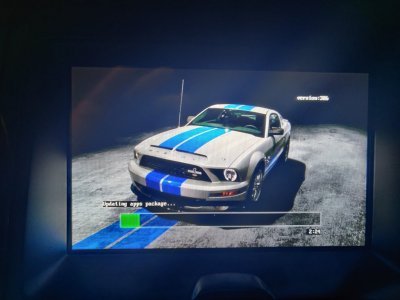
Just did this last night on my 17. I was killing myself trying to use the Ford site to update from 2.3. I couldn't get the Ford files to extract correctly. Finally I found the post on the Gen 4 forum by chance... I used one 16GB USB thumb drive. Two would have been easier, but not a must. Downloaded two files to my pc. Extracted one to the USB drive, loaded it to the Expy. Deleted the file off the thumb drive, extracted the other file, loaded it to the Expy and walla. Worked like a charm. ~27 min for the second file to download also. ~13.5GB for that one.
Thanks LokiWolf!


IMG_20200211_155349.jpg IMG_20200211_153019.jpg IMG_20200211_153008.jpg IMG_20200211_153006.jpg IMG_20200211_155530.jpg
 

LokiWolf

Staff member
Moderator
Joined
Apr 2, 2016
Posts
3,971
Reaction score
2,834
Location
Richmond VA
Just did this last night on my 17. I was killing myself trying to use the Ford site to update from 2.3. I couldn't get the Ford files to extract correctly. Finally I found the post on the Gen 4 forum by chance... I used one 16GB USB thumb drive. Two would have been easier, but not a must. Downloaded two files to my pc. Extracted one to the USB drive, loaded it to the Expy. Deleted the file off the thumb drive, extracted the other file, loaded it to the Expy and walla. Worked like a charm. ~27 min for the second file to download also. ~13.5GB for that one.
Thanks LokiWolf!


View attachment 34367 View attachment 34366 View attachment 34365 View attachment 34364 View attachment 34368


Glad to help! @Cyanlabs deserves the credit for writing those instructions and compiling the files! He made it SO much easier vs the first 2 times I did it!!! Make sure you also do the 19274 update. Should be 3 installs total unless you slip streamed the 19274 update in to the 2nd step.


Sent from my iPhone using Tapatalk Pro
 

HawkX66

Semper Fi!
Joined
Aug 28, 2018
Posts
643
Reaction score
318
Location
VA/MA
Glad to help! @Cyanlabs deserves the credit for writing those instructions and compiling the files! He made it SO much easier vs the first 2 times I did it!!! Make sure you also do the 19274 update. Should be 3 installs total unless you slip streamed the 19274 update in to the 2nd step.
I didn't do the 19274 update. Haven't read up on it to see if it's worth it to go back and do it. I will now... Thanks and definitely thanks to Cyanlabs!
 

HawkX66

Semper Fi!
Joined
Aug 28, 2018
Posts
643
Reaction score
318
Location
VA/MA
Glad to help! @Cyanlabs deserves the credit for writing those instructions and compiling the files! He made it SO much easier vs the first 2 times I did it!!! Make sure you also do the 19274 update. Should be 3 installs total unless you slip streamed the 19274 update in to the 2nd step.
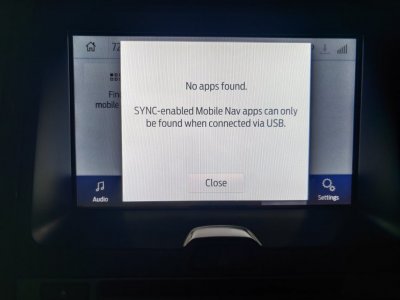
I did the 19274 update this morning. I was surprised and a little unhappy to loose my Pandora phone app over blue tooth. I'm hoping it's just a setting or maybe the first time I run the app over usb it'll be saved. The message said, "SYNC-enabled Mobile Nav apps can only be found when connected via USB." Other than that, no issues and was about 5 min start to finish.


IMG_20200213_074948.jpg


IMG_20200213_075713.jpg
 
Last edited:

LokiWolf

Staff member
Moderator
Joined
Apr 2, 2016
Posts
3,971
Reaction score
2,834
Location
Richmond VA
I did the 19274 update this morning. I was surprised and a little unhappy to loose my Pandora phone app over blue tooth. I'm hoping it's just a setting or maybe the first time I run the app over usb it'll be saved. The message said, "SYNC-enabled Mobile Nav apps can only be found when connected via USB." Other than that, no issues and was about 5 min start to finish.

My Pandora works via BT on both my Expy and Edge on 19274. At least, last I tried a few days ago. I use CarPlay connected via USB 95% of the time.

Make sure Pandora is open on the phone. It can’t connect to it Via BT if the app hasn’t been opened recently on the Phone. If you force close the app or reboot your phone, Pandora will not be active. Just open it, and once it is open and in the background Applink should be able to connect.


Sent from my iPhone using Tapatalk Pro
 

HawkX66

Semper Fi!
Joined
Aug 28, 2018
Posts
643
Reaction score
318
Location
VA/MA
My Pandora works via BT on both my Expy and Edge on 19274. At least, last I tried a few days ago. I use CarPlay connected via USB 95% of the time.

Make sure Pandora is open on the phone. It can’t connect to it Via BT if the app hasn’t been opened recently on the Phone. If you force close the app or reboot your phone, Pandora will not be active. Just open it, and once it is open and in the background Applink should be able to connect.


Sent from my iPhone using Tapatalk Pro
Makes sense. Good to hear. New phone a couple of days ago so that's probably the problem. I'll play with it tonight. Thanks.
 

LokiWolf

Staff member
Moderator
Joined
Apr 2, 2016
Posts
3,971
Reaction score
2,834
Location
Richmond VA
Makes sense. Good to hear. New phone a couple of days ago so that's probably the problem. I'll play with it tonight. Thanks.

Also connect via USB and let it discover again. Yell back.


Sent from my iPhone using Tapatalk Pro
 

bobmbx

Full Access Members
Joined
Jun 11, 2017
Posts
1,200
Reaction score
627
Location
Virginia
I am 3+ months on 3.4 on both my Edge and Expedition. Less issues than 3.0, and updated Nav data. No regrets here!


Sent from my iPhone using Tapatalk Pro
Wow. I'm way behind. Still on 3.0

Is there any major differences between 3.0 and 3.4?
 

chuck s

Full Access Members
Joined
Dec 20, 2006
Posts
1,990
Reaction score
753
Location
Chesterfield, VA (that's south of Richmond, y'all)
Appears to be an improvement in navigation and some other features that I'm still getting used to. The linked files should have some details.

If you're near Richmond I still have the three USB thingies I used to install the system.

-- Chuck
 

Cyanlabs

Member
Joined
Jan 9, 2020
Posts
10
Reaction score
17
Location
England
Wow. I'm way behind. Still on 3.0

Is there any major differences between 3.0 and 3.4?
i list some of the changes on my website which is in this thread somewhere, don't want to advertise so won't keep linking it.
 

JRW4673

Member
Joined
Feb 13, 2020
Posts
5
Reaction score
1
Location
North Carolina
Newbie Question here.
I have followed the cyanlab instructions(I think), however I am now exactly sure what "extract" means. I have downloaded the "zip" files to three separate flash drives. The second and third downloads i could "right click" on and it had an option to "extract all," which I did. I went to follow the steps to record the IVSU's but could not get the figure out how to get that screen to populate. I stopped the process there and did not insert any of the drives.

The vehicle is a '17 Platnium already updated to 3.0.

Thank you in advance for the assistance.
 

chuck s

Full Access Members
Joined
Dec 20, 2006
Posts
1,990
Reaction score
753
Location
Chesterfield, VA (that's south of Richmond, y'all)
Instructions on the linked site are pretty easy and exact. I used the USA method and 3 new USB chips which were pre-formatted. Extract all separately for each file and copy to a chip. I labeled my chips 1, 2, and 3.

You can extract directly to the chip as the extract process gives you a choice of destination.

Once you have all 3 just stick #1 in the USB slot in the console and proceed. I ran the engine at idle the whole time.

-- Chuck

PS -- There's a "reset" needed at some point that I missed. Apparently this will preserve some of your settings which were lost in mine so I started with no saved destinations, and I may have had to find my iPhone again. Otherwise painless.
 
Top