ForScan Tweaks - 2015+

Disclaimer: Links on this page pointing to Amazon, eBay and other sites may include affiliate code. If you click them and make a purchase, we may earn a small commission.

AllBoostNoEco

Full Access Members
Joined
May 2, 2017
Posts
328
Reaction score
196
Location
GA
The Expedition didn’t get a HSW until the ‘18 model, regardless of trim level.

 

rcompart

Full Access Members
Joined
Sep 7, 2014
Posts
216
Reaction score
179
Location
IL
The Expedition didn’t get a HSW until the ‘18 model, regardless of trim level.

If that really is the case, what did the MY15-17 Platinum trim level get you over the Limited besides a leather trimmed instrument cluster cover and chrome strips on the base of the rear windows?
 

AllBoostNoEco

Full Access Members
Joined
May 2, 2017
Posts
328
Reaction score
196
Location
GA
It came with the CCD, BLIS, nav, moonroof, power running boards, 22” polished wheels, satin aluminum trim, door sill scuff plates that said “Platinum”, and a few other visual tweaks all standard. There were basically no options available.
You could order a Limited/King Ranch with a lot of the same options, so it was kind of a wash. You just wouldn’t get the Platinum-specific leather.
 

mossback

2017 Limited EL
Joined
Oct 9, 2017
Posts
359
Reaction score
176
Location
WA state
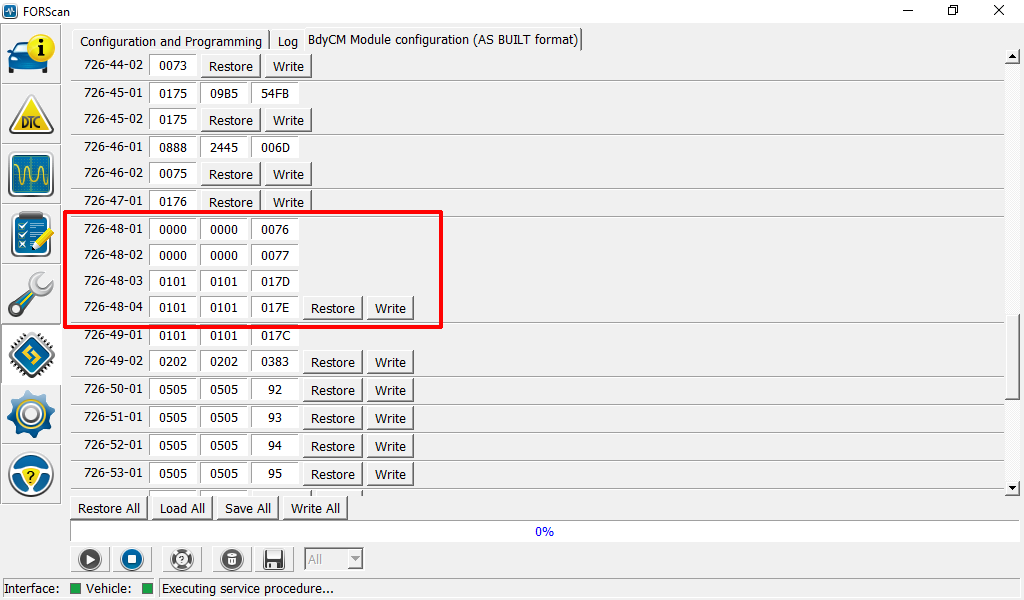
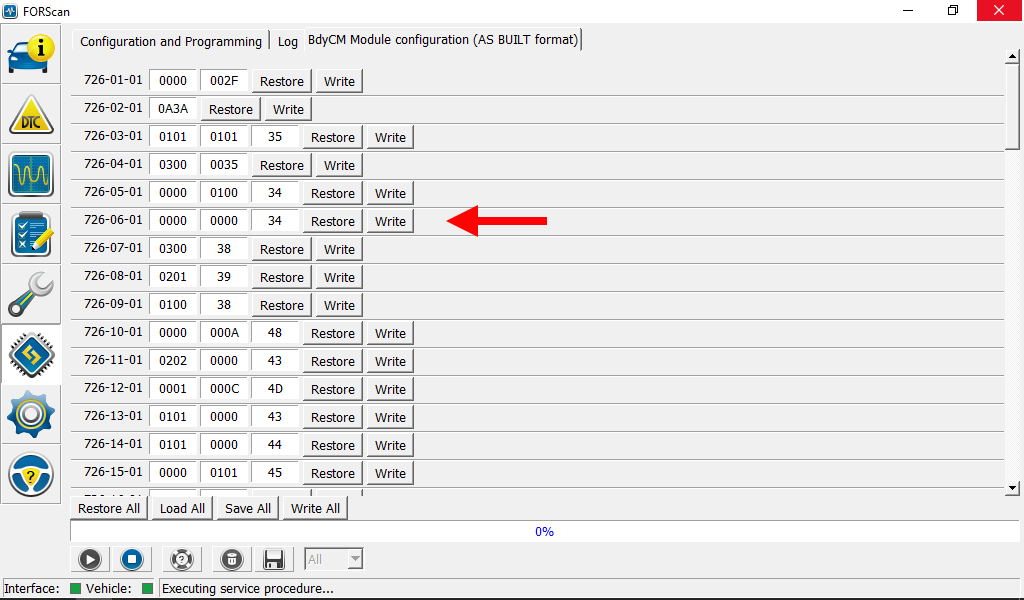
On a 2017 rig has anyone experimented with 726-06-01?
search1.png


Or 726-48-01?

search2.png
 

mossback

2017 Limited EL
Joined
Oct 9, 2017
Posts
359
Reaction score
176
Location
WA state
I'm not sure what it affects but my hope is that these could possibly be secure idle related based on the field data from other Ford vehicles. Purely a guess based on what's known to this point. Curious if anyone has already been down this path. If not I'll do some more trial and error testing.
 

J Ski

3.5plati
Joined
Apr 4, 2017
Posts
1,019
Reaction score
485
Location
VA
View attachment 23418
So I found a 2017 brochure describing the “Police Engine Idle” feature on Explorer and Sedan Interceptors.
It mentions a button you have to push, and scrolling down to the Expedition SSV there is no mention of it as an option.
I would think this is only available for police departments and is probably a separate system installed on the vehicle at departments request
 

East-TN

Full Access Members
Air Force
Joined
Jan 4, 2018
Posts
533
Reaction score
269
Location
TN
Haven’t seen it on here yet...if it has been posted, then disregard

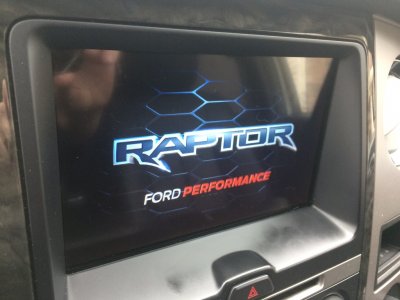
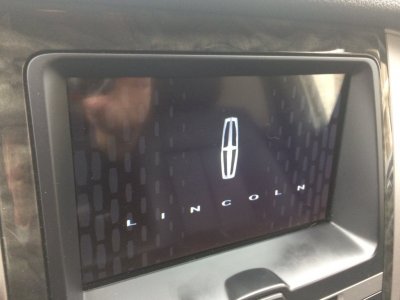
Here is the way to modify your Sync 3 startup screen:

APIM 7D0-02-01 xxxx xXxx xxxx change X to:
1/2 - Standard
3 - LINCOLN Black Label
4 - LINCOLN Presidential
5 - Raptor
6 - Mustang
7 - GT350
8 - Vignale
9 - GT350
A - Standard
B - ST
C - RS
D - GT
E - Continental
F - Standard

FB82232F-B164-4374-83EF-EFB371CD58CB.jpeg
 

East-TN

Full Access Members
Air Force
Joined
Jan 4, 2018
Posts
533
Reaction score
269
Location
TN
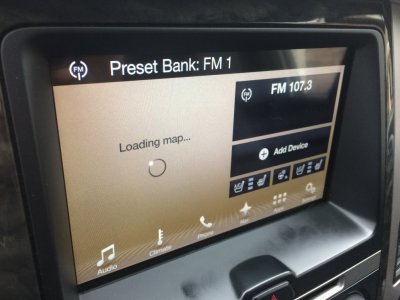
You can also change the Sync 3 Theme (background) to the brown LINCOLN design by changing both APIM lines as follows:

APIM 7D0-01-02 8xxx xxxx xxxx
APIM 7D0-03-01 xxxx x2xx xxxx

This will also give you the ‘LINCOLN’ power down screen (no change to power on screen)

3FE3BCCC-6013-4A45-8D3A-787FD0B559B3.jpeg B3C350F6-DB0A-4A5C-B598-BFCC9EF32D6C.jpeg D47D4E83-3670-4DAA-8AF6-8D487392BA0E.jpeg
 

East-TN

Full Access Members
Air Force
Joined
Jan 4, 2018
Posts
533
Reaction score
269
Location
TN
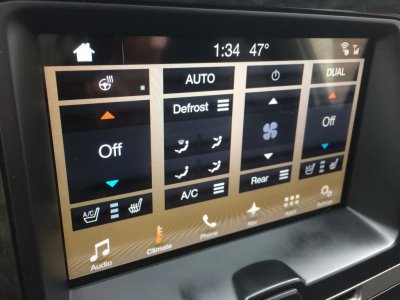
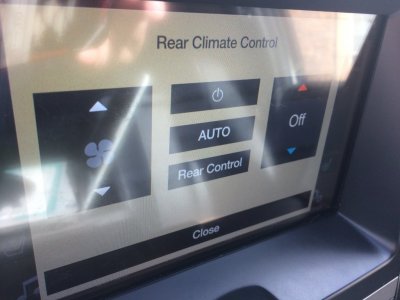
528273D8-47B9-4DE9-B6FB-05DA25350E46.jpeg No luck.

I can get Auto to display on the rear control (see pic), but I can’t get the rear to follow the front Auto setting.

I tried various combinations of modifying the following 2 lines...separately and together:

APIM 7D0-01-02 xxxx xxxx 0xxx

changed the 0 to everything from 1 to F and got various combinations of Auto/No Auto/No rear temp control on Sync 3 screen for the Rear control setting

HVAC 733-01-02 xx0xx xxxx xx

changed the 0 to 4 (automatic) and I could hear some click noise in right rear of Expy like some setting had been changed, but didn’t notice any changes to controlling the rear air

Anyone else investigating this feature?
 

AllBoostNoEco

Full Access Members
Joined
May 2, 2017
Posts
328
Reaction score
196
Location
GA
No luck.

I can get Auto to display on the rear control (see pic), but I can’t get the rear to follow the front Auto setting.

I tried various combinations of modifying the following 2 lines...separately and together:

APIM 7D0-01-02 xxxx xxxx 0xxx

changed the 0 to everything from 1 to F and got various combinations of Auto/No Auto/No rear temp control on Sync 3 screen for the Rear control setting

HVAC 733-01-02 xx0xx xxxx xx

changed the 0 to 4 (automatic) and I could hear some click noise in right rear of Expy like some setting had been changed, but didn’t notice any changes to controlling the rear air

Anyone else investigating this feature?

Is it possible that using AUTO mode for the rear is designed to disable the rear controls in a vehicle that’s programmed that way originally but it’s not doing that in yours?
Maybe try either disabling rear control through the HVAC or setting it to front control only by changing 733-01-01 to x0xx xxxx xx (disabled) or x1xx xxxx xx (front control only); and see if that makes a difference?

I have MFT, which doesn’t mention the possibility of auto in the rear at all, so I don’t think it will work in mine.

 

East-TN

Full Access Members
Air Force
Joined
Jan 4, 2018
Posts
533
Reaction score
269
Location
TN
Is it possible that using AUTO mode for the rear is designed to disable the rear controls in a vehicle that’s programmed that way originally but it’s not doing that in yours?
Maybe try either disabling rear control through the HVAC or setting it to front control only by changing 733-01-01 to x0xx xxxx xx (disabled) or x1xx xxxx xx (front control only); and see if that makes a difference?

I have MFT, which doesn’t mention the possibility of auto in the rear at all, so I don’t think it will work in mine.

I thought about using the Police Mode you suggest, but I didn’t want to take manual control away from the passengers in the back...but maybe I should try it to see what effect it has on the other HVAC settings.
 

Casflynn

Member
Joined
Jul 6, 2017
Posts
21
Reaction score
13
Location
Happy Valley PA
Anyone have any luck with Boost or adding menus to the right side dash display (climate)? I tried messing around with a Ford IDS today and found nothing
 

wrc7732

Active Member
Joined
Oct 14, 2017
Posts
27
Reaction score
9
Location
Kennesaw
Might have missed it but has anyone figured out a way to reorder the audio source list? I’d love to have Bluetooth on page one and relegate at least AM radio to page two. Oy vey.


Sent from my iPhone using Tapatalk
 
OP
OP
LokiWolf

LokiWolf

Staff member
Moderator
Joined
Apr 2, 2016
Posts
3,971
Reaction score
2,837
Location
Richmond VA
Anyone have any luck with Boost or adding menus to the right side dash display (climate)? I tried messing around with a Ford IDS today and found nothing

That has been my mission, and so far I have found NOTHING!

I need a base module config from a Mustang I think to compare against.
 

ExpeditionAndy

Full Access Members
Joined
Aug 31, 2013
Posts
3,708
Reaction score
1,130
Location
Fort Wayne, Indiana
View attachment 23486 No luck.

I can get Auto to display on the rear control (see pic), but I can’t get the rear to follow the front Auto setting.

I tried various combinations of modifying the following 2 lines...separately and together:

APIM 7D0-01-02 xxxx xxxx 0xxx

changed the 0 to everything from 1 to F and got various combinations of Auto/No Auto/No rear temp control on Sync 3 screen for the Rear control setting

HVAC 733-01-02 xx0xx xxxx xx

changed the 0 to 4 (automatic) and I could hear some click noise in right rear of Expy like some setting had been changed, but didn’t notice any changes to controlling the rear air

Anyone else investigating this feature?
When it shows that rear auto screen, does it actually show a numerical temperature setting like it does for the front climate control? Right now I just have high and low and anything in between. I haven't looked on the rear control panel to see if there is an auto setting.
 
Top